Early Black Friday Deals & DoorbustersEnds Nov. 15.Shop now

Skip to contentGo to Product Search
Main Content

Aqara - Smart Wi-Fi Thermostat W200 Matte Kit w/C-Wire, Programmable, Apple Adaptive Temperature, Matter over Thread Hub, Google - Black

Model: SRT-A06D
SKU: 6683664
Sold byBest Buy

Customers are saying

Customers commend the product for its straightforward installation process and high-quality touchscreen display. Users also appreciate the modern design and the seamless integration with smart home ecosystems like Apple Home. While the device offers reliable connectivity, some users find the companion app to be somewhat complex to navigate.

Generated by AI based on customer reviews.

Features

  • Excellent Integration with Apple

    The W200 is the industry’s first thermostat to integrate with Apple’s Adaptive Temperature and Clean Energy Guidance. Using on-device intelligence, your iPhone learns your routines, adjusts when you’re away, and activates when you’re on the way home—no scheduling required. It keeps your home comfortable while saving energy. Clean Energy Guidance shifts heating and cooling to times when the grid is cleaner and potentially less expensive.

  • Doubles as a Smart Panel Hub

    More than a thermostat, the W200 functions as a Zigbee and Thread hub for Aqara and third-party Matter devices. With Mesh Extender and Border Router capabilities, it strengthens and expands your Thread network. It can also play custom audio alerts when connected security sensors are triggered. When paired with Aqara doorbells and locks, you can stream live doorstep video and unlock your door directly from the W200—all locally, with no premium subscription required.

  • Native & Future-Proof Matter Support

    With Matter support, the W200 also works locally with Google Home, Amazon Alexa, Samsung SmartThings, and Home Assistant for future-proof compatibility without the limits of a single ecosystem. Dual-band Wi-Fi with 5 GHz support ensures faster response times and reliable connections that stay stable even in crowded network environments.

  • Climate Management On Demand

    Adjust temperature effortlessly from your phone or with voice commands, whether you're lounging in bed, away on vacation, or on your way home. Use the simple yet powerful Aqara Home app, or third party apps through matter to manage your personal climate. Linked external temperature and humidity sensors placed throughout your home can ensure W200 delivers precise comfort where it matters most.

  • Built-in Advanced mmWave Presence Sensor

    W200 is equipped with an advanced mmWave radar sensor, enabling automatic adjustments based on occupancy detection. As you approach, the screen activates on its own, giving you immediate access to the device’s settings. Plus, it can function as a stand-alone sensor usable in Aqara and third-party apps, enabling you to create additional automations with other devices.

  • C-Wire Configuration

    Thermostat comes with a C-Wire adapter already attached.

Specifications

  • App Compatible
    Yes
    Compatible with 24V Cooling
    Yes
    Compatible with 24V Heating
    Yes
    Works With
    Apple Home, Google Home, Amazon Alexa, Hue
    Touch Screen
    Yes
    Multi-Zone Control
    Yes
Sponsored

Reviews

Rating 4.7 out of 5 stars with 32 reviews

97% would recommend to a friend
Customers are sayingCustomers commend the product for its straightforward installation process and high-quality touchscreen display. Users also appreciate the modern design and the seamless integration with smart home ecosystems like Apple Home. While the device offers reliable connectivity, some users find the companion app to be somewhat complex to navigate.
This summary was generated by AI based on customer reviews.
  • Ease of Setup (21)
  • Display Quality (17)
  • Design (7)
  • Smart Home Integration (6)
  • Connectivity (4)
  • App Usability (3)

Customer Images

The vast majority of our reviews come from verified purchases. Reviews from customers may include My Best Buy members, employees, and Tech Insider Network members (as tagged). Select reviewers may receive discounted products, promotional considerations or entries into drawings for honest, helpful reviews.

  • Rated 4 out of 5 stars

    Took longer than I thought but great thermostat

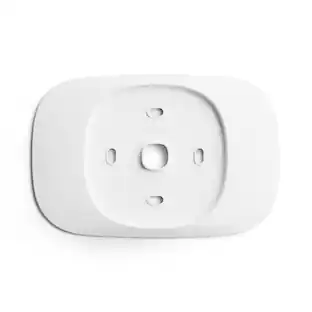
    Brief intro Smart thermostats have been around for quite a while now. You have the usual players, and then you have new companies. I have never heard of Aqara until now. I was interested in this specific one because it came with a C-wire adapter. My home is older, and the furnace doesn’t have a C-wire built in. Expectations I expect this to be easy to install and work just as conveniently. I also expect the app to be robust without being confusing. What’s in the package? Out of the box you have the power/cable mount, the thermostat itself, a vanity mount so it blends better with the wall, some quick start guides, and some screws to get it on the wall. You also get the c-wire adapter. Try it out Well, I’ve installed two other smart thermostats in the past, and it was pretty straight forward. I thought it was going to be the case with this as well, but alas it was not. First I had to install the c-wire adapter, otherwise the thermostat wouldn’t even power on for the set up and app pairing. I went through the motions of connecting all of the cables from the furnace and setting it up with the adapter, and I thought it was all set, I went to the thermostat and it wasn’t turning on. I went to the furnace again and tried 2 more different configurations… and at one point, the fuse blew. Luckily my local hardware store was still open and I was able to buy 5 more just in case it went out again. After a few more tries, I gave up. I contacted Aqara’s customer service, and after some back and forth, we determined that the c-wire adapter was faulty. Surely enough, I installed the new one, and the thermostat powered on. This whole ordeal took about 3 weeks, but the customer service from Aqara, and the awesome guidance from Best Buy really got me through this. Thoughts You use your smart phone to set up the thermostat, it was easy, and quick. Connect it to your wi-fi, give it a name, a location, set a schedule, a routine, and you’re all done. The touch interface on the thermostat itself is quite nice. It’s tap to turn on like any modern phone. The app is also nice. I really like the inclusion of the c-wire adapter. Setting up the auto on the thermostat took some getting used to. It’s more intuitive on the app than it is on the actual thermostat. Conclusion All in all it’s a nice thermostat. There isn’t a groundbreaking feature on it. It works well, and the app is intuitive. My only minor negative is that the thermostat is black, but the vanity mount is white… I wish it was clear, so it could just blend with any wall color.

    Posted by EthanH

  • Rated 5 out of 5 stars

    Another step forward

    I've had multiple smart thermostats over the years (Nest and Ecobee most recently).  I moved from Nest to Ecobee to get support for multiple temperature sensors.  I’ve been upgrading my smart home to move away from Zigbee to Matter and Thread. About 60% of what I have works with Apple Home. Upon learning what Apples Adaptive Temperature was I was anxious to find a product that supported it.  The Aqara W200 not only supports it, it can act as a Smart Home Hub (meaning I can support more devices (total in the future)).   One big problem I had with Ecobee was that it rarely thought the home was empty.  With the W200's and Apple Home means it can accurately detect when everyone's (primary) devices (iPhones) are in fact not found (requires iOS 26 or later) but then Apple's Adaptive Temperature can accurately manage home/away to set the house temperature. I'm hoping to cut my energy costs using the W200 and Apple Home.   Because it can act as a hub for other Aqara products, which really makes it convenient to improve the connectivity. I plan to add two Aqara Smart Locks (U400 locks) and will add an Aqara humidity sensor to integrate with other smart home features. Installation was simple, and if you have ever messed with installing a modern thermostat you won't find it difficult (use the supplied wiring labels). You only need to remove a couple screws and identify your system wiring and then wire it up the W200 with the correct wires, it took me about 5 minutes. I rarely use my thermostat on the wall and mostly use the mobile app and Apple Home. I must say that I like the W200's user interface more than any other smart thermostat.  Partly it does a lot more and has a much better display. I really like the menu lay out. The quality seems decent.  Like all the others it's mostly plastic but its full RGB display (it can display color images) is a step ahead of those I’ve tried.  I was really attracted by new modern features (Thread and Matter) that made the thermostat attractive. I plan to integrate W200 with the Aqara doorbell and lock that I will add. so that when someone rings the doorbell, the thermostat shows pictures of the person on the doorstep and provides the option to unlock the door directly from the W200 (or from my smartphone). Note: currently there is no support for two way voice. Since installing the W200 I have had the opportunity to see Adaptive Home at work and it works quite well.  The Aqara hooked up with HomeKit without any issues. I love how customizable it is. You can change so many of the screen settings, layouts and widgets (you can set up scenes but I did not try this, but it makes it even more flexible. I plan to add a number of Aqara sensors in various rooms like I did with EcoBee. The Aqara app can program the W200 to use sensors in different rooms based on the times of the day to ensure the home is smartly occupied (this I have not explored). Overall, I am very impressed with the W200 and its easy-to-use feature set; It does take some time to get the various features set up and tested (as do many smart home additions).

    Posted by 3Tcubed

  • Rated 5 out of 5 stars

    Very capable

    This is the USA version of the Aqara thermostat, which integrated well with Matter hubs and particularly with Apple Home. Installation was straightforward in my case as I replaced an older thermostat in a relatively modern AC/Gas heat unit that already had the correct wiring. This kit comes with an adapter in case a C wire is not present like in older furnaces. I did not use this so it was a matter or drilling two new holes in the wall (thermostat brackets are not standard across different models), reconnecting the same cables (newer systems follow a standard wiring pattern), and set up took a few minutes. It also comes with an optional backplate which can cover the holes from a previous thermostat. The backplate is pure white while the thermostat is matte black, so it didn't work out with out painted wall. Note that this is a thermostat and also a home automation hub, so one can choose to use just as a thermostat by adding it via Matter to Apple Home and other platforms as well as setting it up as a hub which allows additional features and supports additional temperature sensors. I started by first adding it to Apple Home: By scanning a QR code that appears on the thermostat screen, I was all set up within minutes. Apple Home set up Wi-Fi and automatically created a base schedule, and enabled 'Adaptive Temperature'. Adaptive Temperature is new as iOS 26 and is a simplified automation that manages the day/light schedule and sets the thermostat in away mode when people is no longer at home. Apple does this by tracking the location of the primary devices associated to each user in the home. When it detects no one is home it changes the temperature to save energy, and if it predicts people are returning to the house by inferring from phone activity, it can start the AC/Heat earlier to the home is close to the target temperature when arriving. Besides Apple Home, it officially supports Alexa, Google Home, SmartThings and Home Assistant, and should also work with any other Matter platform, all at the same time. As an Aqara hub it also supports Aqara Matter, Thread, Zigbee and Bluetooth devices. When adding temperature sensors to the system, the thermostat can use these to average the temperature around the home or to make another sensor the primary point, or combine with presence sensors for more complex automations. Overall, I like how it works. The screen is matte and turns off when no one is around. It allows for some screen customization as well. It also provides English audio prompts during initial setup. Being a Matter thermostat that supports Apple's Adaptive Temperature is something that sets this apart.

    Posted by emiliosic

  • Rated 4 out of 5 stars

    Well executed smart thermostat saves energy costs

    Aqara is not a company I was familiar with. This is my first introduction to their products. I am installing it on a standard air conditioner/heat pump unit. Appearance This thermostat is a nice small shape. It comes with a baseplate, which you can use to cover over larger old holes, or screw holes from larger more rectangular thermostats, which is what I had before, so I did choose to use the baseplate for that reason. The baseplate is a neutral color which worked well with my wall color. If I ever choose to repair and repaint the old screw holes, I think the baseplate wouldn’t be necessary, but I was glad it was included. The display looks sharp, and it is off most of the time, but automatically turns on when it detects you walking past or if you walk up to it. That is a nice feature because there is no reason for the display to be on all the time if you are not there to see it. Installation This came with a converter to make the thermostat compatible with systems that don’t have a C wire. I didn’t need to use that converter, but again, it was nice that it was included in case you did. Installation was fairly straightforward. I cut the power to my system, and swapped it out with my old thermostat. The one piece of confusion I had was my old manual thermostat had a single Y/W1 bridged terminal. I was a little confused about what to do. Everything was indicating I use what was connected to my Y/W1 and connect that to Y, and then connect what was connected to my W2, to my W1. Basically with a smart thermostat, you define in the configuration settings the system type, which old thermostats were too dumb to dod. If set to heat pump mode, Y/W1 are split. Y is used for both cooling and heating, when in non smart thermostats, Y was only used for cooling and W1 was used for first stage heating, hence why they were bridged. In a smart thermostat, Y is used for both cooling and first stage heating, and W1 becomes the auxiliary heat, which is why you move W2 to W1. Once I figured that out, I just connected the correct wires to the correct pins. I didn’t even have to cut them. The long loops that were previously wrapped around the screws, once straightened out, slipped in easily. Once wired, I re-enabled the power, and it powered up. It presented a QR code, which I used to install their app, and then I was able to Enable the device. After installing the app, there were a series of questions I had to answer to get it to start working, including the type of device it is controlling. I answered as best I could, and set up a schedule, and it started controlling my AC. There were some questions I wasn’t too sure about the answers to, like the minimum outside operating temperature for the heat pump. A standard thermostat has no idea what the outside temperature is, so it is not something I ever really thought about before. For now, I just set it to a really low number. The thermostat can know the external temperature via the internet. At a certain point, your heat pump is no longer able to produce any heat from the air. With the old dumb thermostat, it would keep running the compressor, even though it wasn’t producing any heat. With the smart thermostat, you can set the temperature where you system is no longer able to produce heat, and it will stop running the compressor below that temperature, saving wear and tear on your system, and reducing your electric bill. Also, in the process of setting it up, I had an error show up on the app, and it was in Chinese. I am not sure what it meant, or how I fixed or circumvented it, but it did go away. Configuration I did set up schedules, because it is kind of part of the setup process. You set up a home mode, an away mode, etc.. and it will cycle between them based on time. This seems like it has the potential to save energy, especially if you have a specific set schedule where you are home or away each day, but I don’t really have that, so I disabled everything except the main schedule. Features This thermostat has some other cool features. It has an integrated zigbee hub compatible with a Plethora of smart devices like light switches and such. I don’t currently have anything other than Alexa compatible plugs or light bulbs, but it is nice to know I now have other potential options now. One feature that looks really cool is the ability to see doorbell video on the display. My thermostat is actually mounted to the wall in my Foyer, by the front door, which would make this a perfect feature for me, but alas, it only works with Aqara doorbells, and I have a Blink doorbell, which I am not planning to replace anytime soon, so it is kind of locked into its own little ecosystem. While I did install the app, there are a lot of settings and I haven’t had much time to mess with all of them, but one I did see, that I look forward to using it quite simply, vacation mode. It lets you run the system at more energy efficient temperatures, ones that might not be as comfortable for humans, but which are fine for your home, when you are away for an extended period. No reason to keep your house at 72 degrees during the summer or at 68 degrees in the winter, if you are not home. Conclusion It is a nice unit. It seems to be controlling my system as expected. The display is clear, and through the app, there are a lot of different configurations available so you can customize the look and feel the way you want, but I left mine at the default setting. Basically an automatic mode with a minimum and a maximum temperature. This is one thing I really like about smart thermostats, is not having to switch them between heat and cool modes during the change of season. So smart thermostats are really useful. They give you much more control, which in turn, can save you money. This one seems to be well executed and easy to use. I would recommend it.

    Posted by BbTech

  • Rated 5 out of 5 stars

    Feature filled smart thermostat

    At this point smart thermostats are a dime a dozen, and it's difficult to find one that really stands out. This one does even though you've probably never heard of it. Packaging: To start with it comes with all of the essentials, a face plate cover, screws, the thermostat itself and the C-Wire pod if you need it. A small amount of documentation is also included however the app walks you through the install and setup process so it's not entirely needed unless it's just easier. I did find the documentation useful for install. Use: I did struggle slightly with the W1 vs W2 wires as my previous smart thermostat used W2 for Aux heat whereas this one uses W1 for Aux heat and will throw an error if you use W2, so be aware of that and move it if you need to. However once I got past that it was probably the fastest and least annoying smart thermostat I've ever set up. The terminals are push-in like most modern thermostats are then the thermostat snaps onto the terminal plate. Setup just verifies wiring and goes through setup with either Aqara scheduling or if you have Apple Homekit. The device can also act as a hub for other Aqara devices and a screen for an Aqara smart doorbell if you have one which to me is extremely interesting and useful. I do have an Aqara Smart Doorbell so I was able to test this feature and it works well. It also makes the screen on this thermostat quite a lot higher resolution than most, if not all, other smart thermostats I've ever seen or used. If others worked in conjunction with various smart doorbell brands I think they would find an interested market, especially for those that dont always have their phones attached to their hands. In general I find this to be one of those devices that just "works", the app isn't super spectacular but it doesnt need to be, it gets the job done and doesnt send you through excessive gyrations to do so. Overall: This is an excellent choice for a smart thermostat, especially if you're in the market for other Aqara smart home devices such as a smart doorbell as this can act as a hub to other Aqara home devices. I strongly recommend it.

    Posted by Beradon

Compare similar products

Aqara - Smart Wi-Fi Thermostat W200 Matte Kit w/C-Wire, Programmable, Apple Adaptive Temperature, Matter over Thread Hub, Google - Black
4.7(32)

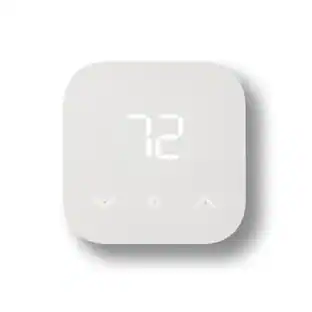
Aqara Thermostat W200, the first thermostat to support Apple Adaptive Temperature and Clean Energy Guidance, delivers effortless comfort and smarter energy savings. Your iPhone learns your routine and adjusts automatically—no schedules required. More than a thermostat, it works as a Zigbee and Thread hub with Border Router capabilities, expanding your Matter network and enabling local control across Apple, Google, Alexa, SmartThings, and Home Assistant. Built-in mmWave presence detection, dual-band Wi-Fi, security alert playback, and seamless doorbell streaming and lock control bring powerful automation together—subscription-free and designed for a future-proof smart home.
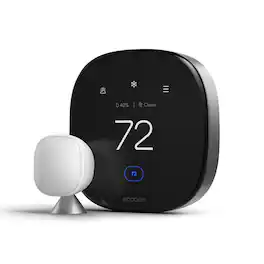
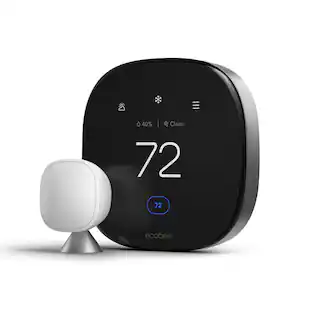
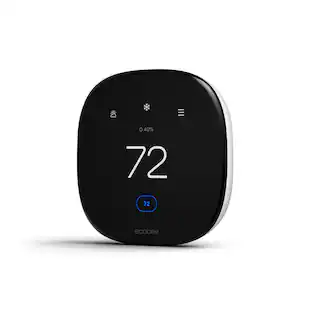
ecobee - Smart Thermostat Premium - WiFi, Siri & Alexa Built-In, Smart Sensor, Air Quality Monitor - Black

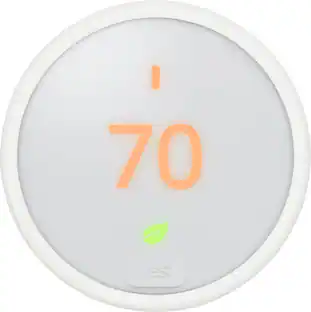
ecobee Smart Thermostat Premium — Smarter Comfort, Cleaner Air, Safer Home. The ecobee Smart Thermostat Premium is built to do more than change the temperature. It learns how you actually use your home and adjusts comfort, air quality, and security in the background, so you don't have to think about it. At the core is whole-home comfort. The included SmartSensor detects which rooms you're actually in and adjusts temperature accordingly, instead of relying on a single reading from one spot in the house. Energy-saving intelligence works quietly behind the scenes, helping lower heating and cooling costs year-round while staying ENERGY STAR certified. Breathe easier with a built-in air quality monitor. It tracks pollutants and humidity in real time, alerts you when air quality drops, offers simple steps to improve it, and reminds you when your furnace filter needs changing, so indoor air quality is never something you have to guess about. Security is built in, not bolted on. A radar-based occupancy sensor helps the thermostat understand when your home is active or empty, supporting both smarter comfort adjustments and home security features. Pair it with an ecobee Smart Doorbell Camera (wired) to stream a live view of your front door and talk to visitors two-way, right from the thermostat display. Control it your way. With a built-in smart speaker and your choice of Siri or Alexa, you can manage your home hands-free and stream Spotify playlists or podcasts through the thermostat's speaker. (Apple home hub required to enable Siri.) Installation is designed to be simple. The Power Extender Kit (PEK) and Trim Kit are included in the box, along with everything needed for an easy DIY setup, even in homes without a C-wire. The thermostat works with most 24VAC HVAC systems, including furnaces, air conditioners, heat pumps, boilers, PTACs, and fan coil units. Use ecobee's Compatibility Checker at ecobee.com/compatibility/thermostat to confirm your system before you buy. From daily comfort to indoor air quality to home security, the ecobee Smart Thermostat Premium brings it all together in one connected device.
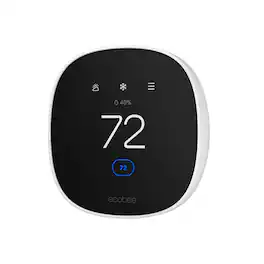
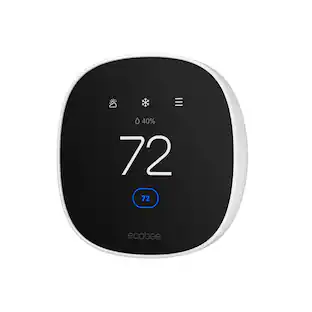
ecobee - Smart Thermostat Essential - WiFi Thermostat, Energy Star Certified - White

Join the millions who love and trust ecobee products with our most affordable thermostat yet: Smart Thermostat Essential. It saves you up to 23%* on your energy bills and is so efficient that it pays for itself in just six months. You'll love how easy it is to use and control, and with effortless installation, you can set it and forget it. *Compared to a hold of 72°F/22°C. Check your system’s compatibility on the ecobee support page. ecobee.com/compatibility/thermostat
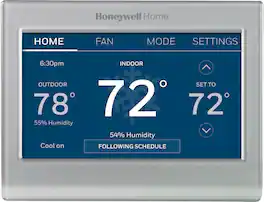
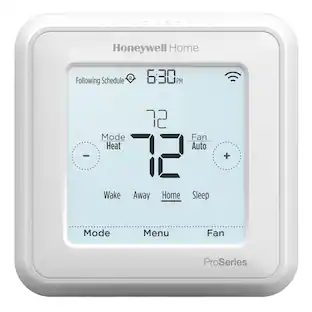
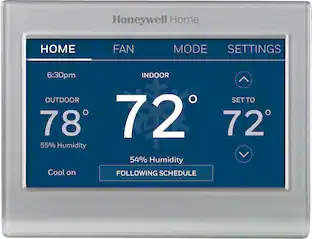
Honeywell Home - Smart Color Thermostat with Wi-Fi Connectivity - Silver

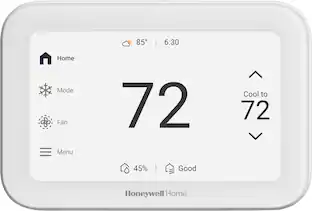
Completely customize your Wi-Fi Smart Color Thermostat to match your lifestyle and decor. The ENERGY STAR® certified smart thermostat lets you choose the temperature, schedule, display color and the devices you use to control it all.

Pros for Aqara - Smart Wi-Fi Thermostat W200 Matte Kit w/C-Wire, Programmable, Apple Adaptive Temperature, Matter over Thread Hub, Google - Black
Design, Connectivity, Ease of Setup, Display Quality, Smart Home IntegrationOverall Performance, Ease of Use, Installation, Design, Air Quality MonitoringEase of Use, Overall Performance, Installation, Design, App UsabilityEase of Use, Overall Performance, Installation, Connectivity, Remote Control
Cons for Aqara - Smart Wi-Fi Thermostat W200 Matte Kit w/C-Wire, Programmable, Apple Adaptive Temperature, Matter over Thread Hub, Google - Black
App UsabilityTemperature Accuracy, CompatibilityScreen SizeCompatibility, Temperature Accuracy, Size, App Functionality

Specs

Questions & Answers

  • Is this controlled by thread, or just a border router

    The W200 itself uses Wi-Fi for smart control, including Matter over Wi-Fi. It also has a built-in Thread Border Router for connecting compatible Thread devices.

    Answered by Aqara Official
    Aqara Official response
  • Does this thermostat support two-way audio when paired with a compatible Aqara G400 or G410 doorbell?

    No. The thermostat does not support two-way audio. When paired with a compatible Aqara G400 or G410 doorbell, the thermostat can display an image of who is at the door, but you cannot speak with the visitor through the thermostat.

    Answered by Aqara Official
    Aqara Official response
  • Does this thermostat have air quality monitoring built in for VOC or CO2 levels?

    Sorry to say, the Aqara W200 doesn't support monitoring the VOC or CO2 levels

    Answered by Aqara Official
    Aqara Official response
  • Does this thermostat have a built in voice assistant? such as Siri or Alexa.

    The W200 does not have a built-in voice assistant. However, it supports voice control through compatible smart home platforms, including Siri and Alexa, allowing you to adjust the temperature using voice commands.

    Answered by Aqara Official
    Aqara Official response
  • Can I use this smart thermostat to control my door locks?

    Yes, when paired with compatible door locks, you can unlock your door directly from the smart thermostat.

    This question and answer was generated by AI based on customer and product data.

Ask a question
No content

Customers often buy these together

Sponsored