Lockly - Secure Pro Smart Lock Wi-Fi Replacement Deadbolt with 3D Biometric Fingerprint/Keypad/Voice Control Access - Satin Nickel
Lockly - Secure Pro Smart Lock Wi-Fi Replacement Deadbolt with 3D Biometric Fingerprint/Keypad/Voice Control Access - Satin Nickel
Color
Satin NickelRelated Item

Highlights
- Key Specs
- Color Finish: Satin nickel
- Lock Type: Deadbolt
- Lock/Unlock Mechanism: Fingerprint, Voice assistant, Keypad, App (There are several technologies used by smart locks to manage access, such as biometrics, Bluetooth, or NFC. Some locks allow codes to be entered via a keypad or touchscreen; digital keys can often be sent to multiple authorized devices or temporarily shared with guests.)
- Power Source: Battery-powered
- Installation Type: Replacement
- Wireless Connectivity: Wi-Fi, Bluetooth (The manner in which a device sends data to another device over a short distance without the use of wires or cables.)
- General
- Brand: Lockly
- Model Number: PGD728WSN
- Product Name: Secure Pro Smart Lock Wi-Fi Replacement Deadbolt with 3D Biometric Fingerprint/Keypad/Voice Control Access
- Color: Satin Nickel
- Color Finish: Satin nickel
- Features
- Finish: Stainless steel
- Lock Type: Deadbolt
- Lock/Unlock Mechanism: Fingerprint, Voice assistant, Keypad, App (There are several technologies used by smart locks to manage access, such as biometrics, Bluetooth, or NFC. Some locks allow codes to be entered via a keypad or touchscreen; digital keys can often be sent to multiple authorized devices or temporarily shared with guests.)
- Auto Unlock: true (Locks with this feature automatically unlock when certain conditions are met, such as coming within range of a home wireless network or when activated via a mobile app.)
- Unlock Notifications: true
- Shareable Keys: true (This feature allows a single key to be shared with multiple users or authorized devices.)
- Remote Monitoring Capabilities: true (Monitor)
- Power
- Power Source: Battery-powered
- Rechargeable Battery: false
- Battery Size: AA (The battery size required for operation.)
- Number of Batteries Required: 4
- Batteries Included: true (Indicates whether the product comes with the required batteries for its operation.)
- Low-Battery Indicator: true
- Compatibility
- Installation Type: Replacement
- App Compatible: true (The product can be connected to a program or software application on a mobile device, which then receives collected data from the product.)
- Wireless Connectivity: Wi-Fi, Bluetooth (The manner in which a device sends data to another device over a short distance without the use of wires or cables.)
- Operating System Compatibility: Android, Apple iOS
- Works With: Amazon Alexa, Google Home (Compatible with or able to be connected to other smart devices or applications.)
- Voice Assistant Built-in: Google Assistant, Amazon Alexa (A digital assistant built into the device that uses voice commands to answer questions and control smart devices.)
- Performance
- Minimum Operating Temperature: 4 degrees fahrenheit (The lowest recommended ambient (surrounding) temperature in which the product can ideally operate stated by the manufacturer. Generally long-term exposure of the product to temperatures less than the minimum can result in ineffective operation.)
- Maximum Operating Temperature: 140 degrees fahrenheit (The highest recommended ambient (surrounding) temperature in which the product can ideally operate stated by the manufacturer. Generally long-term exposure of the product to temperatures more than the maximum can result in ineffective operation.)
- Warranty
- Warranty - Parts: Limited 5-Year Mechanical & Finish Warranty and 2-Year Electronics Warranty & Lifetime Technical Support
- Warranty - Labor: Limited 5-Year Mechanical & Finish Warranty and 2-Year Electronics Warranty & Lifetime Technical Support
- Other
- UPC: 850003895161
The award-winning Lockly Secure Pro deadbolt is a upgrade for all homeowners. Featuring hack-proof patented PIN Genie keypad and 3D biometric fingerprint access for keyless entry, combined with app control, Scan-to-Open, Voice control with Alexa and Google Assistant, Offline access codes and Physical key to always have access or grant access. Real-time door status monitoring from anywhere, anytime through free, no-subscription Lockly App. Best for homeowners, Airbnb rentals and offices. Universal fit for easy DIY installation.
- Your finger is your key: 3D fingerprint sensor provides quick < 0.3 second biometric access, storing up to 99 unique fingerprints.
- Hack-proof digital keypad: Patented PIN Genie touchscreen ensures enhanced security by randomly shuffling PIN locations, making code-guessing impossible.
- Mobile app integration: Experience advanced control - lock, unlock, monitor door status, or view access history via the free Lockly app.
- Voice control: Unlock, lock, or check door status using your voice with Alexa or Google Assistant.
- Voice Control: Grant trusted individuals access without the need for Wi-Fi or app downloads.
- eBadges and eKeys: Grant revokable access to family and friends via Lockly app.
- Battery operated: Easily replace to eliminate wires with emergency 9V backup battery slot.
- Auto locking: Set and forget with the customizable auto-lock feature.
- External 9V battery: Backup 9V terminal for temporary power up the screen / fingerprint sensor.
- Easy DIY Installation: Designed for quick and no-fuss installation with common tools.
- Welcome mode: Temporarily disables auto locking, keeping the door open for a specified period of time to welcome your guests with quick access.
- Rekeying capability: Easily replace key cylinder without changing the lock (with standard rekey kit).
- Your finger is your key: 3D fingerprint sensor provides quick < 0.3 second biometric access, storing up to 99 unique fingerprints.
- Hack-proof digital keypad: Patented PIN Genie touchscreen ensures enhanced security by randomly shuffling PIN locations, making code-guessing impossible.
- Mobile app integration: Experience advanced control - lock, unlock, monitor door status, or view access history via the free Lockly app.
- Voice control: Unlock, lock, or check door status using your voice with Alexa or Google Assistant.
- Voice Control: Grant trusted individuals access without the need for Wi-Fi or app downloads.
- eBadges and eKeys: Grant revokable access to family and friends via Lockly app.
- Battery operated: Easily replace to eliminate wires with emergency 9V backup battery slot.
- Auto locking: Set and forget with the customizable auto-lock feature.
- External 9V battery: Backup 9V terminal for temporary power up the screen / fingerprint sensor.
- Easy DIY Installation: Designed for quick and no-fuss installation with common tools.
- Welcome mode: Temporarily disables auto locking, keeping the door open for a specified period of time to welcome your guests with quick access.
- Rekeying capability: Easily replace key cylinder without changing the lock (with standard rekey kit).
Whats Included
- Door lock
- Secure Link Wi-Fi hub
- 4AA Batteries
- Door lock
- Secure Link Wi-Fi hub
- 4AA Batteries
Q: Does this lock notify you when the door has been open/closed?
A: Yes with the Pro version with the WiFi Hub and door sensor it will have a log of activity for the door.
A: Yes! Our Lockly Secure Pro comes with a Secure Link WIFI hub that allows remote access of the lock from any location and the ability to control the lock with Google Home or Alexa. It also comes with a door sensor that will show if the door is open or closed. You can also purchase the WIFI hub separately to work with any of our other Secure model locks.
Q: Does this include a key as a back up if internet goes down?
A: Yes. 2 keys
A: It was for me but that’s probably worth a phone call to be sure.
A: Are the sensors reinstalled and aligned correctly?
Q: I need a ‘drive in’ style latch for my door. Can you recommend one that will work with this lock?
A: Hello, We would love to help but would need more information to be able to give you an answer to your question. Please reach out to us directly so we can help you! Happy Holidays! [email protected] 669-500-8835
Q: Is this lock meant for outdoors, weatherproof?
A: Yes it is. Mine has survived some pretty harsh storms with no issues.
A: Does work with wifi, Bluetooth and alexa. all sensor pieces are included . With the app on your phone its so easy to navigate all access codes and settings .
Compare similar products

The award-winning Lockly Secure Pro deadbolt is a upgrade for all homeowners. Featuring hack-proof patented PIN Genie keypad and 3D biometric fingerprint access for keyless entry, combined with app control, Scan-to-Open, Voice control with Alexa and Google Assistant, Offline access codes and Physical key to always have access or grant access. Real-time door status monitoring from anywhere, anytime through free, no-subscription Lockly App. Best for homeowners, Airbnb rentals and offices. Universal fit for easy DIY installation.
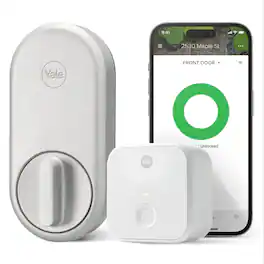
Embrace a key-free and worry-free lifestyle with Yale's very first retrofit smart lock: the Yale Approach Lock with Wi-Fi. This sleek and modern lock seamlessly integrates with your front door and makes accessing your home simpler and more convenient than ever before. The Yale Approach lock installs on the inside of your door without replacing your existing deadbolt, so no DIY experience is needed, and you can keep your keys. Paired with a Yale Connect, stay in control of your door by sharing virtual keys and locking or unlocking your door-from anywhere. Thanks to the Yale Access app’s Activity Feed, keep tabs on your door at all times and know when friends, family and vacation rental guests come and go. For ultimate peace of mind, Auto-Lock with Doorsense ensures that your door is always locked behind you, giving you one less thing to worry about. Hands full? Let Yale get the door by enabling Auto-Unlock. Pair with the Yale Keypad to unlock even more ways to access your home.

YALE ASSURE LOCK 2 TOUCH. A LOCK AS UNIQUE AS YOU. Make coming home more seamless than ever with the Yale Assure Lock 2 Touch. Thanks to the new biometric keypad, a simple touch of your finger is all it takes. Explore multiple ways to access your home including your fingerprint, entry code on the keypad, hands-free Auto-Unlock, or using the app on your phone (at the door only). For added peace of mind, never worry about locking the door behind you with advanced Auto-Lock and DoorSense. The Yale Assure Lock 2 Touch can be upgraded with a Wi-F Smart Module whenever you’re ready, so unlike other smart locks, you won’t have to buy a new one if your smart home needs change.

Meet Yale Code, the non-connected door lock that brings key-free entry to your door an an approachable price point. Ideal for those who are new to electronic locks, or just want an affordable way to upgrade their home, Yale Code has a simple DIY installation process that doesn’t require any professional help, and there’s no app or phone set-up is needed. Create and store up to 20 key-free entry codes directly in the lock itself, and share secure and convenient access with friends, family, housemates, caretakers, and more. The backlit keypad ensures that you can easily read its numbers for entry at any time of day, and the backup key allows all members of your household to choose their preferred way to unlock the door. With its sleek design and low profile, Yale Code looks great on any door while bringing trusted security to your home.
| Pros for Lockly - Secure Pro Smart Lock Wi-Fi Replacement Deadbolt with 3D Biometric Fingerprint/Keypad/Voice Control Access - Satin Nickel | |||
|---|---|---|---|
| Security, Fingerprint Reader, Installation, Ease of use, Auto Lock | There were no pros for this product— | There were no pros for this product— | Security, Installation Ease, Build Quality, Keypad Illumination, Locking Mechanism |
| Cons for Lockly - Secure Pro Smart Lock Wi-Fi Replacement Deadbolt with 3D Biometric Fingerprint/Keypad/Voice Control Access - Satin Nickel | |||
| Bluetooth, Size | There were no cons for this product— | There were no cons for this product— | Connectivity |
Specs
Reviews
Customers are saying
Customers are satisfied with the Secure Pro Smart Lock, highlighting the effective fingerprint reader, straightforward installation, and ease of use. The security features, long battery life, and compatibility with multiple fingerprints are also appreciated. However, some customers found the lock to be large, and others experienced issues with Bluetooth connectivity.
Customer Images
The vast majority of our reviews come from verified purchases. Reviews from customers may include My Best Buy members, employees, and Tech Insider Network members (as tagged). Select reviewers may receive discounted products, promotional considerations or entries into drawings for honest, helpful reviews.
- Rated 5 out of 5 stars
So good, I bought a second deadbolt edition
I received a latch edition to review and while it didn't fit my front door perfectly, I enjoyed it so much I had to have one for my front entry door so I purchased the Satin Nickel Deadbolt edition. Some key distinctions between Lockly Secure versions, they are all compatible with the new Wi-Fi Hub, but the Secure is the base model with keypad and physical key. Plus adds fingerprint scanner. Pro has fingerprint and also adds the Wi-Fi hub. While its great Lockly made the Wi-Fi hub backward compatible with all 3 units, if buying new the Pro edition is the way to go without a doubt. So Lockly Secure locks with the Wi-Fi hub can control your lock at least 5 different ways, all of which are important but the two methods that are real game changers are the finger print reader and the remote/smart home controls enabled with the Wi-Fi hub. The fingerprint reader is the best method of entry for day-to-day usage but the remote access and lock/unlock is great in a pinch or emergency for guests, visitors and family members. Overall I think the deadbolt unit is the easier model to use and works great with existing hardware, but it does have some flaws detailed below: 1) If you leave your door ajar, after 30 seconds with auto-lock the bolt will extend even if the door isn't closed, meaning you need to manually close the bolt to close the door. It would be nice if the Wi-Fi door sensor prevented this from happening. 2) The inside door housing is not satin nickel it is plastic, unlike the latch edition. It doesn't feel cheap, but its not as premium as the latch edition. 3) Hardware is not universal. The deadbolt fit better than the latch edition which left holes everywhere, but its not going to be perfect for everyone. Make sure to check your hardware. The deadbolt fits perfect with my Schlage hardware. 4) Fingerprint reader is a problem for left in-swinging doors since it is close to the jamb. 5) Fingerprint reader is not as forgiving as iPhone touch ID. I had to register my index finger twice to get some shifted imprints to register. Still, my wife and I love this device and its easily one of our most appreciated tech home upgrades!!! The only real limitations are which door you want to protect with Lockly and whether or not it fits the existing holes in your door. Installation was simple, about 15 minutes using the manual rather than Bilt app and another 10 minutes to enable everything in the Lockly app. I only needed Phillips head screwdriver but a flathead may be useful as well to remove existing hardware. While it is expensive, the functionality and convenience it enables is well worth the increment in price.
TechBuyer Posted
- Rated 5 out of 5 stars
LOCKLY secure pro
This lockly product is awesome! If only I have more money, I would get the more advanced version with the doorbell and cam. Easy to install. Fits right through the existing door hole for replacement.
YeanisM Posted
- Rated 4 out of 5 stars
Issues connecting to Wifi
The LOCKLY works pretty good. Don’t have to worry about our kids having their keys. I’m still having troubles connecting the unit to WIFI.
Thisguybutnotthatguy Posted