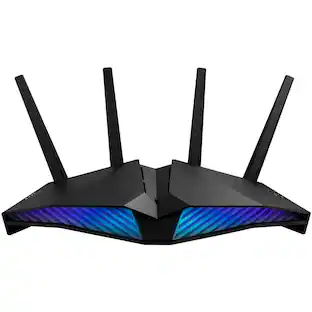
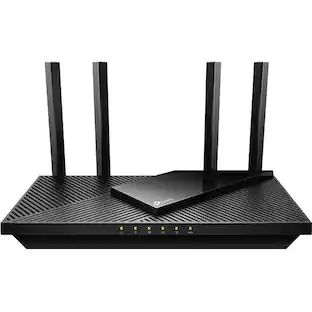
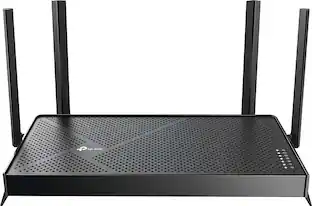
TP-Link - Archer AXE7800 Tri-Band Wi-Fi 6E Router - Black
Customers are saying
Customers frequently mention the Archer AXE7800 Tri-Band Wi-Fi 6E Router's speed, performance, and range as significant benefits, with many noting improved connectivity and strong signal strength. The ease of setup and use are also appreciated, making it a user-friendly option. While some find the size a bit bulky and note the limited availability of Wi-Fi 6E devices, the overall sentiment is positive.
Series
AXE7800Highlights
Features
Tri-Band AXE7800
All three WiFi bands work together to unleash your network’s total speeds up to 7.8Gbps and dominating all demanding devices.
Wi-Fi 6E unleashed
The brand new 6 GHz band brings more bandwidth, faster speeds, and lower latency.
Premium connectivity
1× 2.5 Gbps WAN/LAN port + 1× 1 Gbps WAN/LAN port + 3× Gigabit LAN ports and two USB ports ensure max flexibility and boosted throughput.
Cutting-Edge processing & ultra-low latency
Enjoy faster connections and minimal latency with a 1.7 GHz 64-Bit Quad-Core CPU.
Ultra-Fast USB 3.0
Up to 10× faster transfer speeds than USB 2.0.
HomeShield
Customize your home network with enhanced security and control.
Stronger wecurity WPA3
Building on the widespread adoption of WPA2, the latest WPA3 brings new capabilities to improve cybersecurity.
OneMesh
Creates a Mesh network by connecting to a TP-Link OneMesh router for seamless whole-home coverage.
Easy setup
The Tether app helps set up your network in minutes with clear visual guidance and keeps everything in control anytime and anywhere.
Works With Alexa and Google Assistant
Control your network with your voice and automatically trigger actions between smart home devices and applications.
Universally compatible
Backwards compatible with all Wi-Fi generations, ideal for internet plans up to 2.5 Gbps, works with any internet service provider (ISP) and modem.
Warranty and support
2-year warranty, 24/7 unlimited technical support by phone.
Specifications
- Wi-Fi Mesh SystemNoNumber Of LAN Ports3Wi-Fi Speed7.8 gigabits per secondWorks WithAmazon Alexa, Google Home
Reviews
Rating 4.6 out of 5 stars with 754 reviews
- Speed (163)
- Performance (137)
- Ease of use (105)
- Range (103)
- Setup (73)
- Wi-Fi 6E (13)
- Lag (7)
- Size (6)
- Parental Control (3)
Customer Images
The vast majority of our reviews come from verified purchases. Reviews from customers may include My Best Buy members, employees, and Tech Insider Network members (as tagged). Select reviewers may receive discounted products, promotional considerations or entries into drawings for honest, helpful reviews.

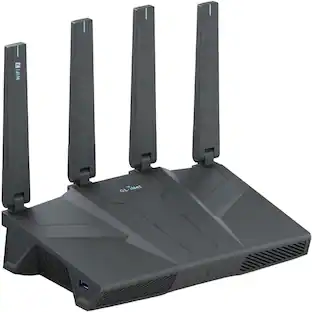
Compare similar products

Embrace lightning-fast 7.8 Gbps speeds and experience 6GHz band with Archer AXE7800 Tri-Band WiFi 6E router. With eight WiFi streams combined with three separate bands, the Archer AXE95 achieves unbeatable performance to boost capacity and reduces congestion for smoother 8K streaming and AR/VR intensive gaming. Premium 2.5 Gbps and 1 Gbps WAN/LAN ports support flexibility for the peak performance, transmitting maximum fiber internet speeds to fill every corner of your house. Protect your IoT devices with TP-Link HomeShield.

Step into a new era of home Wi-Fi with the TP-Link BE9700 Tri-band Wi-Fi 7 Router. Powered by revolutionary Wi-Fi 7 technology, this tri-band router revolutionizes your home connectivity. It offers expansive wireless coverage and impressive Wi-Fi speeds of up to 9.7 Gbps using Multi-Link Operation across six simultaneous streams spanning the 6GHz, 5GHz, and 2.4GHz bands. Wi-Fi 7 delivers even smoother connections with less interference, lower latency, and enhanced reliability. Plus, enjoy increased capacity to accommodate more devices simultaneously, making it the perfect router for 4K/8K streaming, lag-free online gaming, and seamless smart home connectivity. Designed for ultra high speed, multi-gigabit internet, the Archer BE9700 boasts a 10 Gbps WAN/LAN port, 2.5 Gbps WAN/LAN port, 3× 2.5 Gbps LAN ports, and a USB 3.0 port, catering to all your high-performance device needs. Experience the future of Wi-Fi today with the TP-Link Archer BE9700. †‡§

Upgrade to future-ready WiFi 7 that’s affordable and built for your everyday connectivity needs. The TP-Link Archer BE3500 Dual-Band WiFi 7 Router delivers next-gen speed and reliable coverage for your entire home network. With wireless speeds up to 3.5 Gbps and coverage up to 2,000 sq. ft., it’s perfect for smooth 4K/8K streaming, low-lag gaming, and crystal-clear video calls across all your devices. Four Gigabit Ethernet ports and a powerful quad-core processor ensure fast, consistent performance. Easy to set up and built to last, the Archer BE3500 is the smart choice for dependable, high-speed connectivity throughout your home.
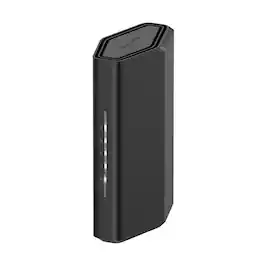
WiFi should be something you never have to think about. The NETGEAR Nighthawk RS100 delivers dual-band WiFi 7 speeds up to 3.6 Gbps, coverage up to 2,000 sq. ft., and capacity for up to 50 connected devices, built to get the full speed of the internet plan you already pay for. This is a standalone WiFi 7 router. A separate modem or gateway with an RJ45 ethernet port is required for internet service. Compatible with most cable, fiber, DSL, and satellite providers. Some gateways and modem router combos may require bridge mode. Set up using the free NETGEAR Nighthawk app on iOS or Android, or any web browser. Security features, exclusive Advanced Router Protection, and automatic firmware updates protect your home network out of the box. Engineered by NETGEAR, over 30 years of home networking innovation, FCC Certified for the United States.
| Pros for TP-Link - Archer AXE7800 Tri-Band Wi-Fi 6E Router - Black | |||
|---|---|---|---|
| Speed, Range, Performance, Ease of use, Setup | Overall Performance, Speed, Connectivity, Signal Strength, Range | Overall Performance, Speed, Connectivity, Signal Strength, Range | Overall Performance, Speed, Connectivity, Signal Strength, Coverage |
| Cons for TP-Link - Archer AXE7800 Tri-Band Wi-Fi 6E Router - Black | |||
| Wi-Fi 6E, Lag, Size, Parental Control | There were no cons for this product— | Setup Difficulty | Setup Process |
Specs
Questions & Answers
Does this router support VPN's? Is so, which VPN is preferred, ie)NordVPN, expressVPN, etc? Thank you, JT
Answered by TPLinkSupportHi JT! If you are asking whether you can use your existing VPN software on your conneced devices, then yes, the router supports VPN passthrough. If you are asking about VPN Server/Client capabilities, the router supports OpenVPN, PPTP VPN, and L2TP VPN functionality in both Server and Client capacity.

Can this be added to a Deco XE75 Mesh system?
Answered by TPLinkSupportNo, not if you are looking to create a Mesh network between the two. Deco and Archer are not compatible in a Mesh environment. if you were to use one as a router and the other in AP mode they could work together but it would be separate networks. And one of the systems would loose a lot of its value as all it would be is an WAP
Can this router accept an ethernet cable directly from my verizon fios ONT? Can it have a USB drive connected to reach from my home network?
Answered by TPLinkSupportYes, and yes. The router can be connected to your ONT via Ethernet cable, and is equipped with 1× USB 3.0 Port and 1× USB 2.0 Port.
What is the frequency of the new band supported by this router?
The new band supported by this router has a frequency of 6 GHz.
This question and answer was generated by AI based on customer and product data.Does this router have a firewall?
Yes, this router comes with a SPI firewall.
This question and answer was generated by AI based on customer and product data.
Customers often buy these together
Smart Speakers and Displays








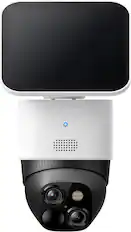
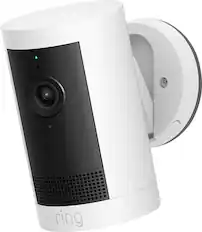
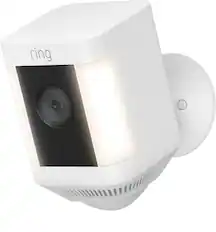
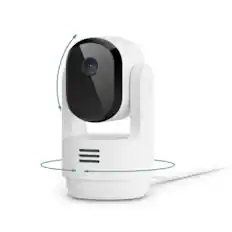
Security Camera



More recommended items
 Smart Doorbell
 Home Security System
 Smart Thermostat
More to consider
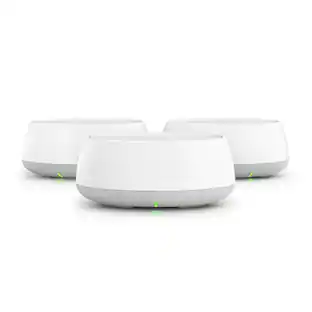
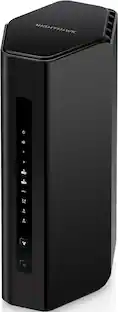
NETGEAR Nighthawk WiFi 7 Router RS150, 5 Gbps, Up to 2,250 sq ft, 80 Devices
$169.99The price was $199.99TP-Link Deco 7 BE3600 Dual-Band Wi-Fi 7 Whole Home Mesh Router System – Deco BE3600 (3-Pack)
Top Deal$204.99The price was $259.99
Explore tech essentials Sponsored
Discover related products
Apple Geek Squad Certified Refurbished 10.2-Inch iPad with Wi-Fi - 256GB
$399.99The price was $479.99Acer USB C to HDMI Cable for Home Office 6.6FT (4K@60Hz), High-Speed Type C to HDMI 2.0 Braided Cord
$12.99The price was $13.99












Keep exploring
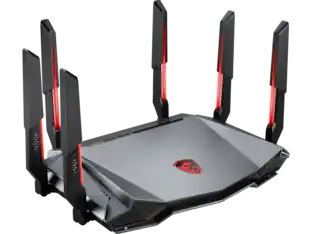
MSI RadiX AXE6600 WiFi 6E Tri-Band Gaming Router support 2.5GHz/5GHz/6GHz, AI QoS support
$114.99The price was $118.99