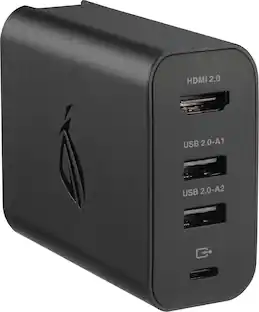
ASUS - ROG 65W Charger Dock for ROG Ally (HDMI 2.0, USB-A, USB-C) - Black
Customers are saying
Customers value the ROG 65W Charger Dock for ROG Ally for its overall performance, portability, connectivity, and charging speed. The size and compatibility of the dock are also appreciated by some users. However, some customers have expressed concerns about the limited port selection and heat dissipation. Additionally, a few users have noted limitations with the HDMI port performance.
Charge, display and play simultaneously
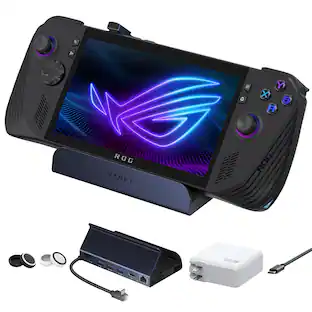
Have your TV, monitor, keyboard or other accessories pre-connected and plugged into the wall using the 65W gaming charger dock. Connect your ROG Ally with just one cable whenever you want to play all while charging your handheld.
Up to 4K display
HDMI 2.0 output resolution supports 1080p 120Hz or up to 4K 60Hz so you can enjoy large screen format gaming completely.
USB Type-A peripherals or data storage
Use the USB Type-A to connect any gaming peripheral, keyboard, or mouse or enjoy up to 480MB/S data transfer when connecting additional storage.
Fast charging with USB Type-C
The included charger supports PD3.0, PD3.0 PPS and PD2.0 at 65W or split as 60W through USB Type-C and 5W through USB Type-A for charging two different devices.
Dual charging with USB Type-C and USB Type-A
Charge two devices at once, supporting up to 60W through USB Type-C and 5W through USB Type-A.
- Brand CompatibilityASUSModel CompatibilityROG Ally (RC71)
Reviews
Rating 4.5 out of 5 stars with 1041 reviews
- Overall Performance (356)
- Portability (200)
- Connectivity (143)
- Charging Speed (134)
- Size (27)
- Port Selection (48)
- Heat Dissipation (18)
- HDMI Performance (6)
- Design (4)
Customer Images
The vast majority of our reviews come from verified purchases. Reviews from customers may include My Best Buy members, employees, and Tech Insider Network members (as tagged). Select reviewers may receive discounted products, promotional considerations or entries into drawings for honest, helpful reviews.


Compare similar products
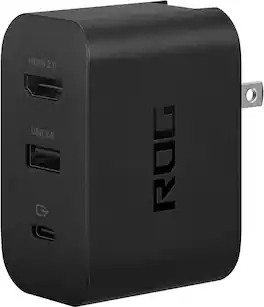
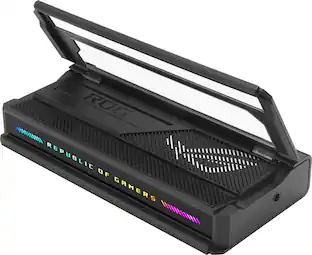
Use the ROG 65W gaming charger dock to connect your additional accessories with the ROG Ally through one USB Type-C port. Support display output using HDMI 2.0 for your TV or monitor. Charge or connect through USB Type-A for your mouse, keyboard, or USB storage drive, all while charging your ROG Ally.

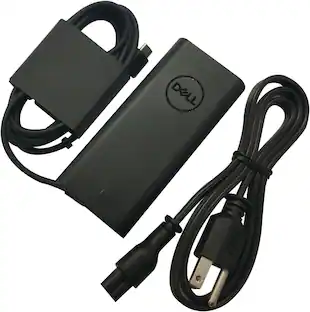
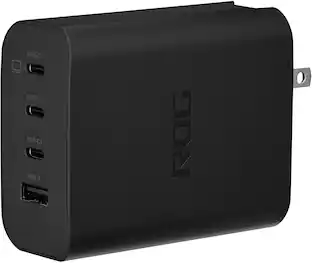
The ROG 140W USB-C GaN Charger is the ultimate charging solution for your ROG Ally with 3 USB Type-C ports and 1 USB Type-A port, making it perfect to simultaneously charge up to four devices. It efficiently fast-charges all your gear with up to 140W total power and Smart Port Balancing, all in a compact and sleek design thanks to GaN technology.
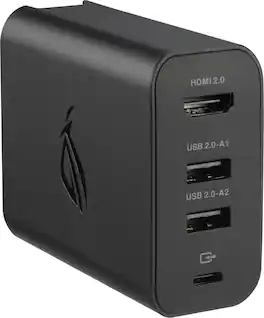
Use the ROG 100W gaming charger dock to connect your additional accessories with the ROG Xbox Ally through one USB Type-C port. Support display output using HDMI 2.0 for your TV or monitor. Charge or connect through 2 USB Type-A ports for your mouse, keyboard, or USB storage drive, all while charging your ROG Xbox Ally.

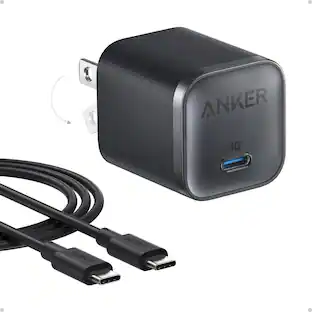
Power up four devices at once with the Anker 140W 4-Port Laptop Charger, featuring cutting-edge GaN technology for maximum efficiency. Charge your 15" MacBook Air to 50% in just 30 minutes via dual high-speed USB-C ports. ActiveShield 2.0 ensures superior safety, while a color display keeps you informed on charging status.
| Pros for ASUS - ROG 65W Charger Dock for ROG Ally (HDMI 2.0, USB-A, USB-C) - Black | |||
|---|---|---|---|
| Overall Performance, Portability, Charging Speed, Connectivity, Size | Charging Speed, Overall Performance, Portability, Port Quantity, Heat Dissipation | Charging Speed, Overall Performance | Charging Speed, Overall Performance, Portability, Port Quantity, Design |
| Cons for ASUS - ROG 65W Charger Dock for ROG Ally (HDMI 2.0, USB-A, USB-C) - Black | |||
| Heat Dissipation, Port Selection, HDMI Performance, Design | Size | Heat Dissipation, Functionality | There were no cons for this product— |
Specs
Customers often buy these together
 $180.99The price was $189.99
 $59.99The price was $79.99
 $66.50The price was $79.99






More to consider
 $29.99The price was $34.99
 $22.99The price was $26.99




Level up your game Sponsored






Discover related products
 $79.99The price was $92.99








Keep exploring
 $69.99The price was $89.95
 $77.99The price was $83.99
 $39.99The price was $59.99