Pioneer - 40" Class LED Full HD (1080p) Smart Roku TV
Pioneer - 40" Class LED Full HD (1080p) Smart Roku TV
Screen Size Class
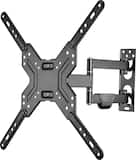
40"- Best Buy essentials™ - Full Motion TV Wall Mount for Most 19–50" TVs - Black$39.99

More Buying Options
Related Item

Highlights
- Key Specs
- Display Type: LED
- Resolution: Full HD (1080p) (Refers to the number of pixels, both horizontally and vertically, used to capture video/images. The higher the resolution the finer the detail that can be seen.)
- Screen Size Class: 40 inches (The group size measurement of a screen. This differs from a screen size measured diagonally from corner to corner.)
- High Dynamic Range (HDR): false (An HDR-compatible 4K TV or other HDR-compatible product displays HDR video content when it's available from sources like 4K Ultra HD Blu-ray Discs and 4K streaming services.)
- LED Panel Type: Standard LED
- Backlight Type: Direct Lit (Edge-lit: lights are on the edges of the display with ~10 zones of vertical LEDs. Direct-lit: lights are on the edges and behind the screen for more light uniformity than Edge-lit. Full array: direct-lit with local dimming for greater contrast with up to 100 zones of LEDs.)
- Refresh Rate: 60Hz (The number of frames per second the device can produce natively without enhancement. Higher rates help produce smooth, seamless pictures.)
- Motion Enhancement Technology: None (Proprietary technologies produced in addition to the Refresh Rate that smooth out faster moving pictures to reduce blur and pixelation.)
- Smart Platform: Roku TV (Just like a computer, a smart TV needs an operating system (also called a smart platform) in order to access the Internet, connect with entertainment apps, and play streaming content. Some common TV smart platforms are; Roku TV, Android TV, and Chromecast.)
- Featured Streaming Services: Netflix, Disney+, Apple TV, HBO Max, Peacock, ESPN+, Hulu (Streaming services and other programs are available on this device. Keep in mind, there may be more services supported than just those shown here.)
- Number of HDMI Inputs (Total): 3
- TV Tuner Type: ATSC, NTSC, Clear QAM
- Voice Assistant Built-in: No (A digital assistant built into the device that uses voice commands to answer questions and control smart devices.)
- General
- Brand: Pioneer
- Model Number: PN40-R651-26U
- Product Name: 40" Class LED Full HD (1080p) Smart Roku TV
- Color: Black
- Model Year: 2025
- Dimensions
- Product Height With Stand: 21.9 inches
- Product Width: 35.1 inches (The out of box width of the item. Width is measured as the horizontal distance from one side of the item to the other as it would be primarily used or placed.)
- Product Depth With Stand: 8.15 inches
- Product Height Without Stand: 20.1 inches
- Product Depth Without Stand: 2.67 inches
- Product Weight With Stand: 11.02 pounds
- Product Weight Without Stand: 10.8 pounds
- Stand Width: 32.5 inches (The horizontal measurement of the stand/base, or the distance from the outside of one leg to the outside of the opposite leg, as it is attached to the product.)
- Stand Depth: 8.15 inches
- Adjustable Stand Width: false (Whether the stand can adjust to have more than one measurement either between the legs or the base itself.)
- Display
- Display Type: LED
- Resolution: Full HD (1080p) (Refers to the number of pixels, both horizontally and vertically, used to capture video/images. The higher the resolution the finer the detail that can be seen.)
- Screen Size: 39.5 inches (Size of the screen, measured diagonally from corner to corner.)
- Screen Size Class: 40 inches (The group size measurement of a screen. This differs from a screen size measured diagonally from corner to corner.)
- High Dynamic Range (HDR): false (An HDR-compatible 4K TV or other HDR-compatible product displays HDR video content when it's available from sources like 4K Ultra HD Blu-ray Discs and 4K streaming services.)
- LED Panel Type: Standard LED
- Backlight Type: Direct Lit (Edge-lit: lights are on the edges of the display with ~10 zones of vertical LEDs. Direct-lit: lights are on the edges and behind the screen for more light uniformity than Edge-lit. Full array: direct-lit with local dimming for greater contrast with up to 100 zones of LEDs.)
- Curved Screen: false
- Refresh Rate: 60Hz (The number of frames per second the device can produce natively without enhancement. Higher rates help produce smooth, seamless pictures.)
- Motion Enhancement Technology: None (Proprietary technologies produced in addition to the Refresh Rate that smooth out faster moving pictures to reduce blur and pixelation.)
- Synchronization Technology: Not Applicable (Generally, these technologies allow syncing between a computer/console game's frame rate and the device's refresh rate for a smoother display without tearing.)
- Closed Captioning: true (The text version of spoken audio displayed on the screen. Devices that can display closed captioning typically have the option to toggle the feature on or off.)
- Language(s) Displayed: English, French, Spanish (The available language options for displayed text or captions.)
- Features
- Remote Control Type: IR
- Smart Capable: true (Smart, or smart-capable devices are able to connect directly to your home network in order to stream content from the Internet, run Internet-based apps, or connect to other smart devices.)
- Smart Platform: Roku TV (Just like a computer, a smart TV needs an operating system (also called a smart platform) in order to access the Internet, connect with entertainment apps, and play streaming content. Some common TV smart platforms are; Roku TV, Android TV, and Chromecast.)
- Featured Streaming Services: Netflix, Disney+, Apple TV, HBO Max, Peacock, ESPN+, Hulu (Streaming services and other programs are available on this device. Keep in mind, there may be more services supported than just those shown here.)
- Screen Mirroring: true (Casts the screen of one device onto another wirelessly, using a common protocol (typically Bluetooth).)
- Screen Mirroring Technology: Apple AirPlay
- Indoor Or Outdoor Use: Indoor (Indicates the appropriate environment product was designed to be used in.)
- Text-To-Speech: true (A system that converts language text into speech.)
- Video Description: true (Indicates whether the device features descriptive video service (DVS). This service provides narration of key elements in the program, such as actions, costumes, and scene changes, to help engage visually-impaired audiences.)
- V-Chip: true (Feature that blocks television programming if it has a content rating outside of the acceptable rating(s) configured by the user.)
- TV Tuner: Digital (The ATSC TV Tuner is a component built into conventional TV sets or other devices for receiving over-the-air broadcast TV without a cable/satellite box. Digital tuners may be purchased separately and connected to a device if it does not have one built in.)
- Connectivity
- Number of HDMI Inputs (Total): 3
- Display Connector(s): 3 x HDMI, 1 x Composite video (The number and type of connectors used to connect to an external display.)
- Audio Only Outputs: 1 x Optical digital audio, 1 x 3.5mm audio
- USB Ports: 1 x USB-A (The number and type of USB ports the product has.)
- HDMI Audio Return Channel (ARC): ARC
- Wireless Connectivity: Wi-Fi (The manner in which a device sends data to another device over a short distance without the use of wires or cables.)
- TV Tuner Type: ATSC, NTSC, Clear QAM
- RF Antenna Input: true (This input is used to connect devices such as antennas or cable boxes to a TV via a coaxial cable.)
- Number Of USB Port(s) (Total): 1 (The total number of USB ports including all generations and versions.)
- Wireless Networking Standard: Wi-Fi 4 (The wireless networking standard used by the device. Each iteration of the standard developed by the Wi-Fi Alliance corresponds to an existing IEEE 802.11 protocol; for example, standard 802.11ac (or AC) is termed Wi-Fi 5. Refers specifically to the standard the device is designed to use, but ultimately determines product interoperability and backward compatibility including previous versions.)
- Headphone Jack: true (The device features an interface that allows for the connection of headphones.)
- Compatibility
- VESA Wall Mount Standard: 100mm x 100mm (VESA wall mount standards refer to the spacing of screw holes built into a TV in order to fit with standard TV wall mounts. These standards are implemented into most TVs and monitors.)
- Voice Assistant Built-in: No (A digital assistant built into the device that uses voice commands to answer questions and control smart devices.)
- Audio
- Surround Sound Supported: Dolby Audio (Surround sound systems use multiple audio channels and speakers to create an immersive sound experience for the listener. There are also various proprietary technologies that imitate this kind of sound via a device's built-in speakers or soundbar.)
- Power
- ENERGY STAR Certified: false (Devices carrying the ENERGY STAR service mark, such as computer products and peripherals, kitchen appliances, and other products, generally use 20% to 30% less energy than required by federal standards.)
- EPEAT Qualified: false (The Electronic Product Environmental Assessment Tool (EPEAT) was designed to provide an environmental assessment tool for purchasers. In order to qualify for EPEAT, a product must meet all 23 required criteria.)
- Estimated Annual Operating Cost: 14 United States dollars (Predicted cost of operating the product under average conditions for one year.)
- Estimated Annual Electricity Use: 87 kilowatt hours (Predicted amount of electricity needed to operate the product under average conditions for one year.)
- Rechargeable Battery (Remote Control): false
- Battery Size (Remote Control): AAA (The battery size required for operation.)
- Number Of Batteries Required (Remote Control): 2
- Number of Batteries Included (Remote Control): 2
- Battery Chemistry (Remote Control): Alkaline
- Included
- Wall Mount Included: false
- Stand Included: true
- Warranty
- Warranty - Parts: 1 year
- Warranty - Labor: 1 year
- Box Dimension
- Height: 23.5 inches
- Width: 38.3 inches
- Depth: 4.8 inches
- CubicDimension: 4320 inches
- Other
- UPC: 600603319273
Experience endless entertainment with access to all your favorite streaming apps, live news and sports, in-season TV, hit movies, and Roku Originals. And with a 2K full high-definition screen and Dolby Audio, you’ll enjoy spectacular images and sound that bring it to life. The Pioneer 40-inch Class LED 2K FHD Smart Roku TV is the perfect way to upgrade your downtime.
- Endless entertainment: Enjoy over 500 channels with live news, sports, and more—totally free. You can also watch your favorite streaming apps such as Netflix, Disney+, Peacock, Hulu, and more.
- 2K Full HD: Your favorite shows are brought to life in 2K full high definition.
- Dolby Audio: Your speakers are optimized for crystal clear audio, so you won’t miss a single detail.
- Direct Lit: Direct lighting LED panel improves picture quality with a uniformly bright screen that has more color accuracy and improved contrast.
- No nonsense remote: With only the buttons you need, we like to think it’s the easiest TV remote ever made.
- Apple Airplay support: Wirelessly share photos, videos and music to your TV.
- Endless entertainment: Enjoy over 500 channels with live news, sports, and more—totally free. You can also watch your favorite streaming apps such as Netflix, Disney+, Peacock, Hulu, and more.
- 2K Full HD: Your favorite shows are brought to life in 2K full high definition.
- Dolby Audio: Your speakers are optimized for crystal clear audio, so you won’t miss a single detail.
- Direct Lit: Direct lighting LED panel improves picture quality with a uniformly bright screen that has more color accuracy and improved contrast.
- No nonsense remote: With only the buttons you need, we like to think it’s the easiest TV remote ever made.
- Apple Airplay support: Wirelessly share photos, videos and music to your TV.
- Endless entertainment: Enjoy over 500 channels with live news, sports, and more—totally free. You can also watch your favorite streaming apps such as Netflix, Disney+, Peacock, Hulu, and more.
- 2K Full HD: Your favorite shows are brought to life in 2K full high definition.
- Dolby Audio: Your speakers are optimized for crystal clear audio, so you won’t miss a single detail.
- Direct Lit: Direct lighting LED panel improves picture quality with a uniformly bright screen that has more color accuracy and improved contrast.
- No nonsense remote: With only the buttons you need, we like to think it’s the easiest TV remote ever made.
- Apple Airplay support: Wirelessly share photos, videos and music to your TV.
Whats Included
- Pioneer™ 40-inch Class LED 2K FHD Smart Roku TV
- Remote
- AAA batteries (x2)
- Stand
- Phillips screws (x4)
- Pioneer™ 40-inch Class LED 2K FHD Smart Roku TV
- Remote
- AAA batteries (x2)
- Stand
- Phillips screws (x4)
- Pioneer™ 40-inch Class LED 2K FHD Smart Roku TV
- Remote
- AAA batteries (x2)
- Stand
- Phillips screws (x4)
Product Manuals
A: I have the 40" and it is 35.1" outside of the box. I just measured it.
Q: Does a HDMI cable come with the TV?
A: Hi Jackie, the Pioneer 40" Class LED Full HD Smart Roku TV does not include an HDMI cable in the box. The package comes with the TV itself, the Roku remote, batteries, and the power cord. If you plan to connect devices like a Blu‑ray player, gaming console, or soundbar, you’ll need to purchase an HDMI cable separately. Patricia | Pioneer Support
Q: Can I use a voice remote with this tv ?
A: Hello Mike! Thank you for your question regarding Pioneer Yes, you can absolutely use a voice remote with this TV. Since it runs on the Roku platform, it is compatible with the Roku Voice Remote and the Roku Voice Remote Pro for voice search and controls. You can also use the free Roku mobile app as a voice remote. Mueez | Pioneer
Q: Can I watch my Xfinity cable TV of this television? Regular channels like NBC, CBS, ESPN, CNN, etc?
A: Yes
Q: What is the measurement from outside edge of feet to outside edge of feet?
A: 32.5 inches outside to outside
Q: Does this TV still need an antenna to access the free live TV and help it come in?
A: There are numerous live local TV channels that come standard on the platform with no need for an antenna.
Q: force the tv to turn on once power is back on
A: Hi, Mack! To ensure your Pioneer Roku TV turns on immediately when power is restored, you need to enable Fast TV Start. Navigate to Settings, select System, choose Power, and then check Enable under Fast TV Start. This prevents the TV from entering a "deep sleep" mode, allowing it to resume or respond instantly once electricity returns. - Ed| Pioneer Support
Compare similar products
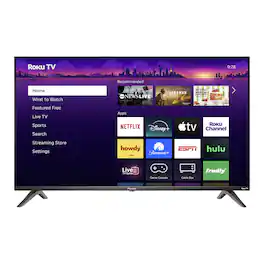
Experience endless entertainment with access to all your favorite streaming apps, live news and sports, in-season TV, hit movies, and Roku Originals. And with a 2K full high-definition screen and Dolby Audio, you’ll enjoy spectacular images and sound that bring it to life. The Pioneer 40-inch Class LED 2K FHD Smart Roku TV is the perfect way to upgrade your downtime.

A smart TV that makes sense. Roku Select Series Full HD TVs are designed for a delightful entertainment experience. Enjoy your streaming favorites in bright Full HD and catch every word with auto speech clarity and night mode. Watch free live television right from the home screen, or use the voice remote to find entertainment across thousands of apps. It’s the perfect flat screen TV for bedrooms, living rooms, kitchens, or kids’ rooms. Smart TV doesn’t have to be complicated. That’s why we’ve designed a line of flat screen smart TVs powered by the delightfully simple Roku experience.

Access live over-the-air channels and streaming with this 40-inch TV—and control it all with your voice. Ask Alexa to launch apps, search for titles and more. A full HD experience in 1080p provides crystal clear images. Plus, DTS Virtual-X speaker technology delivers life-like sound from your TV. You won’t miss a second with the Insignia 40” Class F40 Series LED Full HD Smart Fire TV.
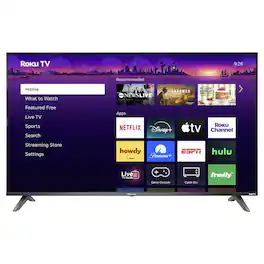
Experience endless entertainment with access to all your favorite streaming apps, live news and sports, in-season TV, hit movies, and Roku Originals. And with an 4K ultra high-definition screen and Dolby Audio, you’ll enjoy spectacular images and sound that bring it to life. The Pioneer 50-inch Class LED 4K UHD Smart Roku TV is the perfect way to upgrade your downtime.
| Pros for Pioneer - 40" Class LED Full HD (1080p) Smart Roku TV | |||
|---|---|---|---|
| Picture Quality, Setup Ease, Size, Weight, Design | Picture Quality, Setup Ease, Weight | Picture Quality, Setup Ease, Size, Weight, Connectivity | Picture Quality, Setup Ease, Size, Weight |
| Cons for Pioneer - 40" Class LED Full HD (1080p) Smart Roku TV | |||
| There were no cons for this product— | There were no cons for this product— | Remote Control, Volume | Connectivity |
Specs
Reviews
Customers are saying
Customers are delighted by the 40" Class LED Full HD Smart Roku TV, especially the breathtaking picture quality. The TV is also praised for its easy setup, perfect size, and lightweight design, making it simple to mount.
Customer Images
The vast majority of our reviews come from verified purchases. Reviews from customers may include My Best Buy members, employees, and Tech Insider Network members (as tagged). Select reviewers may receive discounted products, promotional considerations or entries into drawings for honest, helpful reviews.
- Rated 5 out of 5 stars
Great TV
We purchased the 40” Pioneer TV from Best Buy as a replacement screen for a work environment, and it’s been a solid performer so far. Setup was quick and straightforward, with no unnecessary steps, and it powered on and configured without any issues. Picture quality is better than expected for a TV in this price range. Colors are clear, text is sharp, and brightness is more than adequate for an office or commercial space. It handles static content, menus, and signage well, which is exactly what we needed. Viewing angles are decent, and there’s no distracting glare under normal indoor lighting. The build quality feels sturdy enough for daily use, and the TV has been running reliably without hiccups. Audio is serviceable for basic needs, though in a work setting we primarily rely on external sound or keep it muted, so this wasn’t a deciding factor. Overall, this Pioneer 40” TV is a great value if you’re looking for a dependable screen for work, signage, or general use without paying extra for features you don’t need. It does its job well and feels like a practical, reliable choice.
James Posted
- Rated 5 out of 5 stars
Love!
Love the tv! The sound and picture are great, and set up in a few minutes. I like that there isn’t much of a frame also. I always prefer Roku TVs.
JessS Posted
- Rated 5 out of 5 stars
Would recommend
For the price this tv is excellent. Will buy second one for the kids room. Great size,picture and sound.
ShellyP Posted