HP - OmniBook X Flip 2-in-1 - 16" 2K OLED Touchscreen Laptop - AMD Ryzen AI 5 430 (2026) - 16GB Memory - 512GB SSD - Copilot+ - Meteor Silver
Total Storage Capacity
512GBMore Buying Options
Related Item

Highlights
Compare similar products
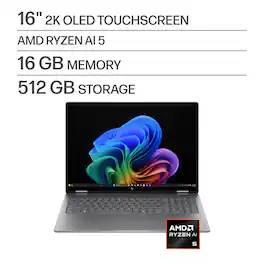
Flip your day, your way. More than just a laptop—it’s your all-day, anywhere companion with 4 flexible modes. Power and performance for AI acceleration, it keeps pace with your most creative ideas and demanding workloads. With fast charging and a design that’s both sleek and durable, the OmniBook X Flip moves as effortlessly—and stylishly—as you do.
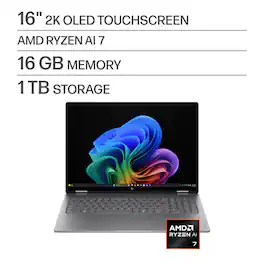
Flip your day, your way. More than just a laptop—it’s your all-day, anywhere companion with 4 flexible modes. Power and performance for AI acceleration, it keeps pace with your most creative ideas and demanding workloads. With fast charging and a design that’s both sleek and durable, the OmniBook X Flip moves as effortlessly—and stylishly—as you do.

The future has arrived with HP OmniBook X Flip 16 Next Gen AI PC. Whether you want to be entertained or finish creative work, this AI-powered PC has the processor speed and performance to make it happen. Engineered with a dazzling 16" display and the ability to view it flat, folded, or flipped, you can enjoy vibrant, high-contrast colors in any angle that suits your mood. Made from sleek, recycled metal and designed with a backlit keyboard with large keycaps, your future PC is bright.
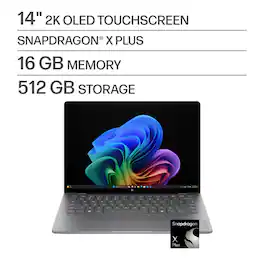
Advanced AI performance and beyond-all-day battery life. Powered by a Snapdragon X Plus processor, the HP OmniBook X 14 PC combines intelligent performance, incredible battery life, and a slim design that travels effortlessly—so you can stay productive anywhere, all day long.
| Pros for HP - OmniBook X Flip 2-in-1 - 16" 2K OLED Touchscreen Laptop - AMD Ryzen AI 5 430 (2026) - 16GB Memory - 512GB SSD - Copilot+ - Meteor Silver | |||
|---|---|---|---|
| There were no pros for this product— | There were no pros for this product— | Overall Performance, Ease of Use, Screen Quality, Speed, Battery Life | There were no pros for this product— |
Specs
Reviews
Customer Images
The vast majority of our reviews come from verified purchases. Reviews from customers may include My Best Buy members, employees, and Tech Insider Network members (as tagged). Select reviewers may receive discounted products, promotional considerations or entries into drawings for honest, helpful reviews.
- Rated 5 out of 5 stars
Beautiful screen and great battery life
## Design At 16 inches, the laptop is a little bigger and heavier than some ultrabooks, but it's still very portable and easy to slip in a bag. One bonus is that at this size, the keyboard has a full number pad. There is a regular USB port, full-size HDMI port, USB-C port, and headphone jack on the left side of the laptop, and another regular USB port and USB-C port on the right side. The speakers are located above the top row of the keyboard and sound OK (fine for watching YouTube videos, but they lack bass for music). The OLED screen looks beautiful, has deep blacks, and has a wide viewing angle. ## Performance When you think of an "AI computer," you're probably thinking of an electricity-hogging gaming station with a graphics card powerful enough to heat your home in the winter. Well, you won't find a blazing graphics card in this machine, as it is energy-efficient and uses a modern AMD Radeon 840M graphics card. While not ideal for serious gaming, the 840M can play some modern games on "low" settings, but it is better suited for everyday productivity and content creation. The real star of the show for this laptop is the AMD Ryzen AI NPU that is paired with the 840M. This is capable of 50 TOPS (Tera Operations Per Second), which meets Windows CoPilot+ criteria. However, with Windows CoPilot+, you're somewhat limited on the AI features available for local processing. ## CoPilot+ Features The NPU is utilized with the following local AI features on the HP OmniBook X Flip: - Co-creator in Paint: This won't generate images from scratch for you, but it will help build upon your sketches to create an image using the local AI NPU. - Sticker Generator in Paint: You can create simple, cartoonish "stickers" to add to your artwork in Paint with a text prompt, such as "surfing puppy". Some results are fairly good, although some of my prompts ended up with unintelligible images. - Image Creator in Photos: Unlike Co-creator, this actually can create images from scratch using local AI (although it still calls out to the Internet to make sure the generated images are safe). It is found in the *Photos* app instead of the *Paint* app (which has a similarly named feature that is not free). This fully utilizes the NPU's available processing power. Results are sometimes OK, but not as good as you would get from a hosted AI model. - Restyle Images in Photos: You can make some advanced edits to your photos using the local AI NPU, such as impressionist, renaissance, and pixel art. I've noticed these operations take around 10 seconds and utilize 100% of the NPU's processing power. The results are OK, but not as good as you would get with a hosted AI image generator. Plus, you still need to sign in with your Microsoft account so it can make sure the images you generate meet safety standards. - Recall: A somewhat controversial feature, Recall takes periodic screenshots of your activity on the PC and uses local AI to make it searchable, allowing you to easily find something you were working on previously. - Windows Studio Effects: With this feature, the local AI NPU helps enhance your webcam video by blurring the background, auto-framing the shot, and performing noise cancellation on the microphone's audio in real time. I found this feature works well and utilizes about 15% of the NPU. - Live Captions: The local NPU can transcribe and translate over 40+ languages in real-time when watching videos (enabled with Windows key + CTRL + L). When using the feature with a Spanish news video, the captions were quick and mostly accurate, with NPU utilization hovering around just 4-5%. - Super Resolution in Microsoft Photos: This upscales photos that were taken with an older camera or smartphone using the local NPU. - Click to Do: Although Microsoft marks this feature as still in "preview" at the time of the review, this is one of my favorite local AI features as it allows you to summarize text on your screen (although, you can only select what is visible, which is the text that fits on one screen, which I probably don't need it summarized). It also allows you to select text that is in an image. Press Windows key + Q to invoke this feature. While these features are cool, I wish there were some basic text proofreading and rewriting tools similar to Apple's Writing Tools implementation. To be fair, there are some text-based features built-in to Click To Do, but it can only summarize what fits on the screen at this time. It's also important to note that chatting with CoPilot (by using the CoPilot app or pressing the CoPilot key on the keyboard) still uses the cloud and does not run locally. ### Using the Local AI as a Developer If you're a developer and you want to code some workflows that run locally, you can check out "Microsoft Foundry Local" or the "AI Toolkit" (now "Foundry Toolkit") in VS Code. These tools allow you to download local models specifically designed for the NPU (unfortunately, other local AI tools like Ollama don't yet utilize the NPU). They're not as fast to respond as some higher-end GPUs, but it's cool to be able to utilize these new NPU chips for your own processes, be it summarization or light text generation. ## Battery Life Battery life is impressive. Even after doing some general web surfing for a couple of hours, generating some images, and running some local AI models, I only used about 30% of the battery. It should get you through most, if not all, of your work or school day on a single charge. ## Summary The HP OmniBook X Flip is a sleek 16-inch laptop with a beautiful OLED display. It features an AMD Ryzen AI NPU, which enables (the somewhat limited) local AI features like Co-creator in Paint, Sticker Generator, Image Creator, and Restyle Images in Photos. The laptop also offers impressive battery life, lasting through most of a workday on a single charge.
TechnicallyWell Posted
- Rated 4 out of 5 stars
Powerful, light, and cool running business laptop
Up until recently, my personal laptops have been gaming laptops. I appreciate their no compromise and price-is-no-object performance and quality. Unfortunately, gaming laptops also suffer from high energy use, short battery life, and high heat. I picked up the HP OmnibookX because I need a laptop that is energy efficient, good balance of performance and convenience, lighter than a gaming laptop for travel, supports all day battery life, large screen size, and runs cool. My primary use for my OmnibookX is office productivity, financial applications, web surfing, watching video, travel, and email. The Ryzen AI 5 with 16GB of memory and a 16” screen seems reasonable and ticks most boxes. Performance: Applications load quickly and smoothly while connected to AC Power. Switching between windows or moving from application to application is very smooth. A typical system load for me is Outlook, Excel, Word, multiple MS Edge tabs, and a financial application. Swapping between Excel, OneNote, Outlook, Edge, and my financial application showed little to no interruption in workflow. I would call the system zippy when on AC Power. On battery, system performance decreases. First, the system reduces the CPU speed to conserve power. This directly impacts performance. Under the same system load as described above, it is immediately obvious that applications take longer to load and swapping between windows or applications can cause system stutter. All within expectations. Working within a single application, such as MS Word to write this review, the OmnibookX performed as well as if it were on AC Power. Overall, I am pleased with the OmnibookX’s performance. Battery Life: So far, battery life is wonderful. A full charge lasted me a full day’s work. With a second monitor, the battery discharged in about half that time. There are several power saving features built into the OmnibookX such as presence awareness, screen and keyboard lighting times out, reduced CPU and GPU power consumption while on battery, OLED Screen automatically dims, 3-minute default laptop sleep mode, and other technologies. In my case, I am using the factory default power profile. In addition, I set the OLED screen brightness to minimum, activated Dark Mode for both Windows and Office, and set the keyboard backlight to minimum. I have been typing in Word for the last hour. I am tracking about 8% battery usage per hour of constant use. Heat: The OmnibookX runs cool. It does not heat up my lap nor can I cook an egg on the keyboard. On battery, the fan will kick off occasionally. This typically happens when I am watching videos. The laptop is still very cool even when the fan kicks off. Meaning, there is not a lot of excessive heat that the cooling system is actively dissipating. In my office, on my desk, I have the OmnibookX exclusively connected to AC Power, a 34” 1440p OLED monitor via HDMI, and an external mouse. The system is configured for multi-monitor use. My typical system load is Office, financial, browser, and streaming either music or video. I will move content around both monitors, move data between applications, and close/launch applications on a regular basis. At best, the system fan will kick off to dissipate heat. Overall, HP does a fantastic job keeping the heat under control, the fan quiet, and maintains a high level of computing performance. Keyboard and Typing: The OmnibookX keyboard is a fully featured, squished down version of a full-sized keyboard. The standard alphanumeric keys are well sized and easily accommodate my fingertips. The Delete, Backspace, and Enter keys are smushed to accommodate the number pad. The home keys, for those touch typists out there, are not centered on the screen. They are offset to the left. Also, the smaller Backspace key ensures that I hit the Num Lock as often as I hit the backspace key. It took me a few days to adjust. The keyboard is a membrane style with fully backlit chicklet keys. Key actuation as a plunger feel. The keys are easy to read with all information on each key fully backlit. Typing is very responsive. At no point did I feel like I was waiting for the computer to keep up with my typing. Fatigue set-in after about an hour of typing. This is party due to the actuation force required to depress the key and the plunger effect that forces some of that energy back up into my fingertips. A softer typing approach may be best when approaching this keyboard. Otherwise, you may find the typing experience unforgiving. Sound: The OmnibookX’s speakers are better than most I have used in this class laptop. Audio from YouTube, Movies, and music sound good enough. Voice reproduction is very clear and very usable for Zoom and MS Teams meetings. For critical listening, I automatically swap over to my headphones or earbuds. Bluetooth: The OmnibookX advertises Bluetooth 6.0. The Realtek Wireless Bluetooth adapter built into my OmnibookX supports LMP 12.35106. Which in layman’s terms is Bluetooth 5.3. An LMP of 14.xyz supports Bluetooth 6.0. So, I am not sure what is going on here. The OmnibookX will support any Bluetooth headset, earphones, and earbuds on the market today. However, it will not provide any of the benefits of Bluetooth 6.0 when connected to a Bluetooth 6.0 device. I do not have a Bluetooth 6.0 device to test so I can only go by what Windows 11 Device manager reports. I can report that connecting my Bowers and Wilkins PX8 and Pi8 headphones and earbuds, respectively, was quick and easy. Music and voices were transmitted without any audible artifacts. 2K OLED Screen: Photos and images look colorful and engaging. The screen can get very bright even at minimum brightness level. Text specifically suffers from color fringing along the top and bottom borders of any shape or letter. This is most noticeable, for me, with white text, or a white object, against a black background. This may be an issue if your intended use is graphic arts, CAD, or other visual activity where color or line accuracy is paramount. The screen is locked at 60hz. Some eyes, like mine, may be sensitive to this frequency. If so, then you will want to choose an HP laptop with a higher refresh OLED or LCD screen. White Light from this monitor, at any brightness, is harsh. This is even true when Office is in Black mode where the background is dark grey with White Text. As a counter, I turned on Windows Night Lite mode and adjusted the Strength slider until I found a comfortable white light temperature for my eyes. I could also set my font color to light Grey. Finally, the low refresh seems to increase ghosting and visual artifacts when content is flowing across the screen. I like this screen best for viewing still images or online content. I like this screen least when there is a lot of white content on the screen. And videos are acceptable as a device of convenience and not as a primary daily driver. I feel that the new HP OmnibookX is a solid performing, energy efficient, cool to run, light weight, excellently sized for travel, and has enough ports and connectivity options to support all my office needs. Monitor performance is ok and I like the size. For me, the OmnibookX checks enough boxes. Please give me a Helpful if you found this review useful.
ITJim Posted
- Rated 4 out of 5 stars
A Solid, Workaday Choice
The HP 16-inch OmniBook X Flip laptop impresses as you unpack it from its modest brown cardboard “cocoon”. While packaging from other manufacturers is designed to impress, it is not the box you are going to be using every day. The OmniBook X is built on a sleek aluminum chassis and feels luxurious at all of its touch points. Less expensive machines will come with a composite (plastic) chassis, but that may not necessarily be a bad thing. My sample of this 2-in-1 laptop arrived with a small dent in the top cover (see photo). The depression is enough that you can also feel it. That was a little concerning since the packaging showed no external damage. If I had paid for this sample with my own hard-earned cash, I would be less than thrilled, but since this was a sample provided for review, that cosmetic blemish will undoubtedly assure the computer will work flawlessly for a long time. In a 16-inch size, this laptop which is designed so that the screen folds over and it can be used as either tablet or in “tent” mode sitting on a desk, this machine is quite heavy at just slightly over four pounds. That is on par with the other laptops in our house but none of those are a 2-in-1 design that can mimic a tablet. In a desk environment the weight will make no difference, but could be burdensome to tote around all day for a student. The usability of a tablet device seems at odds with the size and weight of a 16-inch laptop with a 2-in-1 form factor. For those of you concerned with aesthetics, HP calls the color “Meteor Silver”, but when compared to another aluminum-chassis laptop we have, I would call this color more of a medium to dark gray. The keyboard is backlit at two levels (with an off) and consists of gray keys with white characters. In a well lit environment (without needing the backlight), the thin font of the characters combined with a lower contrast than if the keys were black, can make the key labels hard to read for some users that need to look at the keyboard during use. The wide chassis allows for a standard keyboard with a 10-key numeric pad which is welcomed by users that enter a lot of numbers. That however leads to what I find an odd decision to place the trackpad centered under the QWERTY keyboard which places it off center to the left of the center line of the chassis. We have two other laptops from differing manufacturers, with 10-key pads and both of them center the trackpad on the body of the machine. The lighting of the keyboard is very even with little bleed through of light between the keys. The “function lock” is a welcome feature allowing one-handed changing of volume and brightness levels. The screen which is a touchscreen, is very responsive and easy to use, to say nothing of the beautiful images it produces. However, it is very glossy and in certain lighting conditions shows a lot of reflections that some users will find annoying. That said, I did find it somewhat resistant to fingerprints and smudging during use as a touchscreen. At the top edge of the screen/lid are the camera and microphone. Included are a built-in, sliding privacy cover for the camera which is a nice feature. If you choose to leave it closed, you will have to enter your PIN on the keyboard rather than Windows being able to use facial recognition to log you in to the computer. The facial recognition works really well and is much quicker than the fingerprint readers I am used to using. As seems to be the case with most newer computers, the number of ports included on mid-priced machines continues to dwindle. I will give HP credit for including two USB-A ports for older hardware connections along with two USB-C Thunderbolt-4 ports in which both also double as charging ports (one on each side of the chassis). These four data ports are also joined by an HDMI port to connect to a TV or external monitor and a 3.5mm jack for audio output to headphones, or audio input from an external microphone. Missing in action are any size of SD card slot. As someone who likes to use an external storage device as on-site data back-up, I miss not having the option of a storage device that will disappear all the way into the laptop chassis so I can leave it always connected and not worry about snapping it off. Included with the laptop is a diminutive in size 65-watt power adapter with folding AC prongs, and a 6.5 foot long USB-C power cord. Both USB-C ports have a small pilot light next to them to show if the battery is charging or fully charged. This is a nice feature that not all laptops have, as I know first hand. There is a rudimentary quick start guide and the full, 74-page user guide is available online through the “HP Support Assistant” shown in the task bar. The full user guide is obviously designed for multiple models of HP laptop computers as there are many instances in the guide where features being described are labeled “(select products only)” and this gets frustrating after awhile as you are trying to ascertain if your particular product contains that feature or not. But again, this seems to be an industry wide occurrence and not specific to HP only. The OmniBook X Flip arrives with Windows 11 Home with CoPilot+ as the installed operating system, and this will preform pretty much the same regardless of what machine it is installed on. I have seen numerous mentions in the media of Windows 11 being less than ready for prime time, but my wife and I have used it since it first was released and have had no real issues to speak of. I have also seen mention of the possibility of Windows 12 being a subscription-based model, so maybe now is the time to buy if you are considering a new machine. I have no reason to believe this HP product will be anything other than a dependable workhorse that will serve the majority of home users well. The hardware and specs of this particular build should serve the average user well for the foreseeable future as Wi-Fi 7 and Bluetooth 6.0 connectivity are included. My initial observations and opinions of the OmniBook X may be somewhat colored from ingrained habits and routines of the machines I use every day and most of the day, but I believe they do deserve mention.
pillboy Posted
Explore tech essentials Sponsored
 $799.99The price was $1,049.99
 $1,099.99The price was $1,499.99
 $399.99The price was $429.99