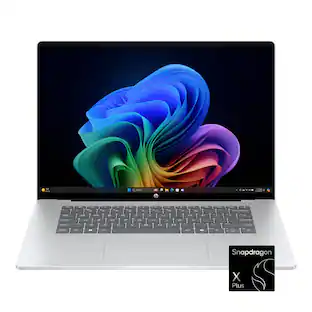
HP - OmniBook X Flip 2-in-1 - 14" 2K OLED Touchscreen Laptop - Intel Core Ultra 7 (2026) - 16GB Memory - 1TB SSD - Copilot+ - Meteor Silver
More Buying Options

Highlights
Compare similar products
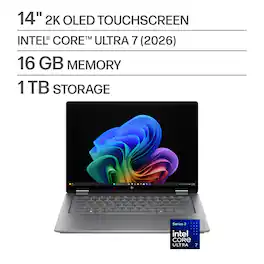
Flip your day, your way. More than just a laptop—it’s your all-day, anywhere companion with 4 flexible modes. Power and performance for AI acceleration, it keeps pace with your most creative ideas and demanding workloads. With fast charging and a design that’s both sleek and durable, the OmniBook X Flip moves as effortlessly—and stylishly—as you do.

Go above and beyond with a Next Gen AI Copilot+ PC that seamlessly blends power, mobility and style. Bring your creations to life in an ultra-thin flip design. The latest AI accelerating Intel technology redefines power efficiency so you get more performance while looking and sounding your best with AI-enhanced video and audio tools.
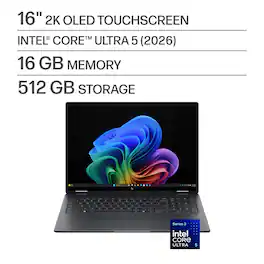
Flip your day, your way. More than just a laptop—it’s your all-day, anywhere companion with 4 flexible modes. Power and performance for AI acceleration, it keeps pace with your most creative ideas and demanding workloads. With fast charging and a design that’s both sleek and durable, the OmniBook X Flip moves as effortlessly—and stylishly—as you do.
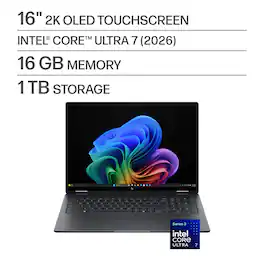
Flip your day, your way. More than just a laptop—it’s your all-day, anywhere companion with 4 flexible modes. Power and performance for AI acceleration, it keeps pace with your most creative ideas and demanding workloads. With fast charging and a design that’s both sleek and durable, the OmniBook X Flip moves as effortlessly—and stylishly—as you do.
Specs
Reviews
Customer Images
The vast majority of our reviews come from verified purchases. Reviews from customers may include My Best Buy members, employees, and Tech Insider Network members (as tagged). Select reviewers may receive discounted products, promotional considerations or entries into drawings for honest, helpful reviews.
- Rated 5 out of 5 stars
5 stars for a travel laptop for business
5 Stars for HP solid metal build and cooling improvements and best travel use for functionality. Internal M.2 does not have the correct driver proper cloning. Will update in comments when these items gets fixed. But 5 stars for a well-built travel laptop. HP - OmniBook X Flip 2-in-1 - 14" 2K OLED Touchscreen Laptop - Intel Core Ultra 7 (2026) - 16GB Memory - 1TB SSD - Copilot+ - Meteor Silver High quality i7 DDR5 laptop with 1 M.2 4.0. Upfront this unit has significant improvements over most laptops. Examples are; cooling, keyboard layout, and basic well designed functionality. Someone at HP has been reading the reviews and taking action. Very nice! 1. Very sturdy all Aluminum body! 2. Worked on first boot / no issues in updates 3. Twelve months parts and labor warranty 4. Complete printed manual with extended warranty options online and also in the HP APP 5. Side cooling/grip slots for back cover for removal (be sure you have all the 4 screws removed/ one stays in but loose) See note below 6. Very nice heat shield for the M.2 4.0 drive. If you swap out drives, be sure to use the old heat shield housing and parts on your new drive. 7. Internal drive is fine the way it is! No upgrade needed but only one M.2 slot. Use the clone software that works for you. I could not get clone software to recognize this drive. I used the Windows create image feature as a backup. We will see if this works????? 8. Small USB charger works great and fast 9. Remove all extra security software not part of Windows. 10. Keep HP assistant (important FW update needed) and set up your account online/register for service. Run the complete update in this APP! Uninstall apps inside HP support that you are sure you don’t need. 11. Go into Microsoft settings and turn off everything you can live without. On initial setup say no to everything in life as you can always say yes later (exception security log ins). 12. Fully install XBOX and claim 3-month pass. Having severe issues with 3- month free pass as it is broken as of today. 13. Perfect business travel laptop 14. Two USB A and 2 USB C make mouse, keyboard, and USB stick options easy 15. HDMI is a nice option but your 2 USB C (4) connections are a one place stop for everything. 16. Installed 4 small stick-on furniture pads on the bottom for additional ventilation space! Be careful not to cover and vents. 17. WF 7 connections were perfect as I have a full WIFI 7 mesh network 18. Could not check BT 6.0 as I do not have any of those devices yet. Maybe! Not sure if my mesh system can interface with that???? 19. Four screws hold the back but the clips are extremely strong. Don’t do this unless you have to. Check online for HP instructions “remove back from a HP - OmniBook X Flip 2-in-1 14" / M.2 stick is a PC SN5000S SDEPNSJ-1T00-1006 not recognized so far as a WD product. The Western Digital SDEPNSJ-1T00-1006 is a 1-terabyte M.2 22 by 80 NVMe SSD The SN5000S series in March 2024 in 2230 and 2280 sizes and 512 GB to 2 TB capacities. 20. Cloning could not be done as the drive is not recognized as a WD or SANDISK product. I had to remove the drive from the unit and do an external clone on another machine. Be careful as when you snap the back on it automatically turns on the unit 21. The HP APP is a very nice product to keep you unit updated. 22. Sound is minimal for functionality basic functions/use ear buds 23. Battery life is phenomenal / had mine plugged into the wrong outlet 24. Twin cameras/ Windows Hello is very picky/ suggest you lean the screen back 20 degrees for face scanning Installed XBOX Ultimate and played several games (Fight Simulator 2024, Minecraft Bedrock, Warcraft 3, etc). Fans were on the highest speed in auto mode for the high-end games. Cooling has dramatically improved in this newly designed cooling system. When completely finished setting the unit up, I updated the BIOS FW in the HP APP. Critical update for this unit. Windows update should catch all the rest. The 4 Phillips head screws for back access panel were easy to find. If you are not an experienced hardware technician, you may want to skip this step. Fans came on at the right temperatures. Also, the keyboard FN keys allow you to manually adjust the speed as well as many other functions. WD cloning software failed. Crucial Acronis failed! XBOX-X controller is the best bet for games. The i7 CPU showed its strength in gaming mode as I was surprised how quick it was. The external mouse and keyboard were ok for some gaming with the lighted keys. I use an external mouse or XBOX controller for most games. For additional cooling, I bought an elevated laptop stand and can place a fan under it for extremely intense games (decided it was easier to place 4 furniture pads under the raised feet of the laptop). Not needed for 99% of the games. Read the manual on how to use the FN keys. The manual is your friend. Also, the keys are clearly tagged as to functions. The sound worked perfectly on startup with no adjustments needed. However, the sound is for business only and not for music or quality sound. The screen will open 360 degrees. Be very careful! I could not find a function to turn on the WASD key lighting Final thoughts! This a compact robust laptop. Fast and portable. Not being able to clone the drive with authorized WD Acronis is a significant setback. Researching built in old Windows 7 features built into Windows 11. Wound up removing the drive and doing an external clone on my desktop.
ETP1 Posted
- Rated 5 out of 5 stars
Portable productivity powerhouse!
HP's Omnibook line has now for several generations been a great laptop for those looking to get things done on the go and this newest version might be the best yet, both on your desk and on the go. There's so much to like about this laptop that it's tough to pick just one place to start, but I suppose I'll start with the basics. The Omnibook X Flip is, as the name would imply, a convertible laptop that can "flip" into a tablet (or various tent modes if you prefer). The hinge is SOLIDLY built and the screen does stay in a variety of positions and the touchscreen works well as an additional input in any mode. Windows isn't REALLY a tablet operating system, but the tablet mode can be handy when using the laptop to consume media like reading or watching a video and is a handy bonus. The chassis is a mix of plastic and metal and is solid for normal use - the MIL spec rating is a nice bonus though I thankfully haven't yet dropped it to test that out! The keyboard is nicely spaced and easy to get used to (like most HP keyboards) and I was quickly able to get to my rated typing speed and accuracy with it and the touchpad is large and responsive, including to gestures. Size-wise, 14" is a good sweet spot if you're actually going to travel with the laptop, large enough to have a solid screen space and nicely spaced keyboard but still light enough that it doesn't weigh you down and it fits in nearly any bag. I LOVE that they've finally done away with bulky power bricks and included a VERY small GaN power adapter - while you still get a 6 ft charging cord, it saves a TON of space and weight in your bag and is what all laptop companies should be doing...so bravo HP on that! Physically, the highest points of the laptop (besides the power cable) have to be the screen and the port selection. The 2K OLED is gorgeous with deep blacks and bright colors that you expect from an OLED. It makes viewing media a treat and is useful in games as well (more on that in a moment). The response time is good (though it is a 60Hz screen) and everything I've looked at / read / etc. is sharp and clear. I do like the 1920x1200 screen size, a 16:10 ratio that is bigger than the normal 1920x1080 or 16:9 and lets you get a bit more vertical screen space so slightly less scrolling. The port selection is GREAT for a laptop of this size with Thunderbolt / USB-C and USB-A on BOTH sides (meaning you can dock / charge the laptop from either side) which is awesome and gives you plenty of connectivity. You also get a native HDMI port and headphone jack which should eliminate the need for most dongles (also saving space and weight when you're on the go). This is the port selection and distribution that every laptop should aim for (unless it's a SUPER slim ultrabook). The laptop is easy to open if you want/need to with 4 small philips head screws on the bottom (the one in the back left corner is captive) and a bit of prying of clips. Inside (picture attached) though there's not THAT much you can do, but you can replace the single 1TB SSD with a larger one - it takes a standard 2280 NVMe PCIe 4.0 SSD meaning you can go up to 8TB of storage either now or in the future, though because it's a single drive, you'll need to migrate your Windows install to that new drive as well. You can also replace / upgrade the Mediatek Wifi/Bluetooth card for future standards, though I saw solid connectivity and speeds over both Wifi and with Bluetooth devices. The battery is in theory replaceable if you can source the replacement unit. AND...that's about it for the inside since the memory is soldiered to the board and not user replaceable. As far as performace, this is a solid performer as an all around laptop. The new "Panther Lake" Intel Core Ultra 7 series 3 chip is both powerful and efficient, leading to solid "all day" battery life while performing productivity and/or media consumption type tasks. I haven't done a full battery run down, but the laptop should easily exceed a full work day and then have plenty to go late into the night (or for a second day) as well based on the power draw I've seen. That said, I doubt the "39 hours" is realistic for most, unless you're running very specific test conditions (looping a local video at certain brightness settings, etc). Charging is very quick over USB-C either with the included 65W GaN power brick (that's very small as noted above) or with a third party charger. One thing to note - and this isn't HP's fault, but rather Intel's - is that this is the "Core Ultra 7" 355 processor, NOT to be confused with the Core Ultra X7" processors (usually the 358H) which is much more powerful, particularly on the intergrated graphics. That "X" means a lot as the 358H is a 16 core part with powerful Arc graphics. THIS "7" 355 is an 8 core part with more mainstream Intel graphics. It's still a great chip / laptop, but that's an important thing to note when buying to make sure you know what you're getting. Performance-wise, the 355 paired with 16GB of VERY fast RAM is a good pairing, able to deliver solid performance in day to day tasks, power copilot or other local AI tools and even have enough to do some gaming. It's not the X7 processor as noted above, but does still deliver good gaming performance in lighter / older games or with settings turned down. The common 3DMark "Time Spy" benchmark returns about 3,100 in performance mode (and even got to about the same on battery) which is roughly comparable to the ROG Ally or similar handheld gaming PCs, so you CAN play games on this and even still see decent battery life. Given that, it's no surprise that playing 4k media, office work and even programming / development were a breeze for this laptop. When highly pushed, the fan did kick up to be noticeable and the laptop got rather warm in the area above the function keys, but you don't really touch that area anyhow and it wasn't worryingly warm or anything. In normal use the fan is quiet / silent. So there you have it - a laptop that can go with you, last all day and do (or connect to) pretty much anything you might need it to. From a trusted name in PCs / laptops. And with recycled materials to boot. What more could you ask for? Give it a try today!
Brett Posted
- Rated 5 out of 5 stars
Great 2-in-1, Beautiful and Functional
I wanted to pick up a new touchscreen laptop for a project I’ve got coming up. I mainly needed it to be able to capture signatures via a touchscreen but also needed it to be portable with enough battery life to last a workday between charges. I really like the OmniBook series from HP, so when I saw the OmniBook X Flip 2-in-1 14”, it was exactly what I was looking for. Pros: - Powerful and Portable. - Vibrant OLED Touch-screen display. - Multi-Day battery. - High quality audio. Cons: - HP Includes a lot of pre-installed software. - Doesn’t come with a Pen/Stylus. Setup: Setup was uneventful in a good way, I didn’t encounter any issues setting windows up, updating, or installing my software on the OmniBook X Flip. My only complaint is that HP loads a bunch of add on programs like McAfee Antivirus, Dropbox, and 11 HP branded apps. It’s a bit unreal just how many HP apps are preinstalled, most of which are unnecessary to function. Any of the apps used for updates can also be removed, as updating can be done directly from the HP Website when needed. Specifications: The OmniBook X Flip has an Intel Core Ultra 7 355 – 8 core processor with 4 performance and 4 efficient cores, this is one of Intel’s newest mobile chips that boasts high performance with efficiency power usage. The base power draw for the CPU is only 25 Watts, but the chip can adjust between 12 Watts to 55 Watts based on usage and settings. For graphics, the CPU includes Intel Integrated Graphics, which is plenty for my use. For Memory, there is 16GB of LPDDR5X, which is unfortunately not upgradeable as it is soldered onto the board but does run at 7467 MT/s. As for Storage, there is a 1TB NVMe included which is the only upgradeable part. For wireless connectivity, Wi-Fi 7 and Bluetooth 5.4 is included. For ports, there are 2x USB-C Thunderbolt 4, 2x USB-A 3.1, 1x HDMI 2.1, and a headphone combo jack. Having 4 USB ports plus the HDMI port really helps, as you can attach all your devices: mouse, external monitor, and power adapter without having to sacrifice one for the other when limited to less ports. The keyboard is backlit and the trackpad supports multi-touch gestures, which is a must for any work laptop I have. A 5MP front facing camera is included on the top of the display with a built-in privacy screen along with a built-in microphone. The included Poly Studio with Dual Speakers, deliver quality sound in a small format. I was impressed with the sound quality and clarity even at maximum volume. All of it fits within an Aluminum shell with a footprint of about 12.3in by 8.6in, and under 0.6in thick. While weighing just about 3.1lbs, which fits with the ultra-portable laptops. Touch Display: The 14in OLED Display is very vibrant and easy to view from almost all angles without any discoloration. The screen is a high gloss screen, which helps with making colors pop but also is prone to reflections in high light such as working outside or near large windows. The maximum brightness is only 300 nits which is a low level for maximum brightness on an OLED display, but I’ve found it to work well enough with the display so you can still see the screen even in direct sunlight or very bright settings. The Flip: One of the main features of the OmniBook X Flip is the folding screen, which essentially turns the laptop into a tablet. As you Flip it, the screen automatically reorientates to vertical along with bringing up an onscreen keyboard when a text field is selected. The onscreen keyboard supports swipe typing and works flawlessly. The touch screen easily registers multi-point gestures such as pinch to zoom, scroll, or rotate. Basically, any trackpad quick gesture also applies on the display. My only complaint about the touchscreen would be the lack of an included Pen or Stylus, as that would make the OmniBook X Flip perfect. It is compatible with MPP 2.0 Active Stylus like the HP Rechargeable MPP 2.0 Tilt Pen, which I’m looking forward to trying with it. Battery Life: The battery life on the OmniBook X Flip is amazing! I’ve only charged it once during the initial setup, then used it for the last 4 days for about 4-5 hours a day and still have about 15% left on the battery. Though this was mostly on normal everyday activities like web browsing, emails, and writing so more strenuous tasks might see reduced battery life. Charging was similarly impressive, as the USB-C Charger included is a 65W charger, providing 50% of the battery charge in about 1 hour and a full charge in just under 2 hours. With the charger being USB-C, this allows you to charge other USB-C devices, often at faster than standard charging rates. This is very convenient for traveling, as you can bring just the one charger to charge all your devices. Conclusion: If you’re looking for a touch-screen laptop that can last all day under a steady workload without sacrificing portability, the OmniBook X Flip is a great option to consider. Paired with the newest Intel Core Ultra 7 which is both powerful and power efficient, the battery can easily last multiple 8hr workdays on a single charge while small easily fitting into your work bag. Or even in your hands as you give that presentation, as with the Flip feature the laptop easily folds into a tablet mode seamlessly. The only thing missing is an active stylus to make this laptop a perfect tool for work. I’ll be keeping the OmniBook X Flip on hand for my upcoming project, along with the next one for sure.
BradfordBT Posted
Explore tech essentials Sponsored
 $1,399.99The price was $1,599.99