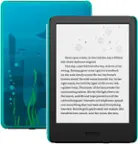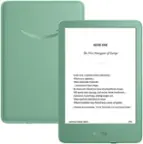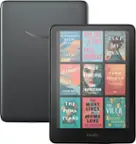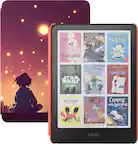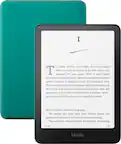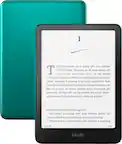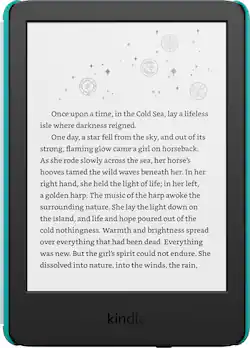
Amazon - Kindle Kids E-Reader (2022 release) 6" display with cover - 16GB - 2022 - 2023 - Ocean Explorer
- Key Specs
- Screen Size: 6 inches (Size of the screen, measured diagonally from corner to corner.)
- Total Storage Capacity: 16 gigabytes
- Battery Chemistry: Lithium-ion
- General
- Brand: Amazon
- Model Number: B0BLJ6LJBM
- Product Name: Kindle Kids E-Reader (2022 release) 6" display with cover - 16GB - 2022
- Color: Ocean Explorer
- Model Family: Amazon Kindle Kids
- Year of Release: 2023
- Display
- Screen Size: 6 inches (Size of the screen, measured diagonally from corner to corner.)
- Screen Display: Black and white
- Storage
- Total Storage Capacity: 16 gigabytes
- Power
- Charging Interface(s): USB-C (The connection for transmitting power to charge the device.)
- Battery Chemistry: Lithium-ion
- Dimensions
- Product Height: 0.35 inches (The out of box height of the item. Height is measured as the vertical distance from the bottom of the item to the top as it would be primarily used or placed.)
- Product Width: 4.2 inches (The out of box width of the item. Width is measured as the horizontal distance from one side of the item to the other as it would be primarily used or placed.)
- Product Depth: 6.2 inches (The out of box depth of the item. Depth is measured as the distance from the front of the item to the back as it would be primarily used or placed.)
- Product Weight: 0.35 ounces (The out of box weight of the item.)
- Certifications Listings & Approvals
- ENERGY STAR Certified: false (Devices carrying the ENERGY STAR service mark, such as computer products and peripherals, kitchen appliances, and other products, generally use 20% to 30% less energy than required by federal standards.)
- Warranty
- Warranty - Parts: 2-year worry-free guarantee.
- Warranty - Labor: 1 year
- Other
- UPC: 840268942779
Kindle Kids (2022 release) now with an upgraded high-resolution display, 2x the storage, and longer battery life. Includes a cover, 1 year of Amazon Kids+, and 2-year warranty
- Great value: Now with an upgraded high-resolution display, 2x the storage, and longer battery life. Includes a cover, 1 year of Amazon Kids+, and 2-year warranty
- Includes a 1 year subscription of Amazon Kids+: After 1 year, your subscription will automatically renew every month starting at just $4.99/month plus applicable tax. You may cancel any time by visiting the Amazon Parent Dashboard or contacting Customer Service.
- Establish healthy reading habits: kids read, on average, more than an hour a day when they sit down with their Kindle.
- Purpose built for reading: Kindle Kids is purpose-built for reading (not a toy)—no apps, videos, or games.
- High-res display: Now with a 300 ppi high-resolution, glare-free display for sharper text and images.
- Adjustable light: Adjustable front light and dark mode make reading comfortable, day and night.
- Battery life: A single charge via USB-C lasts up to 6 weeks.
- Read comfortably: The compact and lightweight design allows for one-handed reading. Now with 16 GB of storage, holds thousands of books.
- Parent dashboard: The Parent Dashboard allows you to add books from your account to your kid's library, view reading progress, adjust age filters, set a device bedtime, and more.
Whats Included
- Kindle Kids
- USB-C
- Quick start guide
Q: Can the Kindel Kids e Readers be used by adults to download and read e books
A: Hello, Yes, absolutely! The most important thing to know about the Kindle Kids vs the Basic Kindle is that they are the exact same hardware. If you take the case off, you literally will not be able to tell a difference between them. You can sign in to either device as an adult or a child. Which means that if you buy a Kids Kindle and log in as an adult, it’s now a basic Kindle. And if you buy a basic Kindle and log in to a child’s account, it’s now exactly the same as if you’d purchased a Kids Kindle. Hope this helps!
A: Hello, the Amazon Kindle Kids E-Reader will need to be connected to WI-FI to download any books that you want to read. Once the book is downloaded to the Kindle, WI-FI is no longer needed and you can read that book anywhere. Have a great day!
Q: is the print size font adjustable
A: Hello, all of the Amazon Kindle devices have adjustable font sizes to fit your reading needs. Simply drag down from the top of the screen and you will see the font size adjustment bar. Have a great day!
Q: How is the 6" display measured? Thanks.
A: Good Evening READERXYZ, The dimensions of the Kindle Kids E-Reader are as follows, 6.21 x 4.27 x 0.32 inches. The screen is measured diagonally from the top corner to the bottom corner of the display screen ( not including the Black part) similar to a Television screen. Hope this helps!
Q: Can u listen to audiobooks from audible on it?
A: Hi there! While the Kindle doesn't have a built in speaker, you can download and listen to audiobooks using the built in Bluetooth capabilities! Just connect the Kindle to a Bluetooth speaker, headset, or pair of earbuds and you'll have access to all of your audiobooks on the go. To connect a Bluetooth device: 1. Open the Quick Actions or select the Menu icon. 2. Select All Settings or Settings, then Wi-Fi & Bluetooth or Wireless. 3. Turn Bluetooth on. 4. Select Bluetooth Devices to scan for the nearby Bluetooth devices. 5. Select your Bluetooth device from the list. 6. Click on Connect. 7. If the Bluetooth device displays a PIN code, click on CONFIRM, then YES. Hope that helps, have a great rest of your day!
A: Yes
A: Hello Cesiah, the Kindle Kids Edition is not a waterproof device. Have a great day!