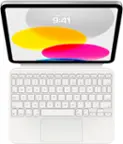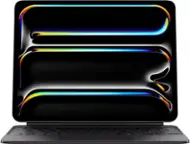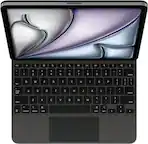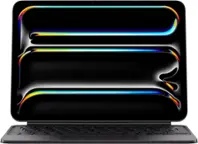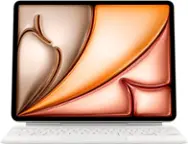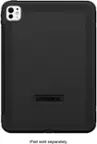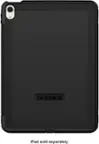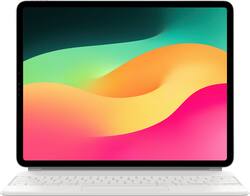
Apple - Magic Keyboard for iPad Air 13" (M2) - White
- Key Specs
- Model Compatibility: Apple iPad Air (M3) 13" 2025, Apple iPad Air (M2) 13" 2024, Apple iPad Pro (6th Generation) 12.9" 2022, Apple iPad Pro (5th Generation) 12.9" 2021, Apple iPad Pro (4th Generation) 12.9" 2020, Apple iPad Pro (3rd Generation) 12.9" 2018
- Operating System Compatibility: Apple iPadOS
- Illuminated: true
- General
- Brand: Apple
- Model Number: MJQL3LL/A
- Product Name: Magic Keyboard for iPad Air 13" (M2)
- Color: White
- Compatibility
- Brand Compatibility: Apple
- Model Compatibility: Apple iPad Air (M3) 13" 2025, Apple iPad Air (M2) 13" 2024, Apple iPad Pro (6th Generation) 12.9" 2022, Apple iPad Pro (5th Generation) 12.9" 2021, Apple iPad Pro (4th Generation) 12.9" 2020, Apple iPad Pro (3rd Generation) 12.9" 2018
- Operating System Compatibility: Apple iPadOS
- Maximum Compatible Display Size: 12.9 inches
- Connectivity
- Wireless: true
- Number of USB Port(s): 1
- Features
- Touchpad: true
- Adjustable Tilt: true
- Illuminated: true
- Included
- Number Of Keys: 64
- Palm Rest Included: false (null)
- Dimensions
- Product Height: 0.86 inches (The out of box height of the item. Height is measured as the vertical distance from the bottom of the item to the top as it would be primarily used or placed.)
- Product Width: 9.4 inches (The out of box width of the item. Width is measured as the horizontal distance from one side of the item to the other as it would be primarily used or placed.)
- Product Depth: 11.49 inches (The out of box depth of the item. Depth is measured as the distance from the front of the item to the back as it would be primarily used or placed.)
- Product Weight: 2.42 ounces (The out of box weight of the item.)
- Warranty
- Warranty - Parts: 1 year
- Warranty - Labor: 1 year
- Other
- UPC: 194252433539
Magic Keyboard is an amazing companion for iPad Air 13-inch. It features an incredible typing experience, a trackpad that expands how you can work with iPadOS, a USB‑C connector for pass-through charging, and front and back protection. Magic Keyboard has a floating cantilever design, allowing you to attach iPad Air magnetically and to smoothly adjust it to the perfect viewing angle for you.
Whats Included
- Magic Keyboard for iPad Air 13" (M2) White
- Magic Keyboard for iPad Air 13" (M2) White
Q: Can I charge the iPad and use an external hard drive at the same time with this keyboard?
A: Yes, the keyboard has a charging port for the iPad so you can use external ports through the iPad
Q: there is a keyboard in spanish
A: Not to my knowledge, but from the App Store you can download different keyboards. In “Settings” > General > Keyboards > keyboard > “Add a keyboard” you can select a keyboard in another language or specialty keyboards you have downloaded from the App Store. Pressing the “Globe” key left bottom corner you can cycle through keyboards you have added. At the bottom right corner of the iPad is a keyboard icon. Click on that after you have selected your keyboard and a keyboard template will show the foreign keyboard, for example. At that point you can touch the keys on the iPad or use the Magic Keyboard, using the “template” as a guide as to what keys on the keyboard will produce what characters since letters on the Magic Keyboard won’t match the foreign language keyboard.When done cycle through the keyboards you have added until you get back to the English keyboard. [There are 3 Spanish keyboards in “Settings” - Mexican, Latin America, Spain.]
Q: Hoe do you get the mouse pad on the keyboard to work on the iPad 12.9
A: It should automatically work when you put the iPad on the keyboard.
Q: Is this 64gb iPad and keyboard
A: It’s just the keyboard
A: Yes, you can. The Magic Keyboard has a USB-C port on the left hinge that allows pass-through charging. You just plug your charger into the keyboard, and it will charge your iPad while it’s attached. The port on the keyboard only supports charging—it does not transfer data or connect accessories—but it’s super convenient for keeping your iPad powered while keeping the main USB-C port free.
Q: This keyboard has the letter ñ that is used in Spanish.
A: No it does not have, but I love the keyboard
A: No. It is designed for ipad If you want 2 devices you need the logitech keys