Best Buy essentials™ - Laser Lens Cleaner - Blue/White
- Insignia™ - 4' 4K Ultra HD HDMI Cable - Black$19.99

More Buying Options
About This Item
- General
- Brand: Best Buy essentials™
- Model Number: BE-HCL303
- Product Name: Laser Lens Cleaner
- Color: Blue/White
- Other
- Case Included: false
- Ingredient(s): 10 brushes
- Compatibility: Works with most CD, DVD, and Blu-ray™ players
- Compatible Product(s): Blu-Ray Player, CD player, DVD Player, Video game console
- UPC: 600603273766
It’s just a CD or DVD player. Until you can’t watch your favorite movie or listen to your favorite CD. With the Best Buy essentials Laser Lens Cleaner, clean the laser lens of your existing CD, DVD and Blu-ray player, removing dust and dirt. It fixes and prevents playback problems with 10-brush cleaning, keeping your device functioning smoothly without causing any damage. Backed by Best Buy, we’ve included the instructions on the disc itself. Simply place the cleaning disc into the player disc tray with the label side up. If the disc does not automatically play, press the play button on your device. Finally, follow the voice instructions to complete the cleaning process. Let us help you keep your disc players working like new with an easy-to-use laser lens cleaner.
- Works with most CD, DVD, and Blu-ray players: Removes dust and debris from the laser lens of your existing devices.
- Fixes and prevents playback problems: Uses an extensive 10-brush cleaning process.
- On-disc & voice instructions: Provides easy to follow instructions straight from the disc.
- Backed by Best Buy: For quality and reliability that you can trust.
- Works with most CD, DVD, and Blu-ray players: Removes dust and debris from the laser lens of your existing devices.
- Fixes and prevents playback problems: Uses an extensive 10-brush cleaning process.
- On-disc & voice instructions: Provides easy to follow instructions straight from the disc.
- Backed by Best Buy: For quality and reliability that you can trust.
Whats Included
- Best Buy essentials Laser Lens Cleaner
- Best Buy essentials Laser Lens Cleaner
Product Manuals
Q: Where can I find this product?
A: You can find the Best Buy essentials Laser Lens Cleaner on BestBuy.com.
Q: Why should I choose this lens cleaner?
A: This lens cleaner is backed by Best Buy, ensuring quality and reliability you can trust.
Q: Does this lens cleaner come with instructions?
A: Yes, the cleaner includes voice instructions directly on the disc for easy use.
Q: Is this cleaner compatible with Blu-ray players?
A: Yes, this cleaner is compatible with most CD, DVD, and Blu-ray players.
Q: How does this cleaner help with playback?
A: The Best Buy essentials Laser Lens Cleaner fixes and prevents playback problems by removing dust and debris from the laser lens.
Q: How many brushes does this cleaner use?
A: This laser lens cleaner uses a 10-brush cleaning process to remove dust and debris.
Q: What does this laser lens cleaner do?
A: This laser lens cleaner removes dust and debris from the laser lens of your CD, DVD, and Blu-ray players.
A: The lens cleaner will not make the player display anything when you insert it, I just pressed "2 for English " when the audio voice spoke it, & it played the English version. It did a good job of cleaning the lens, & it was the first time a lens cleaner was ever used in it.
Reviews
Customers are saying
Customers appreciate the Laser Lens Cleaner for its overall performance and ease of use. Many have found it effective on DVD players, and consider it a good cleaning disc at a fair price. However, some customers have reported compatibility issues, and a few have noted problems with playback and a lack of instructions.
- Overall Performance (94)
- Ease of use (81)
- DVD Player (57)
- Compatibility (14)
- Instructions (3)
- Playback (3)
Customer Images
The vast majority of our reviews come from verified purchases. Reviews from customers may include My Best Buy members, employees, and Tech Insider Network members (as tagged). Select reviewers may receive discounted products, promotional considerations or entries into drawings for honest, helpful reviews.
Compare similar products

It’s just a CD or DVD player. Until you can’t watch your favorite movie or listen to your favorite CD. With the Best Buy essentials Laser Lens Cleaner, clean the laser lens of your existing CD, DVD and Blu-ray player, removing dust and dirt. It fixes and prevents playback problems with 10-brush cleaning, keeping your device functioning smoothly without causing any damage. Backed by Best Buy, we’ve included the instructions on the disc itself. Simply place the cleaning disc into the player disc tray with the label side up. If the disc does not automatically play, press the play button on your device. Finally, follow the voice instructions to complete the cleaning process. Let us help you keep your disc players working like new with an easy-to-use laser lens cleaner.

* for use in DVD players only * Features Thunderon brush system * Equipment set up & enhancement features/ideal for home theaters * with 8 languages * Interactive on-screen instructions.
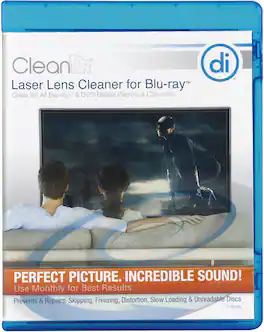
This Digital Innovations CleanDr 4190300 cleaner features Zero-Clearance technology and a 10-brush Cyclone Clean process, so you can safely remove debris from the laser lens on your Blu-ray Disc or DVD player, gaming console or computer disc drive.

It’s just an old VCR—until childhood memories are at risk. Clean your existing VCR player with the Best Buy essentials VCR Video Head Cleaner for improved picture and sound quality. A cleaning cassette tape removes dust and dirt from your VCR in about 20 seconds for a quick and easy clean. The system also includes cleaning fluid, so you have everything you need. Let Best Buy help you keep your memories intact with a cleaning system designed to keep your VCR functioning smoothly.
| Pros for Best Buy essentials™ - Laser Lens Cleaner - Blue/White | |||
|---|---|---|---|
| Overall Performance, Ease of use, Price, DVD Player, Laser Lens Cleaner | There were no pros for this product— | There were no pros for this product— | Overall Performance, Ease of use, Price, VCR, Video Quality |
| Cons for Best Buy essentials™ - Laser Lens Cleaner - Blue/White | |||
| Compatibility, Instructions, Playback | There were no cons for this product— | There were no cons for this product— | There were no cons for this product— |
Specs
Elevate your entertainment Sponsored
- $129.99The price was $149.99
- $399.00The price was $599.99