PC Gaming Buying Guide

Enjoy power, performance and customization with a gaming desktop PC. You’ll find options with premium graphics capabilities, higher frames per second (FPS) and short load times to handle resource-intensive games, streaming and content creation.

Prebuilt or out-of-the-box gaming desktops
When you buy a gaming desktop with all the components already included, you can enjoy reliable, peak performance, while still having the option to customize. A few of the benefits of a prebuilt gaming desktop include:
- Options with optimized performance components so you can play your favorite AAA title with high frame rates
- Ready to play right out of the box — no need to build your rig first
- Ability to swap out individual components to upgrade and customize for your needs
- Space for larger fans and liquid systems for optimum cooling
- Can be cost effective compared to building a desktop from scratch
- One warranty for all the components
If you want to take your gaming on the go, or need a machine that can work for both mobile productivity and games, then a gaming laptop is the ideal option.

With computing power being a key element to the best possible PC gaming experience, a true gaming laptop will typically be more powerful than a standard laptop, and of course be much more portable than a desktop. This means that gaming laptops will usually come with a very powerful processor and a beefy graphics card to provide visually stunning gaming experiences. These components must stay cool, so gaming laptops will often have more powerful cooling systems as well.
The trade-off between portability and power often results in a laptop that is larger and heavier (although many of today’s models are no longer as hefty as yesteryear’s). Additionally, the intense processing power required to run games will cause the battery to drain faster than it would if you were only browsing the internet, checking in on your favorite social networks, or uploading photos.
Finding the best gaming laptop for your needs is a matter of balancing power with portability. If you care more about maximizing the graphical quality of the games you play, consider sacrificing some measure of portability to get the most powerful laptop you can. Conversely, if portability is the most important feature for you, you’ll want to consider choosing a less powerful laptop that is smaller and lighter, and has a longer battery life.
Build your own PC or upgrade your current computer.
If you want more control over what’s inside your machine, or if you just need to upgrade a few elements of the PC you already own, then it’s time to turn to PC cards and components.

Video graphics card/GPU
Serious gaming requires a lot of graphical power. Most standard PCs come with built-in graphics processing, but many games require a dedicated graphics card. In many cases, adding a graphics card to your PC will give you a noticeable boost in performance. If you’re looking for the most bang for your buck, this is a great place to start.
The graphics card you choose will largely depend on what types of games you’re interested in playing and how much you want to spend. Sometimes, even a very basic graphics card will give you the performance boost you need. If you are really looking to push your system and play the newest games on the highest graphical settings, however, you might want to invest in a faster model with more built-in RAM.
Processor/CPU
Your processor determines how fast your computer can perform tasks. Playing the most current video games will put your system through its paces, and a faster processor will help your system keep up with the intense demands of gaming.
When looking at a processor, one of the key features is how many cores it has. Having multiple cores makes your processor more efficient by splitting the data processing between them. Not all games will take advantage of the maximum number of cores though, so it is useful to know how many cores your favorite games make use of before deciding upon a specific number of cores. Processors will also identify how many threads they have, which organize the data being processed by the core. The combination of cores and threads plays out differently depending on what your PC is doing, but in a nutshell, the number of cores delivers more impact for the intense single task of gaming, while multithreading or hyper-threading technology is more helpful when multitasking.
Another factor to consider is frequency, or speed, which is measured in GHz (gigahertz). For example, a 6.0GHz processor is faster than a 4.0GHz processor. For smooth performance in the most advanced and current games, you might want to consider 6.0GHz, but many games will run on processors slower than that.

Memory/RAM
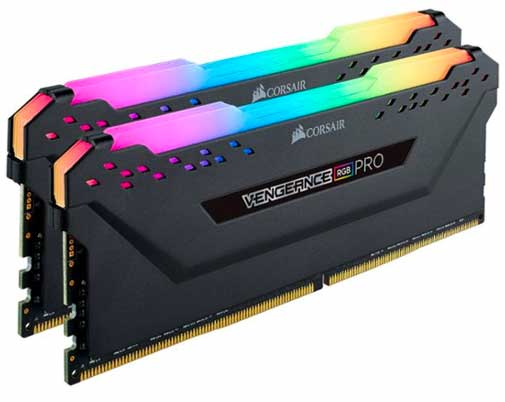
Short for random access memory, RAM stores temporary data on the fly while your computer is performing tasks. The more RAM you have, the more things your computer will be able to do simultaneously. It’s recommended that you have a minimum of 8GB of RAM for gaming, but increasing this to 64GB or more will often lead to much better performance.
Not having enough RAM can create a bottleneck in gaming performance, as games require several different types of data to be manipulated all at once. Thankfully, it’s not a very expensive component to upgrade.
Keep in mind that there are several types of RAM, and you’ll need to make sure that any RAM you buy is compatible with your motherboard before making the upgrade.
Internal storage
When it comes to storing your games locally, capacity is important but speed is key.
For sheer storage capacity, traditional hard disk drives (HDD) still have a role, giving you more gigabytes per dollar. Hard drives store data on rotating disks, so the faster a disk rotates, the faster the drive will read and write data. Drives operating at 7200 rpm will let your PC access data more quickly than a 5400 rpm drive.
When it comes to a gaming PC’s primary drive, hard drives have largely given way to the speed and stability of solid state drives (SSD). These flash-based drives are built for speed, with no moving parts to wear out. SSDs are many times faster than HDDs, delivering faster performance when starting your PC, launching games and saving progress, all while creating less heat and no noise. SSD storage capacity tends to be smaller than you’ll find in hard drives overall, but larger terabyte drives are now more common (although you should expect to pay a premium).
If you upgrade your processor, it is essential that you purchase a model that is compatible with your current machine. The motherboard on your PC is built to be compatible with a specific socket type, so it’s important to match the socket type of your processor with that of your existing motherboard.

Other components
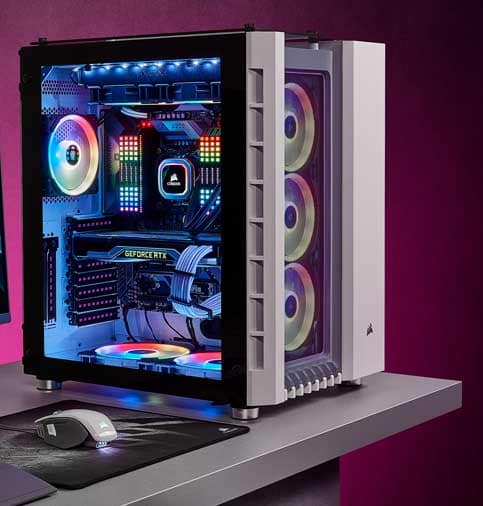
If you’re building your PC from the ground up, you’ll also need a motherboard, a power supply and a cooling solution, as well as a computer case to house it all.
Motherboards are the central integration point for all your components. They are built to be compatible with a specific socket type, so it’s important to match the socket type of your processor with that of your motherboard. Motherboards also feature a combination of other sockets and interfaces for everything from your RAM modules to your display ports.
Power supplies are available in a range of watts to meet the needs of your total system.
Draw away heat from your system with overall case fans, targeted CPU fans, an advanced liquid cooling system, or a mix-and-match combination.
Today’s tower cases feature designs with RGB lighting and/or windows to showcase the RGB and LED options available on other internal components.
Shop by:
Motherboards Power supplies Fans, heatsinks and cooling Computer cases
Upgrade considerations
In order to upgrade your system, you’ll have to make sure new parts are compatible with your existing hardware before you make the purchase. For instance, if you intend to upgrade your processor, it is essential to purchase a model that is compatible with the motherboard in your current machine.
You might also consider installing a sound card or utilizing an external card to pump out better audio than the on-board sound you’d find built into a standard PC.
It’s also important to look for performance bottlenecks in your system. You might buy the best graphics card on the market, but if you have a small amount of RAM or a slower processor, your system won’t be able to maximize the potential of that card and you might still experience slow or stuttering performance. To maximize your upgrade, you’ll want to isolate the pieces that are causing the biggest performance bottlenecks and make sure you prioritize replacing those components.
Keep in mind that more powerful components may require an enhanced power supply, better cooling and a larger case.
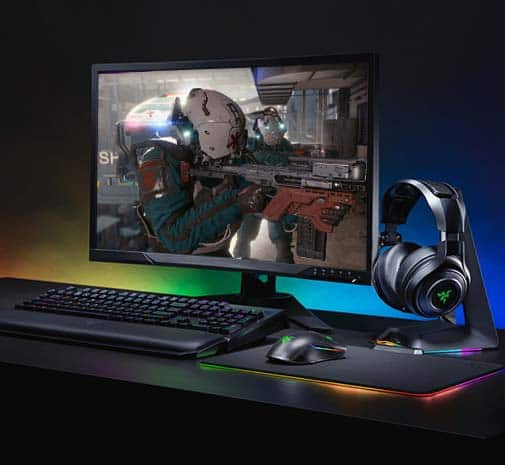
A monitor is your personal window into the game worlds you enjoy, so it plays a central role in your gaming experience. Here are some things to consider when choosing a gaming monitor.

Size
One of the most important factors in buying a monitor is size. You want to choose a size that works for you, based on how much room you have on your desk and how close to your monitor you plan to sit. Bigger isn’t always better. When you sit close to a large monitor, the edges of the screen could be outside your peripheral vision. Between 20" and 25" seems to be an ideal range for people who play games at a desk, but this will increase if you sit farther away from your monitor.
Resolution
Using a screen with a high resolution will give you a larger field of vision. Essentially, the higher your resolution, the more of a game’s world you’ll be able to see — vertically and horizontally — at any given time. Additionally, in games that support higher resolution textures, you will get smoother visuals with higher screen resolutions. However, running games at higher resolutions will take up more system resources.
You can typically adjust the display resolution in the options menu of most games, but every monitor has a maximum resolution that can be displayed. If you want to game at a very high resolution, make sure you purchase a monitor that can support it.
4K UHD
While 5K monitors are beginning to enter the market, the highest monitor resolution readily available is 4K, which displays at 4x the resolution of Full HD. To put it another way, a 4K monitor will contain 4x as many pixels as a similarly sized Full HD monitor. Those extra pixels allow you to widen your field of vision tremendously and get a far smoother look in the games you play.
OLED
Experience lifelike picture quality with self-lighting organic light-emitting diode (OLED). Without a backlight, you’ll get truly exceptional black, shadow and color for an intensely cinematic experience. With each pixel calibrated separately, OLED monitors reveal lifelike colors and an experience that matches the game creator’s vision. The wide viewing angles of OLED also deliver consistent picture quality throughout your space. Another benefit of self-lighting technology is faster response time for reduced motion blur and ghosting. That means gaming and fast-action movie scenes are always crisp and clear.
Mini LED
You’ll enjoy exceptional brightness as well as accurate and wide gamut color with mini LED monitors. Designed with more dimming zones than a traditional LED, you’ll see true black without the halo effect of fewer zones. With the mini LED backlight array, you’ll also be able to view the color variations in games as they were meant to be seen, for a more vibrant HDR experience. Plus, mini LED monitors are not susceptible to burn in.
Curved displays
To get an extremely wide field of vision, gamers may place two monitors side by side, which is a feature that is supported by most high-end graphics cards. One advantage a dual-monitor setup has over a single display is that you can bend your field of vision around you, putting more screen real estate into your peripheral range. One disadvantage to this is you’ll have a split right in the center of your display where the two monitors come together.
The best of both worlds can still be had with a curved monitor. The gentle bend allows for a wider field of vision, enveloping you and immersing you deeper into your game worlds.
Widescreen and ultrawide
Today almost all monitors are widescreen monitors, which are better for viewing large spreadsheets, having multiple apps open at the same time and keeping your desktop's sidebar open while searching the web. Widescreen monitors have a 16:9 or 16:10 aspect ratio, a measurement of the width of a screen compared to its height, which allows for greater detail when gaming or watching movies.
Ultrawide monitors have a 21:9 aspect ratio. They make it easier than ever to view multiple documents at the same time or place multiple browsers side by side. This is helpful with tasks like video editing, gaming and multitasking. Ultrawide monitors also offer an incredibly immersive gaming experience.
Refresh rate
Refresh rate is the number of times your screen refreshes per second, so a 60Hz monitor will refresh 60 times every second. This is important because faster refresh rates will display motion with more clarity and smoothness.
For gaming, 144Hz is ideal for competitive gaming, while 120Hz offers strong performance for most players. A minimum of 60Hz is acceptable for casual gaming.
For gaming, it’s recommended that your refresh rate is a minimum of 60Hz. Double that to 120Hz if you plan on taking advantage of cinema-like 3D.
Response time
Response time is how rapidly your screen’s pixels can transition from one color to another. In games, where actions tend to be lightning-quick, slower response times can lead to motion blur or “ghosted” images. Response time is measured in milliseconds, so the smaller the number, the faster the response time.
For gaming, it’s recommended that your monitor’s response time is 5 ms or less.
High dynamic range (HDR)
HDR technology expands the contrast and color range of the existing pixels in the display to deliver better contrast, improved color accuracy, and more vibrant colors. Monitors with this feature will give you a more natural viewing experience, ideal for the depth of today’s game imagery.
G-SYNC and FreeSync technologies
Monitors equipped with NVIDIA G-SYNC technology provide a smooth gaming experience, virtually free of stuttering, screen tearing and lag. These displays feature refresh rates of up to 240Hz, and synchronize with the compatible G-SYNC GPU in your PC. Moreover, each G-SYNC monitor is also NVIDIA certified, going through rigorous testing for consistent quality and performance with the GeForce GTX gaming platform. G-SYNC Ultimate also supports HDR content.
Likewise, monitors featuring AMD FreeSync technology deliver fluid gameplay — essentially putting an end to choppy gameplay and broken frames for virtually any frame rate — by synchronizing with your compatible FreeSync graphics card.
For the most part, G-SYNC- and FreeSync-equipped monitors will work with any PC, but only deliver their respective benefits when paired with a compatible G-SYNC- or FreeSync-enabled graphics card. More recently, however, a growing number of FreeSync monitors are also G-SYNC compatible with select GPUs with additional drivers. This combination delivers most of the benefits of G-SYNC on a FreeSync display.
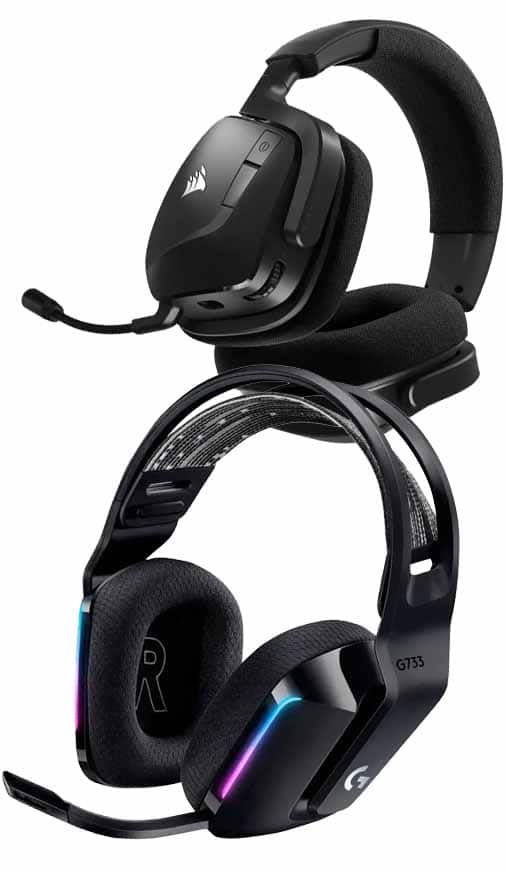
When you upgrade to a gaming headset, you’ll find comfort features designed for long gaming sessions, such as a lightweight design and ear cushions offering airflow. You’ll enjoy every moment of gaming with a microphone that minimizes distortion, and you’ll find options with convenient details like control buttons, premium audio drives and more.
Comfort
A gaming headset should be lightweight enough to be comfortable for long periods of time. Full-ear models are the most common, since they fully surround your ears to deliver quality audio and cancel out background noise.
Surround sound
While many headsets deliver stereo sound with a single speaker for each ear, some higher quality models add additional speakers in each ear cup to deliver a true surround sound experience. Surround sound headsets will require a compatible sound card in your PC in order for you to take full advantage of this feature.
Microphone
Communication is a key element of good teamwork, so gaming headsets usually feature a boom mic that lets you talk to your friends and allies. Some booms are adjustable, which gives you more control over mic positioning.
Volume control
Many headsets include a separate control switch that adjusts in-game chat independently of the game’s audio so you can adjust volume on the fly. This feature can be helpful in situations where your teammates talk too loudly or quietly.
Noise cancelling
Active noise-cancelling headphones contain a microphone that measures the noise around you and then creates an opposite sound wave to eliminate that noise. You just hear your game, music or movie. Not all noise cancellation is the same though. For a premium listening experience, some models utilize proprietary technology that continually adapts the level of noise cancellation to whatever you're doing.
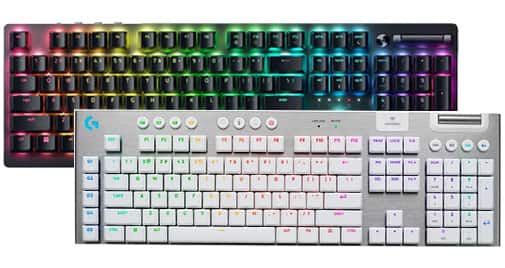
If you plan on doing a lot of serious gaming, you should demand a bit more from your keyboard than a standard user would. Here are some features to consider when purchasing a gaming keyboard.
Anti-ghosting
Ghosting happens when you press several keys simultaneously and your keyboard doesn’t recognize all the keystrokes. Anti-ghosting technology is designed to reduce the number of possible key combinations that can lead to ghosting.
Backlit keys
Some keyboards include backlit keys. Not only does this add a stylish flair to your keyboard, it also allows you to see the keys when you’re gaming in a dark or dimly lit room.
With RGB lighting, you can customize your keyboard to enhance your gaming experience. You’ll find options that allow you to highlight the keys you frequently use, adjust pulsating lights, choose effects driven by game action, show teammates’ health status and more.
Mechanical keyboards
In mechanical keyboards, every key has its own individual mechanical switch. While these are heavier and more expensive than other types of keyboards, they’re also more durable, and keyboard enthusiasts claim they are much more satisfying to use. Since every keystroke produces a click sound as the switch connects, mechanical keyboards have been shown to reduce the number of errors when typing. When a missed keystroke could mean the difference between winning and losing, accuracy is paramount, so a mechanical keyboard is a good choice for gamers.
Macros
Macros are complex strings of commands that can be recorded and programmed to be triggered with a single keystroke. Several gaming keyboards feature extra keys that can be used for macros.
Keyboard size
Keyboards come in a variety of sizes to suit your setup. The most common is a 100% full-size keyboard which includes a 10-keypad on the side, as well as a row of F1–F12 keys. You might choose this keyboard if you plan to use for things like data entry where the 10-keypad comes in handy. Extra features like USB ports and macro buttons are often found on full-size keyboards.
You’ll also find keyboards that come in sizes considered “compact.” One version is the “tenkeyless” keyboard, also called TKL, which does not have a 10-keypad on the side, taking up less space and allowing for your mouse to be closer to the keyboard. These models are also easier to pack up when traveling for tournaments or LAN parties.
Other options are named based on their size compared to a 100% full-size keyboard. The compact size can be achieved by minimizing the space between F keys or changing some keys to be smaller, such as the shift key. Keyboards named “65%” and “60%” remove the row of F1–F12 keys for an even smaller size.

Switches
The switch below each key on a mechanical keyboard responds to the force of your movements and can deliver an audible response to each keystroke. There are a variety of switch brands, each created to take a particular amount of force to activate, with a specific level of sound associated when you touch each key.
Optical keyboard switches use a beam of light as the actuation point, compared to two metal contact points found on fully mechanical switches. Optical switches are known for extremely quick reaction times and reduced wear and tear.
If your keyboard has sockets, you can also customize with individual switches for an experience tailored to your needs. Each switch type offers a different feel, sound and look.

Linear
This type of switch is prized for its smooth keypress and the consistent feel as it moves from resting position to the bottom of the switch (called travel). Each keystroke with a linear switch feels very smooth

Tactile
If you prefer some feedback as you press keys, a tactile switch might be for you. With a tactile switch, there is the feeling of a “bump” as you type, often at midway between resting point and switch bottom.

Clicky
With this type of switch, you’ll receive tactile feedback, as well as an audible response while you’re typing. Distinct from the softer pressing sound of other switches, a clicky switch will make a signature “click.”
Compare switch types:
|
Linear |
Tactile |
Clicky |
|
|---|---|---|---|
| Feel | Smooth | Tactile bump without a click sound | Tactile bump with a click sound |
| Sound level | Low | Medium | High |
| Weight | Light | Medium | Heavy |
| Use case | Gaming | Gaming and typing | Typing |

Keycaps
To customize your mechanical keyboard, consider swapping out compatible keycaps. You’ll find options featuring your favorite game or show, as well as a variety of color variations.

Keycap puller
With this specialized tool, you can help prevent damage to your keyboard while removing keycaps. Simply place the keycap puller under your key and pull up to dislodge.
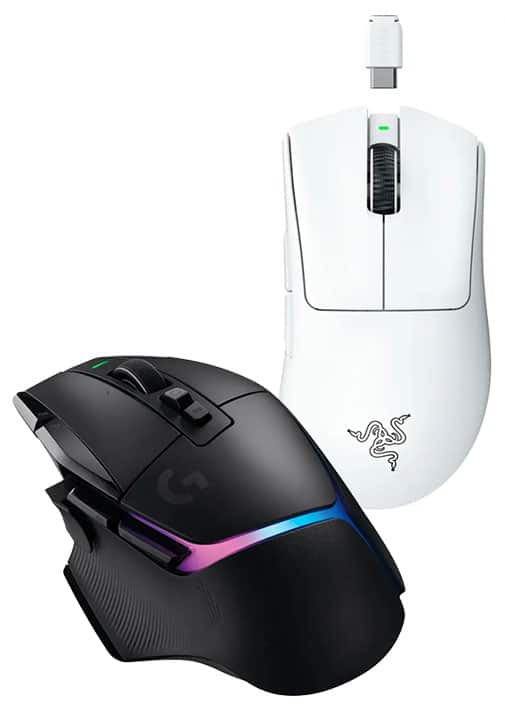
Your mouse is one of the key ways you interact with your video games, so gaming mice come with a wide range of features that aren’t usually found on standard mice, and you may think of others differently for gaming. Here are some features to look for.
DPI
Mouse sensitivity is measured in DPI (dots per inch). The higher the DPI rating of a mouse, the more sensitive and accurate it is. However, extreme sensitivity isn’t always necessary. Keep in mind that the higher the DPI rating, the further your cursor will move on your screen when you move your mouse an inch, and moving too far can be as detrimental to your game as not moving far enough.
Some mice include buttons that let you adjust DPI on the fly so you can switch between settings with ease. If you prefer different sensitivities for different virtual weapons, for example, being able to swap DPI settings with the click of a button can save valuable time on the virtual battlefield.
Polling
The polling rate of a mouse is how often the mouse sends data to your computer. The more often your mouse sends data to your PC, the faster the response time.
Additional buttons
Gaming mice often include several additional buttons that give you more control over how you want to play. If you play MMORPGs (massively multiplayer online role-playing games), having a large number of programmable buttons on your mouse lets you set up a control style that feels right for you. It also requires a minimal amount of finger movement per button click.
Weight
Gaming mice have often skewed heavier than everyday models — both in terms of packing in multiple features, and in actual weight to customize the heft to a gamer’s preference. But manufacturers are now providing more options at the lightweight end of the spectrum. These cheaper models are geared toward esports players, where ultralight mice could respond to wrist movement more quickly for fast in-game reactions.
Grip
When considering the shape of the mouse, your personal grip style — palm, claw or fingertip — may affect your comfort level with that shape. Most mice are designed for varied grip styles, with only a few models optimized for a specific grip. An ergonomic mouse can also help avoid cramping during extended gameplay sessions.
Handedness
Shop based on handedness to ensure you pick the ideal mouse. You’ll find models designed to contour to the right or left hand, as well as features like custom buttons located on the correct side. There are also ambidextrous mice that are contoured for either hand and some models have the option to remove buttons from the side where they won’t be used.
Mouse pads
A larger mouse pad will give you a greater field of motion with your mouse. Most mouse pads have a cloth surface with a rubber backing to prevent the pad from sliding around on a desk, though some heavy-duty gaming mouse pads are made of aluminum. Aluminum mouse pads last much longer than cloth mouse pads, they don’t fray on the edges over time, and they’re easier to keep clean. They also won’t wrinkle, fold or buckle during intense use.
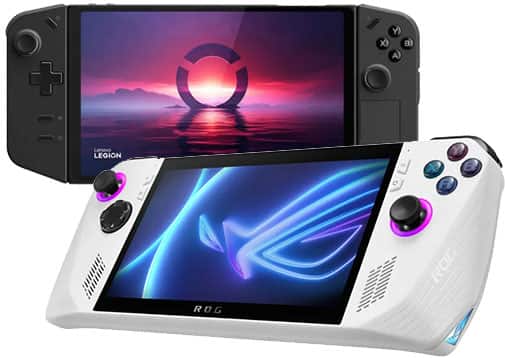
Handheld gaming devices are continually evolving to suit the range of games, gamers and budgets. Many of the latest versions feature high-performance processors and graphics that rival gaming laptops and traditional consoles. With access to popular gaming services, you can play your favorites no matter where you go. By comparing key specs on the available devices, you can find the right option for your needs.
Central processing unit (CPU)
The handheld gaming device’s processor is like its brain. Working in combination with system memory, the power of the processor determines the complexity of games you can run, and how responsive those games will be. Most devices include an Intel® or AMD® processor.
Graphics processing unit (GPU)
Many of today’s handheld gaming devices come with powerful graphics cards that deliver exceptional framerates and image quality. With these higher-end graphics cards, you’ll experience smooth gameplay with less graphical lag.
Storage capacity
Your choice of storage is important because it determines how many games you’ll be able to keep on your device, and how fast you’ll be able to access them. The more on-board storage capacity you have, the less you’ll have to worry about running out. And upgrading to a faster type of storage will give you the added benefit of fast start-up, wake and load times.
System memory/RAM
Random-access memory (RAM) – also called system memory – is important because it helps your processor tackle multiple tasks at once. You’ll find handheld gaming devices with at least 8GB, which will give you capacity for many of today’s games. For more complex games, you might want to consider a model with at least 16GB. If you think you might need more memory later, choose a device that lets you expand the RAM.
Refresh rate
Refresh rate is the number of times your screen refreshes per second, so a 60Hz display will refresh 60 times every second. This is important because faster refresh rates will display motion with more clarity and smoothness.
For modern gaming, it’s recommended that your refresh rate is a minimum of 60Hz. Double that to 120Hz if you plan on taking advantage of cinema-like 3D.
Whether you enjoy fast-paced and competitive FPS titles, white-knuckle racing games, expansive role-playing games, atmospheric horror tales or detailed strategy simulators, there are games made to fit your tastes. Plus, on top of the wide variety of available genres, there are also various ways to purchase PC games.
Digital game purchases
PC gaming has largely become digital. When you buy a game digitally, you don’t bring home a box from a store — you download the game directly from the internet. In many cases, you can pre-order digital games and pre-install them so they’re ready to play the moment the game is officially released.
Best Buy has an assortment of games that can be purchased or pre-ordered digitally.
Gaming gift cards
You’ll find a variety of gift cards for the most popular gaming content. For people looking for popular digital video games, Steam gift cards offer access to a broad selection of blockbuster games and indie titles that may have passed you by, across every price range.
You’ll also find gift cards for monthly subscriptions, including those for massively multiplayer online (MMO) games. Plus, browse in-game currency gift cards for use inside a game’s own ecosystem to purchase things like new costumes, weapons and in-game bonuses for your characters.
Whether you want to buy a new PC or upgrade your current one, Geek Squad® can assist you. Call or chat with a Geek Squad Agent to determine how and where we can help you.*
*Geek Squad services may require an additional fee.