Learn About Dash Cameras

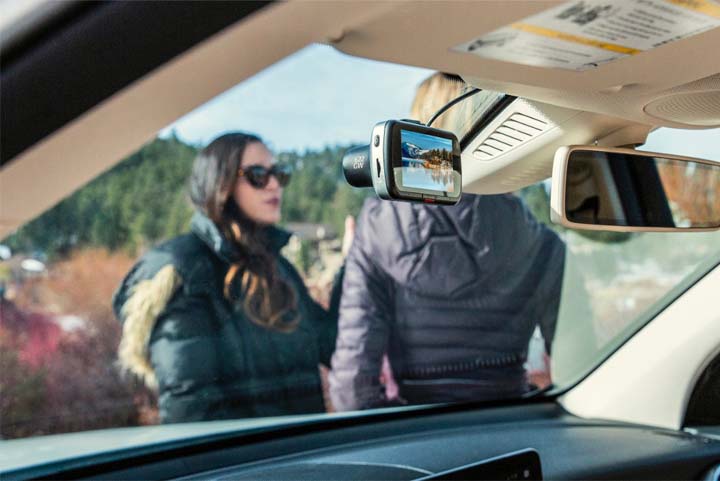
The first thing you’ll learn when shopping for a dash cam is that they can come with a wide range of features and benefits. You’ve probably watched viral video footage of crazy moments on the road caught by dash cams. Becoming a viral video star is one unintended benefit of dash cam ownership, but there are some really practical uses, too. Most dash cams do more than just capture video footage of your travels.
Parking benefits: Park and leave your vehicle with less worry. Dash cams nowadays have built in G-sensors, which begin to lock themselves into recording when they sense a collision. With the right installation method, a dash cam can turn on and begin to record if your vehicle has been impacted. So if you’re shopping and your vehicle is hit in the parking lot, the dash cam would have recorded the accident. Similarly, many will begin recording if someone attempts to break into your vehicle. Depending on the model you choose, you can record inside or outside your car – or both.
Accidents: It goes without saying that the most common dash cam user is interested in the security of capturing footage from an accident for insurance or legal purposes. Video capturing the moment of collision is helpful evidence and may speed up or support an insurance claim.
Speed tracking: Many dash cams have the ability to capture the speed at which you’re driving. Once again, this could be helpful if you’re attempting to dispute a speeding ticket, but also if you lend the vehicle to a family member, you’ll know if they were driving recklessly.

In addition to some of the benefits outlined in the section above, there are other useful features found in many dash cams. Each dash cam brand has unique features. Here are some of the features to consider before making a dash cam purchase:
Recording features: Depending on the models you’re looking at, you’ll see a varying level of recording options. The majority of front cameras record in 1080p and most rear cameras record in 720p. However, some cameras can record in 1440p and up to 60 frames per second. All cameras come with continuous loop recording, too. This means that your camera will continue to record continuously and will automatically overwrite the oldest footage if the memory is full.
Auto-saving important footage: The onboard software on most cameras can make a note of the difference in a trip you took driving to work and a trip you took that’s a car accident on the way to work, based on the triggering of the G-sensor. This ensures that the important footage is captured and automatically saved for you to retrieve at a later date.
Local, Wi-Fi and cloud storage: All cameras nowadays come with localized storage, typically in the form of a microSD card. Depending on the camera you choose, you can expect a maximum allowable storage capacity between 32GB–256GB. 32GB should cover the needs of most commuters, even at the highest recording settings. However, if you drive for a living or are on the road a lot, your needs might be different. Storage and playback options are different, too. Some cameras have localized Wi-Fi, some don’t. Localized Wi-Fi usually means the camera has a smartphone app which allows you to manage features and/or watch footage on your phone rather than removing the SD card to watch on another playback device, such as a computer. Lastly, some manufacturers offer cloud storage for your video footage. You’ll find apps that allow you to select videos on the app and send them via email. This means that you can send a video directly to your insurance adjuster after an accident, drastically simplifying the process of sharing footage.
Screen options: Dash cams offer different viewing options, too. Some manufacturers offer compact base models with minimal features. With these models, a couple buttons will help you turn on/off manual recording and power and the rest is modifiable only through the smartphone app. However, as you move up into more robust dash cam models, you might find a small display screen on the dash cam where you can watch and delete camera footage and modify all your user settings. While these screens can be useful, they can also be a distraction to some drivers. In recent years, some manufacturers have improved this problem by including a soft “shut down” of the screen so that it goes blank while you’re driving, but not all models have this included out of the box.
Battery backups: Battery backups are not consistent across all cameras. Some will offer no backup, some will offer enough backup to shut operations down and then shut itself off and some will offer 10–15 minutes. If you plan on installing a dash cam the simple out of the box way (using DC power), then battery backup matters. Be mindful of what is offered in the camera you’re looking to purchase.
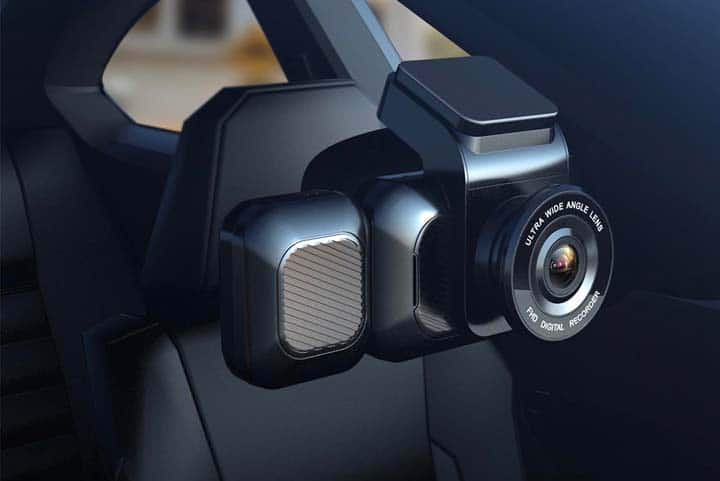
To ensure you choose a camera option that works for your needs, make sure you review a few details about the camera setup.
Installation options: Dash cams usually have two distinct installation options. The first, and easiest, is simply by plug-in power from the front camera to a DC adapter (aka the “cigarette lighter” port). In a dual camera system (whether it be front/rear or front/facing inside the vehicle), the secondary camera plugs into the main one and draws its power this way, too.
These installation options are enough for a lot of everyday dash cam users. However, they can be fairly limiting. If the port powers off when your car does, you won’t have access to any parking features. This means that if somebody breaks into the car, or hits it in a parking lot, you’ll have no footage of the incident. On the other hand, you might have a port that never switches off. This is good because it means you’ll have access to the interesting and useful parking features, though it could have an impact on your car’s battery.
Alternatively, most manufacturers offer a hard wiring kit. This will allow you to have your camera available to run at all times. Hard wiring requires a wiring kit connecting to the fuse box of your car and tapping into its constant power. It isn’t hard to set up, but does require more effort than the first solution. If you’re not comfortable doing this, reach out to your dealership or mechanic.
Another thing to note is that most dash cams attach to the inside window using strong adhesives, which are single use and unforgiving if you install the camera crooked or the wrong way. You usually get a backup set of adhesives; still, take your time so the footage looks level when installed. On a dash cam with a display screen, you can usually use the display to install it correctly. Cameras typically come with swiveling and adjustable mounts though, so you may be able to adjust the image somewhat afterwards.
Installation angles: Installation angles are not the same for every camera. However, some manufacturers recommend where to stick the camera and in some cases, you can even view their stock photos to gauge what their recommendations might be. One thing to keep in mind, however, is that the additional features that come with your camera might help you come to a decision where to install. For example, if you have a secondary camera that focuses back inside your vehicle, don’t install it so high up that the inside camera gets blocked by the rear-view mirror or sun visors. Also, before installing a rear camera, consult the manufacturer instructions so that you don’t end up installing the camera upside down. While you could flip the footage afterwards, you’ll likely see a weird fishbowl-style image and you’re better off just doing it correctly the first time.
Memory card formatting: When choosing a dash cam, take note of the maximum storage size that’s supported so you can purchase the correct memory card if it’s not included with the dash cam. Only about half of the dash cams available include memory cards and usually the included cards are between 8GB–16GB, so expect that you’ll have to purchase one separately. Most dash cams require that the memory card is FAT32 partitioned. For modern Windows users, that isn’t something you can do directly on your computer anymore, so you will need to do with a 3rd party solution. If you don’t do this, the dash cam won’t recognize it and will not operate properly.
Dash cams with mobile apps and/or Wi-Fi: Installation instructions depend on the dash cam model. Some cameras have a push button feature to toggle Wi-Fi on/off and some use menu prompts. Similar to connecting a smart home device, you connect your phone to the camera’s broadcasted Wi-Fi network.
The number of features also vary based on the camera, but here are some consistent features. Most dash cams allow you to watch back recorded footage and change your camera’s recording and operating features. Usually, you would select the video to watch and then the phone downloads it before you can see it. This can be a tedious process since most videos scale from 80MB–150MB per record minute and the transfer speeds between a phone and camera can be slow. However, some manufacturers simultaneously record a really low quality preview video to play back on your phone instead, which significantly speeds up the process.