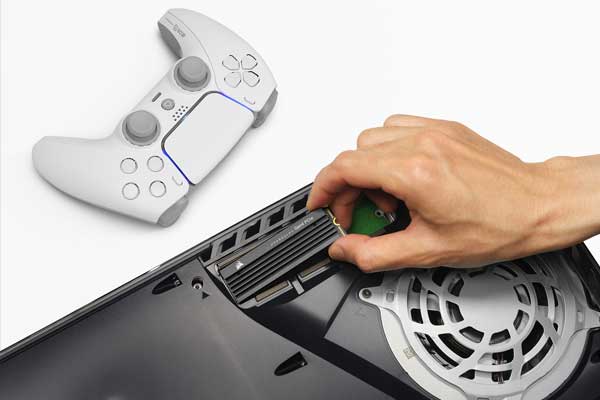
SSDs for PS5 Buying Guide

Store and play more of your favorite games while maintaining console performance and speed.
Enjoy these SSD benefits:
- Run and load faster than USB external hard drives
- Ability to copy games
- Access to more games
- Ability to play more games at the same performance and speed of the PS5
Best Buy makes it easy to find the right SSD for your PS5 by filtering drive options based on specifications so you find a compatible SSD.
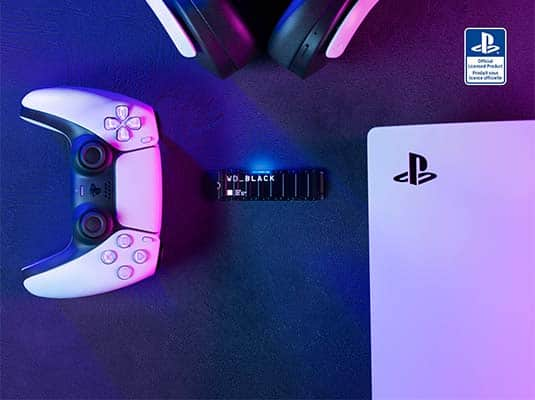
Ultrahigh-speed M.2 solid state drives increase the storage capabilities of your PS5. These SSDs run considerably faster than USB external hard drives, which allows you to download, copy and run PS5 and PS4 games from them.
You’ll need to choose an M.2 SSD that meets Sony’s requirements for PS5 compatibility:
- Interface: PCIe Gen4 x4 M.2 NVMe SSD
- Capacity: 250GB–8TB
- Cooling structure: Effective heat dissipation with a cooling structure is required. You can attach a heatsink to your M.2 SSD yourself, either in a single-sided format or double-sided format. There are also M.2 SSDs that have cooling structures (such as heatsinks) built in.
- Sequential read speed: 5,500MB/sec. or faster is recommended
- Module width: 22mm width (25mm width is not supported)
- Form factor: M.2 type 2230, 2242, 2260, 2280 and 22110. These numbers can be found on product information for M.2 SSDs. The first two digits refer to the width, the remaining digits to the length.
- Socket type: Socket 3 (key M)
- Total size including cooling structure: In millimeters: smaller than 110mm (L) x 25mm (W) x 11.25mm (H). In inches: smaller than 4.33in. (L) x 0.984in. (W) x 0.442in. (H).
Best Buy makes it easy to find the right SSD for your PS5 by filtering drive options based on specifications so you find a compatible SSD. You’ll also find SSDs officially tested and certified by Sony for your PS5 console.
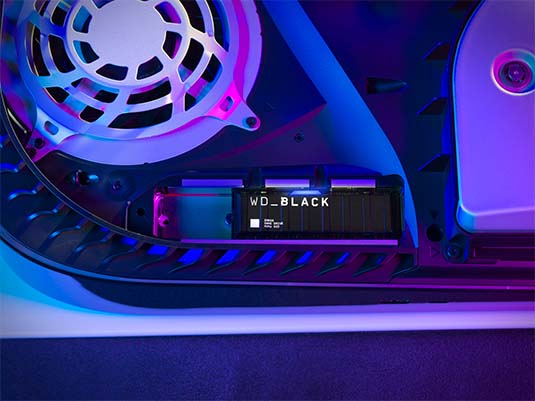
Measurements.
It’s important you pick the correct M.2 SSD to fit your PS5. Review the below measurements to make the best choice:
- Compatible lengths: 30mm, 42mm, 60mm, 80mm, and 110mm
- Compatible width: 22mm. The total structure (including any added cooling structure) cannot exceed 25mm (0.984in).
- Compatible height: The total height of the storage device and its cooling structure (such as a heatsink) — whether built-in or separate — must be less than 11.25mm (0.442in).
- Additional height requirements: The height must also be in the right place, in relation to the M.2 SSD’s circuit board:
- The size below the board must be less than 2.45mm (0.096in)
- The total size above the board must be less than 8mm (0.314in)
- Measurement details: It is important to note that millimeter measurements are the technical standard and are more precise than inches. Make sure to double-check that the total dimensions of a M.2 SSD and the heatsink you’re considering meet the millimeter requirements.
Other recommendations.
To ensure the best experience, consider the following:
- Both single-sided and double-sided M.2 SSD devices are supported
- M.2 SATA SSDs aren’t supported
- Not all games are necessarily playable with the exact same performance provided by the PS5’s internal ultrahigh speed SSD. This is even true where the storage device’s sequential read speed is faster than 5500MB/sec.
- The majority of storage devices with M key types 2230, 2242, 2260, 2280, and 22110 without a built-in cooling structure will fit the PS5 console’s SSD slot. However, sizes for cooling structures (like heatsinks) vary greatly.
In order to install a M.2 SSD storage device in your PS5, make sure you have the latest system software update installed. If your PS5 is connected to the internet, then updates will automatically install. However, if you want to manually check, follow these steps after turning on your PS5 and logging in.
- Navigate to Settings via the cog in the top righthand corner of the screen
- Select System
- Navigate to System Software and select System Software Update and Settings
- Click on Update System Software and then click on Update Using Internet
Once you have ensured that you have the latest PS5 system software installed you are now able to install a compatible M.2 SSD in your PS5.
Videos by brand: