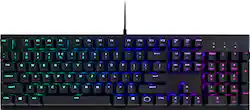
Cooler Master - CK552 Wired Gaming Mechanical Gateron Red Switch Keyboard with RGB Back Lighting - Pure Black
- Key Specs
- Lighting Type: RGB
- Form Factor: Tenkeyless (TKL) (The size, arrangement, and physical configuration of the product.)
- Keyboard Technology: Mechanical (Type of technology that detects a key press.)
- Key Switch Behavior: Linear (Refers to the mechanisms under the keycaps on a keyboard that enable you to type faster and more precisely. Linear switches move straight up and down without any sound or bump. Tactile switches provide a noticeable bump in the key press, and no sound. Clicky switches provide a bump in the key press and "clicky" sound.)
- General
- Product Name: CK552 Wired Gaming Mechanical Gateron Red Switch Keyboard with RGB Back Lighting
- Brand: Cooler Master
- Model Number: CK552KKGR1US
- Features
- Lighting Type: RGB
- Customizable Lighting: true
- Numeric Keypad: true
- Touchpad: false
- Keyboard Type: Gaming, Keypad
- Palm Rest: false
- Spill Resistant: false (Designed to resist some degree of accidental liquid spill. The level of spill-resistance is indicated by the product manufacturer, but the degree of protection may not be guaranteed after normal wear of the product.)
- Foldable: false
- Functions
- Form Factor: Tenkeyless (TKL) (The size, arrangement, and physical configuration of the product.)
- Number Of Keys: 104
- Keyboard Technology: Mechanical (Type of technology that detects a key press.)
- Dedicated Macro Keys: true (Perform shortcuts of key sequences to carry out commands with a single key. Key sequences may include key strokes, mouse actions, and/or menu actions.)
- Adjustable Tilt Function: false
- Key Switch Type: Gateron Red
- Key Switch Behavior: Linear (Refers to the mechanisms under the keycaps on a keyboard that enable you to type faster and more precisely. Linear switches move straight up and down without any sound or bump. Tactile switches provide a noticeable bump in the key press, and no sound. Clicky switches provide a bump in the key press and "clicky" sound.)
- Multimedia Keys: true
- Internet Keys: false
- Connectivity
- Cable Length: 5.9 feet
- Detachable Cable: false
- Number Of USB Port(s): 1 (The total number of USB ports including all generations and versions.)
- Compatibility
- Operating System Compatibility: Windows
- Plug and Play Operation: true
- Dimensions
- Product Height: 1.6 inches (The out of box height of the item. Height is measured as the vertical distance from the bottom of the item to the top as it would be primarily used or placed.)
- Product Width: 18.1 inches (The out of box width of the item. Width is measured as the horizontal distance from one side of the item to the other as it would be primarily used or placed.)
- Product Weight: 30 ounces (The out of box weight of the item.)
- Mouse
- Mouse Included: false
- Other
- UPC: 884102043949
Execute keystrokes confidently with this CoolerMaster gaming keyboard. Its configurable RGB illumination lets you create fun effects and choose from multiple lighting modes, and its mechanical switches are rated for more than 50 million presses for multiyear longevity. This CoolerMaster gaming keyboard has on-the-fly controls for making real-time adjustments to lighting and macro keys.
- Gateron Red mechanical switches: Offer rapid response times for quick in-game action.
- Integrated numeric keypad: Allows simple data entry when you're not gaming for multifunction use.
- USB interface: Enables a simple wired connection to your computer.
Whats Included
- Cooler Master CK552 Wired Gaming Mechanical Gateron Red Switch Keyboard with RGB Back Lighting
Q: Can u plug in turtle beach head sets into this keyboard?
A: Nope. This keyboard doesn't have any USB or headphone ports or anything like that.
Q: how can I find out lighting options for the key board?
A: undefined
A: No, this doesn't work on ps4
A: In the software, under the LED section, find the "Custom" LED Mode. From there you select a color on the right side using the various sliders available. Once you find the color you want you click the keys you want to turn that color. Change the color again on the right side then click the keys you want to be that color. Rinse and repeat. I use this for a few profiles and have lots of different colors in use on each one. Take note of the specific colors you're using though (like note down the RGB values in notepad or something) because in my experience it won't tell you what the RGB value of an existing key is so if you want them to be EXACTLY the same you'll want something to refer back to. That's my biggest issue with this software.
Q: Is there a Windows key toggle/lock on this keyboard? Thanks!
A: no software required; YES



















