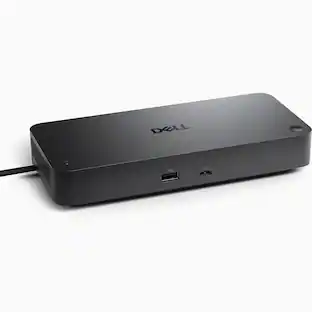
Dell - Pro Smart Dock DELL-SD25 - Black
More Buying Options from Marketplace sellers
Related Item

About This Item
- Key Specs
- Maximum Number of Displays Supported: 4
- Maximum Supported Resolution: 4K (2160p)
- Number of DisplayPort Outputs (Total): 2
- Passthrough Power: true (Indicates whether the device allows power to passthrough, possibly with some loss, to another device, typically to charge that other device.)
- General
- Brand: Dell
- Model Number: DELL-SD25
- Product Name: Pro Smart Dock DELL-SD25
- Color: Black
- Display
- Maximum Number of Displays Supported: 4
- Maximum Supported Resolution: 4K (2160p)
- Maximum Supported Refresh Rate: 60Hz (The number of frames per second the device can support, expressed as a frequency. Higher rates help produce smooth, seamless pictures.)
- Ports
- Display Connector(s): 1 x HDMI 2.1, 2 x DisplayPort 1.4, Display connection via USB port (The number and type of connectors used to connect to an external display.)
- Number of DisplayPort Outputs (Total): 2
- Number of HDMI Ports (Total): 1
- DisplayPort Over USB-C: DisplayPort 1.4 (The version of DisplayPort that leverages the Alternate Mode Functional Extension of the USB-C interface. This connector allows for higher resolution, broader color space, multichannel audio support, and greater backwards compatibility with display adapters. Also known as DisplayPort Alt Mode.)
- Number of VGA Ports: 0 (VGA (Video Graphics Adapter or Video Graphics Array) is a display standard that transmits via analog signals. This type of interface is typically used to connect a computer to a display device such as a monitor, projector, or TV.)
- USB Ports: 4 x USB-A 3.2, 2 x USB-C 3.2 (The number and type of USB ports the product has.)
- Headphone Jack: true (The device features an interface that allows for the connection of headphones.)
- Microphone Input: false (The device features an input for connecting an external microphone.)
- Memory Card Slot: false
- Power
- Powered: true
- Power Supply Included: true
- Maximum Input Power: 100.0 watts (The maximum amount of power allowed to come into the device.)
- Maximum Input Voltage: 240.0 volts
- Passthrough Power: true (Indicates whether the device allows power to passthrough, possibly with some loss, to another device, typically to charge that other device.)
- Power Supply Output: USB-C (The connector type(s) used by the device to send electrical power to another device.)
- Maximum Output Power: 100.0 watts (The maximum amount of power produced or allowed to flow through the device.)
- Compatibility
- Brand Compatibility: Universal
- Model Compatibility: Universal
- Features
- Cable Lock Slot: None
- Indicator Light(s): true
- Dimensions
- Product Height: 8.07 inches (The out of box height of the item. Height is measured as the vertical distance from the bottom of the item to the top as it would be primarily used or placed.)
- Product Length: 3.54 inches (The out of box length of the item. Length is measured as the longest dimension of the item.)
- Product Width: 1.39 inches (The out of box width of the item. Width is measured as the horizontal distance from one side of the item to the other as it would be primarily used or placed.)
- Product Weight: 19.84 ounces (The out of box weight of the item.)
- Warranty
- Warranty - Parts: Full Manufacturers Warranty
- Warranty - Labor: Full Manufacturers Warranty
- Other
- UPC: 884116493709
A smarter workspace. Gain the versatility to create your ideal workspace and boost your AI PC productivity with support for up to 4 displays, up to 130W power delivery, and multiple ports to connect all your peripherals. Most manageable. Elevate the IT management experience with no software or PC connection required, allowing you to remotely manage all your Dell Pro Smart Docks. Most manageable. Remotely manage your smart docks without end-user presence from the Dell Device Management Console - the industry's first holistic peripheral management solution[2] that configures, deploys, and updates smart docks over Wi-Fi. Work securely. Keep users working confidently with enterprise-grade WPA-3 192-bit encryption for secure Wi-Fi communication. Safeguard your sensitive data with tamper-resistant, hardware-based encryption built into your Dell Pro Smart Dock. Effortless maintenance. Reduce IT efforts by scheduling updates during off-hours, while ensuring fleetwide firmware compliance and eliminating end user interruptions. Connect your way. Configure your workspace to your liking with an ambidextrous USB-C cable[4] that can be routed left or right. Designed for sustainability. The Dell Pro Smart Dock is built with at least 65% post-consumer recycled materials[5] and packaged with 100% recycled or renewable packaging.
- A Smarter Workspace: Gain the versatility to create your ideal workspace and boost your AI PC productivity with support for up to 4 displays, up to 130W power delivery, and multiple ports to connect all your peripherals.
- Multi-Display Support: Connect multiple monitors for enhanced productivity.
- Remote Management: Compatible with Dell Device Management Console for easy administration.
- Feature 4: Effortless Maintenance - Reduce IT efforts by scheduling updates during off-hours, while ensuring fleetwide firmware compliance and eliminating end user interruptions.
- Feature 5: Designed for Sustainability - The Dell Pro Smart Dock SD25 is built with at least 65% post-consumer recycled materials and packaged with 100% recycled or renewable packaging.
Whats Included
- 1
Q: Does the dock support Laptop DELL vostro 14 5410?
A: undefined
Q: Will this docking station also support a Dell Inspiron 5640?
A: Yes, the Dell Pro Smart Dock SD25 does support the Dell Inspiron 5640.
Q: Does this item come with PSU and Power Cable?
A: Yes, Power Adapter and Power Cord is included.
Reviews
Rating 4.8 out of 5 stars with 4 reviews
The vast majority of our reviews come from verified purchases. Reviews from customers may include My Best Buy members, employees, and Tech Insider Network members (as tagged). Select reviewers may receive discounted products, promotional considerations or entries into drawings for honest, helpful reviews.
Compare similar products

A smarter workspace. Gain the versatility to create your ideal workspace and boost your AI PC productivity with support for up to 4 displays, up to 130W power delivery, and multiple ports to connect all your peripherals. Most manageable. Elevate the IT management experience with no software or PC connection required, allowing you to remotely manage all your Dell Pro Smart Docks. Most manageable. Remotely manage your smart docks without end-user presence from the Dell Device Management Console - the industry's first holistic peripheral management solution[2] that configures, deploys, and updates smart docks over Wi-Fi. Work securely. Keep users working confidently with enterprise-grade WPA-3 192-bit encryption for secure Wi-Fi communication. Safeguard your sensitive data with tamper-resistant, hardware-based encryption built into your Dell Pro Smart Dock. Effortless maintenance. Reduce IT efforts by scheduling updates during off-hours, while ensuring fleetwide firmware compliance and eliminating end user interruptions. Connect your way. Configure your workspace to your liking with an ambidextrous USB-C cable[4] that can be routed left or right. Designed for sustainability. The Dell Pro Smart Dock is built with at least 65% post-consumer recycled materials[5] and packaged with 100% recycled or renewable packaging.
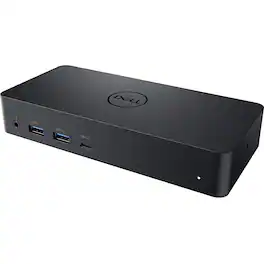
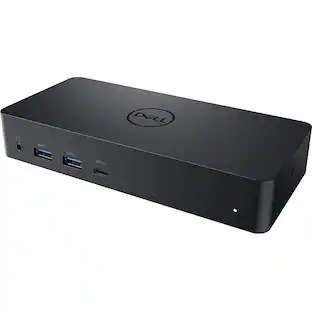
Dell Universal Dock D6000 Conveniently dock any laptop equipped with USB-C or USB3.0 ports with the Dell Universal Dock - D6000. You'll be able to connect up to three 4K displays simultaneously. Enjoy universal compatibility with a wide range of PC brands and operating systems supported by DisplayLink technology. Whether you're at your desk or in a shared workspace, you can easily connect to displays, a mouse, keyboard and audio devices from your compatible system of choice.
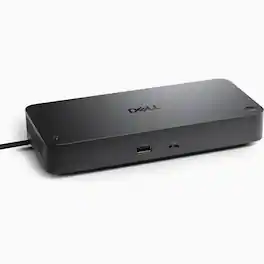
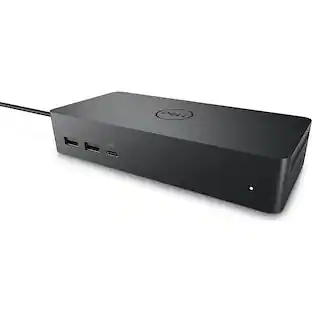
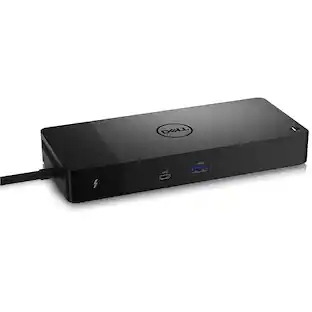
Power up your workspacce and take on intensive workloads with a smart dock that's equipped with remote management capabilities. Upgrade your set up with a Powerful Multidisplay support for up to 4 4k monitors per HDMI 2.1, DP 1.4, USB-C and Thunderbolt 4 - ideal for creative or data work. Charge fast and efficiently with no cable mess, up to 130W for Dell and 96W for others. Connect with the dual data thunderbolt 4k video and chain up to 6 devices. Product Features: Lightning-Fast Connectivity - Enjoy the speed and convenience of with a RJ45 Ethernet port, 2.5GbE. Versatile Compatibility - with (2) DP1.4, (4) USB-A ports; a HDMI 2.1; USB-C 3.2 Gen 2; Multifunction DisplayPort 1.4; (2) Thunderbolt 4; and a USB-C; this docking station offers a range of connectivity options for all your peripherals. Video Resolution - 4 x 4k (3840x2160) at 60Hz, 3 x 4k (3840x2160) at 60Hz, 2 x 6k (6144x3454) at 69Hz, 1 x 8k (7680x4320) at 60Hz - enjoy stunning visuals and crystal-clear display quality that will elevate your work and entertainment experience. Power Delivery - 130W (Dell Systems) and 96W (Non-Dell Systems). Host PC Management - Intel® AMT over Thunderbolt™ with select Intel® vPro® PCs; MAC address pass-through; PXE Boot; Dock Power Button Sync; Wake-On-LAN; WLAN to LAN switch; Kernel Direct Memory Access (DMA) protection. Dock Management - Remote firmware updates without a PC, Host-based firmware updates, Firmware update on disconnect, Port Disablement independent of PC. 3-Year Limited Hardware Warranty with Advanced Exchange; Additional 4 and 5 Year warranty optional. Specifications: Color: Black/White. Product Dimensions (L x W x H): 1.39 x 3.54 x 8.07 in. Item Weight: 1.28 lbs
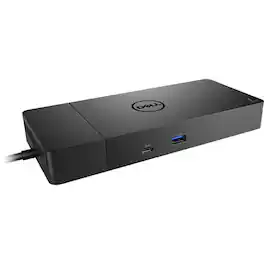
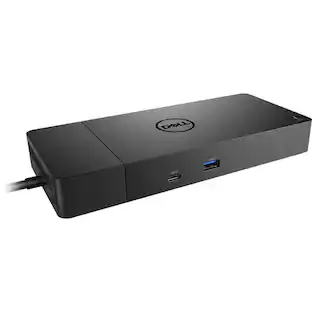
Turn your notebook into a fully-fledged workstation with the WD19S USB Type-C Dock from Dell. Designed for users wishing to expand the functionality of their notebook, the WD19S enables you to connect more devices, support additional displays, and provide you with charging capabilities that keeps your workstation up and running.
Specs
Customers often buy these together
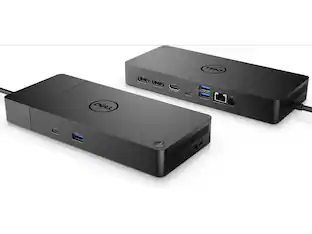 $279.99The price was $299.99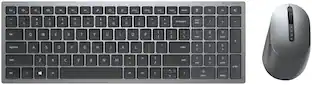
Dell - KM7120W Full-size Wireless Scissor Clicky Switch Keyboard and Mouse Combo with Compact Design
$99.00The price was $123.98 $179.99The price was $189.99


Customers ultimately bought
 Black Friday in July Deal$124.99The price was $139.99
 $229.99The price was $259.99
 Black Friday in July Deal$89.99The price was $119.99
 Black Friday in July Deal$309.99The price was $399.99
- $279.99The price was $299.99


Explore tech essentials Sponsored
 Black Friday in July Deal$36.99The price was $49.99
 Black Friday in July Deal$139.99The price was $199.99



Keep exploring
 Black Friday in July Deal$37.99The price was $49.99
- Black Friday in July Deal$36.99The price was $49.99
 $25.99The price was $27.99
 Black Friday in July Deal$17.99The price was $35.99
- Black Friday in July Deal$139.99The price was $199.99