Epson - Expression Home XP-4200 All-in-One Inkjet Printer - Black
- Epson - 232 Claria Ink Standard Capacity Cartridge (T232120-S) - Black$22.99
More Buying Options
Specifications
- NetworkingWired, WirelessENERGY STAR CertifiedYesPrinter TypeAll In OneISO Color Print Speed5 pages per minuteISO Mono Print Speed10 pages per minuteTouch ScreenYes
- Key Specs
- Networking: Wired, Wireless
- ENERGY STAR Certified: true (Devices carrying the ENERGY STAR service mark, such as computer products and peripherals, kitchen appliances, and other products, generally use 20% to 30% less energy than required by federal standards.)
- Printer Type: All In One
- ISO Color Print Speed: 5 pages per minute (The number of color pages able to be printed per minute in the device's default single-side mode, as tested by the International Standards Organization (ISO).)
- ISO Mono Print Speed: 10 pages per minute (The number of black ink (grayscale) pages able to be printed per minute in the device's default single-side mode, as tested by the International Standards Organization (ISO).)
- Touch Screen: true (Touch-screen devices make navigating more intuitive. Using a touch-screen display, you can do things such as tap to select, hold and drag to move items, swipe to scroll, and pinch to zoom.)
- General
- Brand: Epson
- Model Number: C11CK65201
- Product Name: Expression Home XP-4200 All-in-One Inkjet Printer
- Color: Black
- Display Screen: true
- Display Screen Size: 2.4 inches
- Dimensions
- Product Height: 9.5 inches (The out of box height of the item. Height is measured as the vertical distance from the bottom of the item to the top as it would be primarily used or placed.)
- Product Width: 14.8 inches (The out of box width of the item. Width is measured as the horizontal distance from one side of the item to the other as it would be primarily used or placed.)
- Product Depth: 22.7 inches (The out of box depth of the item. Depth is measured as the distance from the front of the item to the back as it would be primarily used or placed.)
- Product Weight: 9.5 pounds (The out of box weight of the item.)
- Features
- Automatic Document Feeder: false
- Photo Printing: true
- Wide Format Scanning: false
- Monochromatic/Color: Color
- Automatic Reduction/Enlargement: true
- Automatic Two-Sided Printing: true
- Tray Capacity: 100
- Connectivity
- Wired Connectivity: USB-A
- Wireless Connectivity: Wi-Fi (The manner in which a device sends data to another device over a short distance without the use of wires or cables.)
- Minimum System Requirements: Windows 11/10/8.1/8/7 (32-bit, 64-bit), Windows Vista® (32-bit, 64-bit), Windows XP SP3 or later (32-bit), Windows XP Professional x64 Edition SP2 or later, Windows Server®2022/2019/2016/2012R2/2012/2008R2/2008/2003R2, 2003 SP2 or later
- Scanner Info
- Scanner Type: Flatbed
- Scanner Resolution: Up to 1200 x 2400 (Refers to the number of pixels/dots, both horizontally and vertically, of the image produced by the scanner. Generally, the higher the resolution, the sharper and cleaner the produced image.)
- Fax Info
- Integrated Fax: true
- Ink
- Compatible Cartridges: Epson T232
- Ink Cartridges Included: 1 x Black, 1 x Cyan, 1 x Magenta, 1 x Yellow (The quantity and color of ink cartridges included.)
- Ink Bags/Bottles Required: None (The quantity and color of ink bags/bottles required for the printer to operate.)
- Ink Bags/Bottles Included: None (The quantity and color of ink bags/bottles included.)
- Paper Info
- Supported Paper Sizes: Letter, A4, Legal, 8" x 10", 5" x 7", 4" x 6", 3.5" x 5", Executive, Half Letter, A6, User Defined: 3.5" x 5" to 8.5" x 47.2"
- Paper Feeder: Tray loader
- Paper Handling: Supports Plain Paper/Bright White Paper, Ultra Premium Photo Paper Glossy, Premium Photo Paper Glossy, Photo Paper Glossy, Premium Photo Paper Semi-gloss, Presentation Paper Matte, Premium Presentation Paper Matte
- Certifications Listings & Approvals
- TWAIN Compliant: true (Products with this label are compliant with standards set by the TWAIN Working Group for regulating communication between software and digital imaging devices. Devices that are TWAIN compliant are compatible for use with each other without requiring additional software, even if they have different capabilities.)
- Performance
- Printer Resolution (Black): Up to 4800 x 1200 (Refers to the number of pixels/dots, both horizontally and vertically, of the image produced by the printer in black ink. Generally, the higher the resolution, the sharper and cleaner the produced image.)
- Printer Resolution (Color): Up to 4800 x 1200 (Refers to the number of pixels/dots, both horizontally and vertically, of the image produced by the printer in colored ink. Generally, the higher the resolution, the sharper and cleaner the produced image.)
- Copier Info
- Copier Resolution (Black): Up to 600 x 600 (Refers to the number of pixels/dots, both horizontally and vertically, of the image produced by the copier in black ink. Generally, the higher the resolution, the sharper and cleaner the produced image.)
- Copier Resolution (Color): Up to 600 x 600 (Refers to the number of pixels/dots, both horizontally and vertically, of the image produced by the copier in colored ink. Generally, the higher the resolution, the sharper and cleaner the produced image.)
- Compatibility
- Works With: Amazon Alexa, Siri (Compatible with or able to be connected to other smart devices or applications.)
- Other
- UPC: 010343968592
Enjoy easy, everyday printing—plain and simple—with the Expression Home XP-4200. From coupons to directions, recipes to homework, the XP-4200 delivers the documents you need without missing a beat. Engineered with Epson’s state-of-the-art imaging technology, this high-performance, all-in-one solution also supports all your creative projects with exceptional image quality for remarkable prints and borderless photos. Plus, it offers convenient features and simple installation.
- Remarkable print quality for home and photo printing: Epson’s leading-edge imaging technology produces crisp documents, vibrant borderless photos with rich colors, and more
- Stress-free setup and operation: Large 2.4" color display for effortless navigation, plus easy installation and operation through your smartphone or tablet using the Epson Smart Panel app
- Convenient connectivity: Supports easy wireless connections and printing from Android or iOS devices
- Engineered for reliability: Consistently delivers high-quality prints with heat-free technology and a permanent printhead designed to last the life of the printer
- Easy, affordable printing: Individual ink cartridges make it easy to only replace the ink you need
- Efficient, economical design: Automatic 2-sided printing helps you save paper and reduce paper waste
- Hands-free, voice-activated printing: Easily print on the go using Alexa and Siri
- Versatile functionality: Create searchable PDFs and more with included Epson ScanSmart scanning software
- Epson printing system is designed to be used exclusively with Epson genuine cartridges: Use of non-genuine ink could cause damage not covered under the printer’s limited warranty
Whats Included
- Expression Home XP-4200 All-in-One Printer
- power cord
- 4 Claria 232 Ink Cartridges
- Quick Start Guide
Product Manuals
Q: Does this Epson printer have a touch screen?
A: Yes, this Epson printer has a touch screen.
Q: What size is the display screen on this printer?
A: The display screen on this printer is 2.4 inches.
Q: What is the tray capacity of this printer?
A: The tray capacity of this printer is 100.
Q: How do I connect this printer to my computer?
A: This printer can be connected to your computer using a wired USB-A connection or wirelessly through Wi-Fi.
Q: Does this printer require special ink cartridges?
A: This printer is designed to be used exclusively with Epson genuine cartridges.
Q: Can I print on both sides of the paper with this printer?
A: Yes, this printer supports automatic two-sided printing.
Q: What type of printer cartridges are used by the XP-4200?
A: epson 232
A: Hello Colleen. Yes, the XP-4200 can be connected via Wi-Fi or a USB connection. You must use a USB A to B cable to connect directly to a computer. Regards, Kevin - The Epson Team.
Compare similar products
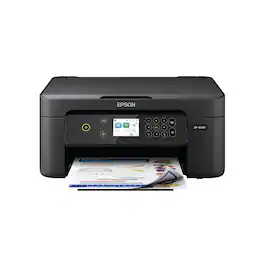
Enjoy easy, everyday printing—plain and simple—with the Expression Home XP-4200. From coupons to directions, recipes to homework, the XP-4200 delivers the documents you need without missing a beat. Engineered with Epson’s state-of-the-art imaging technology, this high-performance, all-in-one solution also supports all your creative projects with exceptional image quality for remarkable prints and borderless photos. Plus, it offers convenient features and simple installation.
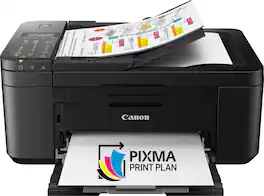
For all your work or home printing needs, the PIXMA TR4720 Wireless* All-in-One Printer has you covered. Enjoy simple setup through the Canon PRINT Inkjet/SELPHY Ap** and an easy to install 2-Cartridge hybrid ink system and front loading 100-sheet paper tray. Big on performance, the PIXMA TR4720 is equipped with Auto 2-Sided Printing, an Auto Document Feeder for multi-page scanning, and built-in Fax functionality. With a variety of connectivity options, you'll be able to do it all from your PC or mobile devices— plus, the PIXMA TR4720 is compatible with Canon apps for printing, scanning, creative projects and more. Simple, productive office and home printing in a compact size— that’s the PIXMA TR4720.
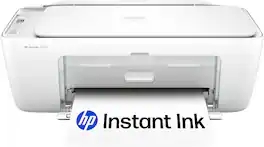
The HP DeskJet 2827e delivers color printing, 60-sheet paper capacity, and a flatbed scanner for easy scanning and copying. It's AI-enabled to intuitively adapt to your workflow, with wireless and security features that keep your multifunction printer up to date and secure.
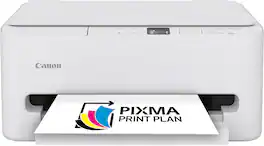
The PIXMA TS6520 strikes a perfect balance between functionality and affordability. While it doesn’t include an ADF like the TR7120, it still offers high-quality printing, scanning, and copying for everyday tasks. Its auto 2-sided printing helps save on paper and its 1.42” OLED display and simple setup make it user-friendly, and its compact design fits easily into any home workspace. With reliable Wi-Fi and mobile printing support, it’s great for printing school projects, recipes, and vibrant photos—without the extra bells and whistles. Best for: Families and students who want a reliable, easy-to-use printer for occasional use without needing advanced features.
| Pros for Epson - Expression Home XP-4200 All-in-One Inkjet Printer - Black | |||
|---|---|---|---|
| Print Quality, Size, Ease of use, Overall Performance, Setup | There were no pros for this product— | Setup Ease, Print Quality, Connectivity, Size, Design | Setup Ease, Print Quality, Connectivity, Size, Noise Level |
Specs
Reviews
Customers are saying
Customers appreciate the Expression Home XP-4200 All-in-One Inkjet Printer for its ease of use and good print quality. Many users find its overall performance satisfactory and like its size. Additionally, customers are happy with its wireless connectivity, reasonable price, and easy setup.
Customer Images
The vast majority of our reviews come from verified purchases. Reviews from customers may include My Best Buy members, employees, and Tech Insider Network members (as tagged). Select reviewers may receive discounted products, promotional considerations or entries into drawings for honest, helpful reviews.
- Rated 5 out of 5 stars
New model, improved display
It was fairly easy to set up. It is more complex than my previous Epsom, though, as that one didn't require changing the setting for different materials. The display is an improvement over the previous one. This model is lighter, more compact and easier to move and position, and it works great for DIY business cards and the like!
JamesM Posted
- Rated 5 out of 5 stars
Grateful for the Help and Advice
I’m an old dog and prefer to keep my old stuff working. So when my Epson NX420 conked out after 20 plus years I wasn’t excited about having to buy and install a new printer. I hadn’t purchased anything at Best Buy in years but I found myself at home in the store. They had several home printers to choose and the salesman was helpful and friendly. I went with the Epson XP4200 which was straight forward to install with the app. I did the wireless setup for the first time. It prints great and the control panel is easy to navigate. Epson is great quality and I appreciate being able to walk into Best Buy to get help and assurance with new equipment which I’m going to have for a while. Thank you. John E Dombroski. Stratford, CT
JohnDombroski Posted
- Rated 5 out of 5 stars
All around great Printer for the money
Small size and does everything I needed nice working printer. color is good easy hook up and print from WiFi
Nicknametoshort Posted