GIGABYTE - X870 AORUS ELITE WIFI7 ICE (Socket AM5) AMD X870 ATX DDR5 Wi-Fi 7 Motherboard - White
FREE shipping to
More Buying Options
Specifications
- ChipsetAMD X870Form FactorATXProcessor SocketSocket AM5 (LGA 1718)Number of PCI-E Slots3Wireless Networking StandardWi-Fi 7Number Of Memory Slots4
- Key Specs
- Chipset: AMD X870
- Form Factor: ATX (The size, arrangement, and physical configuration of the product.)
- Processor Socket: Socket AM5 (LGA 1718) (Type of pin configuration that connects a CPU to a computer’s motherboard.)
- Number of PCI-E Slots: 3 (How many peripheral component interconnect express slots are available.)
- Wireless Networking Standard: Wi-Fi 7 (The wireless networking standard used by the device. Each iteration of the standard developed by the Wi-Fi Alliance corresponds to an existing IEEE 802.11 protocol; for example, standard 802.11ac (or AC) is termed Wi-Fi 5. Refers specifically to the standard the device is designed to use, but ultimately determines product interoperability and backward compatibility including previous versions.)
- Number Of Memory Slots: 4
- Maximum Memory Supported: 256 gigabytes
- Memory Type Supported: DDR5
- General
- Brand: GIGABYTE
- Model Number: X870 AORUS ELITE WIFI7 ICE
- Product Name: GIGABYTE -X870 AORUS ELITE WIFI7 ICE (Socket AM5) AMD X870 ATX DDR5 Wi-Fi 7 Motherboard
- Color: White
- Year of Release: 2024
- Compatibility
- Chipset: AMD X870
- Chipset Compatibility: AMD
- Form Factor: ATX (The size, arrangement, and physical configuration of the product.)
- Processor Socket: Socket AM5 (LGA 1718) (Type of pin configuration that connects a CPU to a computer’s motherboard.)
- Processor Compatibility: AMD Ryzen 9 9000 Series, AMD Ryzen 9 8000 Series, AMD Ryzen 9 7000 Series
- Operating System Compatibility: Windows 11 Home
- Slot
- Number of M.2 Slots: 4 (This interface is most commonly used for high-speed solid state drives (SSDs), and is often used in laptops due to its small size.)
- Number of PCI-E Slots: 3 (How many peripheral component interconnect express slots are available.)
- Number Of PCI-E x16 Slots: 3
- Number Of PCI-E x8 Slots: 0
- Number Of PCI-E x4 Slots: 0
- Number Of PCI-E x2 Slots: 0
- Number Of PCI-E x1 Slots: 0
- Number Of Memory Slots: 4
- Connectivity
- Power Connector: 24-pin ATX main power connector, 2 x 8-pin ATX 12V power connectors (The configuration of the connector as it connects the motherboard to a power supply unit.)
- SATA Connector: 4x SATA 6G (The configuration of the connector as it connects a computer power supply unit to a SATA-based drive.)
- Fan/Cooling System Connector: 1 x CPU fan header,1 x water cooling CPU fan header,4 x system fan headers,2 x water cooling system fan header (The configuration of the connector as it connects a computer component to a fan or cooling system.)
- Wireless Connectivity: Bluetooth, Wi-Fi (The manner in which a device sends data to another device over a short distance without the use of wires or cables.)
- Wireless Networking Standard: Wi-Fi 7 (The wireless networking standard used by the device. Each iteration of the standard developed by the Wi-Fi Alliance corresponds to an existing IEEE 802.11 protocol; for example, standard 802.11ac (or AC) is termed Wi-Fi 5. Refers specifically to the standard the device is designed to use, but ultimately determines product interoperability and backward compatibility including previous versions.)
- Wireless Standard: AX (The wireless networking protocol used by the device. Each iteration of the protocol is based on the 802.11 standard developed by the Institute of Electrical and Electronics Engineers (IEEE) Standards Association. Denoted by letters following 802.11 (802.11a, 802.11ac, etc.), each version, published in alphabetical order, encompasses all previous versions.)
- Ports
- USB Ports: 2 x USB-C 4, 7 x USB-A 3.2, 4 x USB-A 2.0 (The number and type of USB ports the product has.)
- Audio Ports: 2 x audio jacks
- Number of Audio Channels: 1 (The number of discrete channels of sound output. This can be a single number or multiple numbers separated by decimal(s). The first number is the primary, horizontally directed audio channels. The number after the first decimal, if applicable, is the number of subwoofer outputs or channels. The number after the second decimal, if applicable, is the number of height or atmospheric channels designed to immerse the listener by producing overhead sound effects.)
- Dimensions
- Product Length: 300.5 millimeters (The out of box length of the item. Length is measured as the longest dimension of the item.)
- Product Width: 244 millimeters (The out of box width of the item. Width is measured as the horizontal distance from one side of the item to the other as it would be primarily used or placed.)
- Product Weight: 90.88 ounces (The out of box weight of the item.)
- Memory
- Maximum Memory Supported: 256 gigabytes
- Memory Type Supported: DDR5
- Memory Format Supported: UDIMM (Memory module size that will fit with the device.)
- Memory Speeds Supported: 4 x DDR5 DIMM sockets supporting up to 256 GB (64 GB single DIMM capacity) (The RAM's bandwidth rating supported by the device. The number refers to transfer speed. For example, 12800 would indicate that the memory has a theoretical bandwidth of 12,800 megabytes per second (MBs). The higher the number, the faster the speed.)
- Memory Slot Type: 288-pin DIMM
- Features
- RAID Support: RAID 5, RAID 01 (RAID 0+1), RAID 10 (RAID 1+0) (A Redundant Array of Independent Disks (RAID) includes a collection of separate disks that your computer recognizes as one disk unit. Each configuration offers a different level of mirroring, striping and read/write speeds.)
- Warranty
- Warranty - Parts: 5 years
- Warranty - Labor: 5 Years
- Other
- UPC: 889523045176
The X870 AORUS ELITE WIFI7 ICE supports AM5 Processors and features unparalleled performance. GIGABYTE X870 motherboards come with upgraded power design, high grade storage standards, and outstanding connectivity that enables you to optimize your performance.
- Warranty: 5-year Warranty
- Processor Compatibility: supports amd ryzen 9000 / ryzen 8000 / ryzen 7000 series processors
- Ddr5 Compatible: 4*dimms with AMD EXPO Support
- Next Gen Connectivity: Pcie 5.0, 4x M.2 Slots, Dual USB4, Front And Rear USB-C, Sensor Panel Link
- Sturdy Power Design: 16+2+2
- Comprehensive Thermal Design: VRM and M.2 Thermal Guard
- Fast Networking: Wi-Fi 7, 2.5gbe LAN
- Diy Friendly: M.2 EZ-Latch, pcie EZ-Latch, Wi-Fi EZ-Plug, EZ-Debug Zone
Q: Are there any USB-C ports on the motherboard?
A: This motherboard has two USB-C ports.
Q: Does the motherboard support RAID 5?
A: This motherboard does support RAID 5.
Q: Can the motherboard be used with AMD Ryzen 9 9000 Series processors?
A: This motherboard is compatible with AMD Ryzen 9 9000 Series processors.
Q: What type of memory does the motherboard support?
A: The motherboard supports DDR5 memory type.
Q: What is the maximum memory supported by the motherboard?
A: The maximum memory supported by the motherboard is 256 gigabytes.
Q: How many PCI-E x16 slots does the motherboard have?
A: The motherboard has 3 PCI-E x16 slots.
Q: Does the motherboard support Wake on LAN
A: undefined
Compare similar products

The X870 AORUS ELITE WIFI7 ICE supports AM5 Processors and features unparalleled performance. GIGABYTE X870 motherboards come with upgraded power design, high grade storage standards, and outstanding connectivity that enables you to optimize your performance.

The B850 AORUS ELITE WIFI7 ICE supports AM5 Processors and features unparalleled performance. GIGABYTE B850 motherboards come with upgraded power design, high grade storage standards, and outstanding connectivity that enables you to optimize your performance.
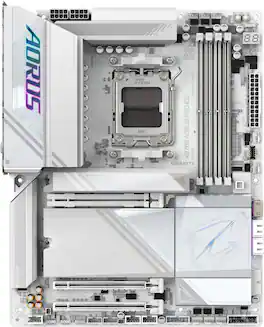
The X870E AORUS PRO ICE supports AM5 Processors and features unparalleled performance. GIGABYTE X870 motherboards come with upgraded power design, high grade storage standards, and outstanding connectivity that enables you to optimize your performance.

The ASUS ROG Strix B850-A Gaming WiFi pairs powerful performance with sleek design. Featuring 14+2+2 power stages and thick metal heatsinks, it’s ready for AMD Ryzen 9000 Series processors. Enjoy DDR5 with AEMP, PCIe 5.0 M.2, WiFi 7 with Q-Antenna, four M.2 slots, advanced USB connectivity, and Aura Sync RGB.
| Pros for GIGABYTE - X870 AORUS ELITE WIFI7 ICE (Socket AM5) AMD X870 ATX DDR5 Wi-Fi 7 Motherboard - White | |||
|---|---|---|---|
| There were no pros for this product— | There were no pros for this product— | There were no pros for this product— | Overall Performance, Installation Ease, Features, BIOS |
Specs
Reviews
Customer Images
The vast majority of our reviews come from verified purchases. Reviews from customers may include My Best Buy members, employees, and Tech Insider Network members (as tagged). Select reviewers may receive discounted products, promotional considerations or entries into drawings for honest, helpful reviews.
- Rated 5 out of 5 stars
Awesome motherboard, super solid.
Great motherboard, looks absolutely incredible in my all white build, and is built super solidly. Super easy access to the M.2 drives, and I love the screwless heatsinks on them as well. Also has a super nice PCIE release button for the graphics card. Super great motherboard and I highly recommend it.
This review is from GIGABYTE - X870 AORUS ELITE WIFI7 ICE (Socket AM5) AMD X870 ATX DDR5 Wi-Fi 7 Motherboard - White
Posted by DavyF
- Rated 5 out of 5 stars
Great Motherboard
-Lots of heatsinks -Overclock ready -Many fan headers -4 M.2 slots (3 are pcie 5) -Many rear connectors
This review is from GIGABYTE - X870 AORUS ELITE WIFI7 ICE (Socket AM5) AMD X870 ATX DDR5 Wi-Fi 7 Motherboard - White
Posted by pcgamerin2025
- Rated 5 out of 5 stars
Gigabyte Delivers the Ice with this Whiteout MB
I’ve been wanting to build an AM5 desktop for a while, particularly a White themed one but have been putting it off for one reason or another. I try to time system upgrades with major steps in features, so I can try out new features and inevitably troubleshoot issues with them. I saw Gigabyte had the X870 Aorus Elite WiFi 7 Ice board, which checked two of my boxes for upgrading: WiFi 7 and an all-white build! So, I gave in to the desire and started to build another PC. Pros: - All White looks Amazing! - 3x Gen 5 M.2 slots for crazy fast storage. - WiFi 7 is a huge upgrade. - Plenty of ports on I/O & Internal. Cons: - Would be nice to have more internal headers shifted 90 degrees. Aesthetics: The Gigabyte X870 Aorus Elite Wifi 7 Ice looks amazing, the “Ice” theme really is just an all-white theme, it looks very clean even with all the ports and headers. I’ve been wanting to do a full white color parts build for a while now but had run into 2 main issues for most boards: 1. Not all white and 2. Cost way more than the standard colored board. Gigabyte did it right on both concerns here. The board is all white and the connectors are all white, some heatsinks are a silver-white due to the designs. And the Ice version costs the same as the standard Black model. Setup: I’ve built and serviced plenty of PC’s, so I’ve got a process when building a new system that I like to follow to flush out any issues I might run into down the road. I always bench boot and install the OS outside of the case, just in case there’s an issue with any of the parts. Plus, I can get to all the ports and check everything without the limits of a case. For CPU I went the Ryzen 9 9900X as it is readily available and not a premium that comes with the X3D chips, this will do all I need it too while also giving me some upgradeability in the future. For CPU Cooler, I wanted to keep with the simple all white look while being efficient, so I went with the Thermalright Royal Pretor 130 Air Cooler. Look, AIO’s do look good but for a fraction of the price, I can get better temps at lower noise levels on Thermalright coolers and have less to hassle with. For RAM, I was going to use some Corsair Vengeance RBG sticks but ended up using the G.Skill FlareX5 because the coolers front fan clearance limited the height of the RAM heatsink. I put the new Samsung 9100 Pro 2TB, to take full advantage of the Gen 5 speeds. After getting all the main parts on except the GPU, pulling in the power, I booted up into Bios to check settings and see if there were any issues. Luckily, I didn’t run into any issues. The Bios even has a cool “Ice” theme, so don’t be surprised when you’re greeted with a bright white screen instead of the standard color. I ran through a checklist in bios to get everything setup for my needs, then saved and existed to reboot one last time before installing the OS. I installed Windows 11, which I didn’t have any issues come up with. I install without internet, a local account, then connect after initial install as I want to use the stable Windows 11 build I’ve got on my install drive. After installing the Windows 11, I updated and checked Gigabyte Control Center for firmware updates then rebooted to setup the EXPO on the RAM to 6000MT/s. After initial setup, I usually remove Gigabyte Control Center or at least make it not startup on boot, as I use third-party controls for RBG along with Gigabyte RBG Sync to control all the RBG from one software. I/O Panel and Ports: The X870 Aorus Elite WiFi 7 Ice has plenty of ports, which was one of my main reasons for pick this board as I tend to have a lot of devices attached to the back: - WiFi Antenna Port (plug in) - 4x USB-A 2.0 - 6x USB-A 3.2 - 2x USB-C 4 with Display Port 2.0 - HDMI port - 2.5Gbps Ethernet port - 2x Audio Jacks: Mic and Line Out - Digital Audio Out (S/PDIF Out) This provides plenty of native connectivity for most gamers, though if you need more ports there are also internal headers available: - 1x USB-C 3.2 - 2x USB-A 3.2 Gen 1 - 4x USB-A 2.0 Additionally, there is an internal HDMI port for front panel or internal displays, which is very convenient addition for those cases with or addon displays. WiFi 7: I’ve always been a “for less latency and more stable connections, use a wired connection” kind of PC person. This has been tried and true for many years, but recently I was able to upgrade to a WiFi 7 router and that has since changed my mind. For most, it will still be better to just hardwire your ethernet into the back of the PC for a solid connection, specially if you’re in a congested area. But, if you happen to have the luxury of owning a WiFi 7 router, be prepared to be amazed with near wired performance over WiFi. I’ve tested a bit, while playing lower end setting games, watching movies, and networks testing, and I cannot tell the difference between wired vs. WiFi 7. My latency and speed is almost always the same, funny enough on the occasion it is not, it’s the Wired connection that is both slower and more latent. Another big plus is the new WiFi Antenna connector, which just plugs in instead of needing to be screwed on. The Antenna itself is also simpler, shorted and squarer with a magnetic base, which is perfect for attaching to the case or desk. Gen 5 M.2 Storage: If you want the fastest storage speed out there, +14GB/s Read and +13GB/s Write, the X870 Aorus Elite WiFi 7 Ice is the board to consider. It comes with not just one, but three Gen 5 M.2 slots! Only the top slot has a massive heatsink, but the other two Gen 5 slots have decent sized heat sink that is also shared with the 4th M.2 slot, that supports up to Gen 4. You will want to put your fastest drive in the top slot for best performance. To take advantage of the Gen 5 speeds, you will need a Ryzen 9000 or 7000 Series CPU, though for some raid features you will need a Ryzen 9000 Series CPU. The Little Things: As I’ve mentioned above, I’ve built plenty of PC’s, so I’m familiar with the general layout and ways motherboards are setup. Gigabyte did system builders a solid on the X870 Aorus Elite WiFi 7 with the placement of the internal plugs, like the USB 3.2 header being shifted 90 degrees so you plug parallel to the board instead of perpendicular. There are a few plugs like this, though I wish all the USB and case header plugs were like this as it would help hide the cables from view. But some are better than none. Conclusion: If you’re going for an all-white build, the Gigabyte X870 Aorus Elite WiFi 7 Ice is the motherboard to consider not only for the aesthetics but the features and nice little things. Gigabyte did an amazing job with the White/Ice look while not skipping on functionality, plus it doesn’t matter which version of the board you get as both have the same features and price! Gigabyte isn’t always my go to for PC parts, but I’m never disappointed by what they deliver. I'd recommend this board for anyone aiming for an All-White build.
This review is from GIGABYTE - X870 AORUS ELITE WIFI7 ICE (Socket AM5) AMD X870 ATX DDR5 Wi-Fi 7 Motherboard - White
Posted by BradfordBT