HP AI Printers

Simplify tasks with HP AI

Built into HP printers to help you get more done.
AI features vary by printer model. See FAQs below for more details.

HP AI makes printing recipes a piece of cake
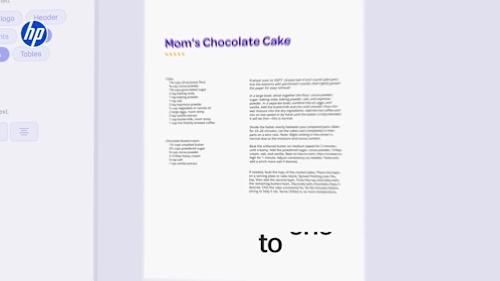
See how it works

HP AI recipe printing video
Video Player is loading.
Current Time 0:00
Duration 0:00
Loaded: 0%
Stream Type LIVE
Remaining Time 0:00
 
1x
    • descriptions off, selected
    • captions off, selected

      See what people say about HP AI

      See what people think of HP AI
      Video Player is loading.
      Current Time 0:00
      Duration 0:00
      Loaded: 0%
      Stream Type LIVE
      Remaining Time 0:00
       
      1x
        • descriptions off, selected
        • captions off, selected

          Perfectly Formatted Prints

          Remove unwanted content

          Instead of wasting ink on ads or odd layouts, you get clean, perfectly formatted prints every time.

          Optimize ink usage

          Print only what you need and save ink.

          Reduce wasted pages

          Cut 10 pages down to 2. HP AI formats web content to print only what you need.

          Scan to Email

          Smart subject lines

          HP AI automatically generates subject lines to streamline your workflow and find files easily.

          Instant document summaries

          HP AI can generate an easy-to-digest summary email of your attached scan for you.

          Easily search for files

          Turn emails into action with scans that automatically save as a searchable and editable PDF, TXT or DOCX file.

          Frequently asked questions

          Which printer models enable HP AI Perfectly Formatted Prints?

          • HP DeskJet 2800/2900/4100/4200/4300 series printers
          • HP Envy 6100/6500 series printers
          • HP Envy Inspire 7200/7900 series printers
          • HP Envy Photo 7200/7900 series printers
          • HP Smart Tank 5000/6000/7000/7300/7600 series printers
          • HP OfficeJet Pro 8100/9100/9700 series printers
          • Select HP LaserJet Pro 100/200 series printers

          Which printer models enable HP AI Scan to Email?

          • HP LaserJet Pro 3000/4000 series multifunction printers

          What is HP AI Perfectly Formatted Prints?

          This is a solution that allows users to easily optimize the format when printing from the web. Perfectly Formatted Prints automatically removes unwanted content and formats for optimal printing.

          What is HP AI Scan to Email?

          The HP AI Scan to Email Summary is an innovative document digitization solution designed as an effortless way to scan, summarize, and retrieve documents. By creating smart subject lines, concise summaries, and automatically naming the scanned files, it saves time, enhances productivity, and streamlines workflows across various small- and medium-sized business environments.

          Can we expect more HP AI features?

          Perfectly Formatted Prints is the first feature launched by HP AI. Look forward to more innovations from HP as they roll out new AI features aimed at enhancing and simplifying the printing experience.

          Is HP AI exclusive to HP printers?

          Yes, HP AI solutions are exclusive to HP AI-enabled printers.

          Which operating system does HP AI require?

          Windows 11 is required for the Perfectly Formatted Prints feature.

          Are there costs associated with HP AI?

          HP AI print solutions are currently available at no additional cost.

          What countries and languages are supported?

          As of September 15, 2025, HP AI is currently available in U.S. English and requires a U.S. location for printer setup.

          Disclosures

          HP AI:

          Requires Windows 11. HP AI features are available in U.S. English only and require a U.S. location for printer setup. Availability of features varies by supported printers. Requires HP AI-enabled printer set up after September 15, 2025, and the HP app. Internet access is required and must be purchased separately. Wireless operations are compatible with 2.4GHz and 5.0GHz operations only. Learn more at hp.com/go/mobileprinting. To learn more about HP AI features and capabilities, visit hp.com/HP_AI.

          Scan to Email:

          Available on select multifunction printers with a control panel. Check your printer for setup instructions. HP AI features are currently available in U.S. English only and require U.S. location for printer setup. Availability of features varies by supported printers. Requires eligible HP AI-enabled printer and the HP app/HP Easy Start. Internet access required and must be purchased separately. Wireless operations are compatible with 2.4GHz and 5.0GHz operations only. Learn more at hp.com/go/mobileprinting. To learn more about HP AI features and capabilities, visit hp.com/HP_AI.

          By going to HP’s site, you are entering a site hosted and operated by a different entity. Please review their Privacy Policy. All personal information you provide is subject to that Privacy Policy. Different terms and conditions may apply.