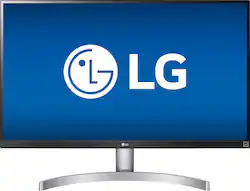
LG - 27UK600-W 27" IPS LED 4K UHD FreeSync Monitor
- Key Specs
- Refresh Rate: 60Hz (The number of frames per second the device can produce natively without enhancement. Higher rates help produce smooth, seamless pictures.)
- Maximum Resolution: 3840 x 2160 (Maximum resolution refers to the highest number of pixels that a screen can process and display. Higher resolution signals produce more detailed images.)
- Response Time: 5 milliseconds (The speed at which pixels can change colors is called response time. It is measured in milliseconds (ms).)
- Panel Type: IPS (Technology that affects response time and image quality.)
- Synchronization Technology: FreeSync (AMD Adaptive Sync) (Generally, these technologies allow syncing between a computer/console game's frame rate and the device's refresh rate for a smoother display without tearing.)
- Screen Size: 27 inches (Size of the screen, measured diagonally from corner to corner.)
- General
- Product Name: 27UK600-W 27" IPS LED 4K UHD FreeSync Monitor
- Brand: LG
- Operating System Compatibility: Windows
- Model Number: 27UK600-W
- Display
- Refresh Rate: 60Hz (The number of frames per second the device can produce natively without enhancement. Higher rates help produce smooth, seamless pictures.)
- Maximum Resolution: 3840 x 2160 (Maximum resolution refers to the highest number of pixels that a screen can process and display. Higher resolution signals produce more detailed images.)
- Native Resolution: 3840 x 2160 (Native resolution of a screen refers to its single, fixed resolution. Sometimes screens must scale an image up or down in order to fit the native resolution. This can cause a loss of resolution or detail.)
- Contrast Ratio: 1000:1 (Measured difference between a displayed image's brightest whites and darkest blacks. The larger the first number, the more detail and color that can be displayed.)
- Response Time: 5 milliseconds (The speed at which pixels can change colors is called response time. It is measured in milliseconds (ms).)
- Display Type: LED
- Panel Type: IPS (Technology that affects response time and image quality.)
- Synchronization Technology: FreeSync (AMD Adaptive Sync) (Generally, these technologies allow syncing between a computer/console game's frame rate and the device's refresh rate for a smoother display without tearing.)
- Aspect Ratio: 16:9 (The measurement of the width of a screen compared to the height of a screen, expressed as a ratio.)
- Curved Screen: true
- Brightness: 350 candela per square meter (A measure of the total light output.)
- Screen Size: 27 inches (Size of the screen, measured diagonally from corner to corner.)
- High Dynamic Range (HDR): true (An HDR-compatible 4K TV or other HDR-compatible product displays HDR video content when it's available from sources like 4K Ultra HD Blu-ray Discs and 4K streaming services.)
- High Dynamic Range Format: HDR 10 (There are a few HDR formats that tell the TV or other HDR-compatible product how to best utilize its capabilities to display HDR content. HDR technology can support one or multiple formats, each with various benefits to picture quality.)
- Horizontal Viewing Angle: 178 degrees (The maximum angle at which the display can be viewed with acceptable visual performance from either side.)
- Vertical Viewing Angle: 178 degrees (The maximum angle at which the display can be viewed with acceptable visual performance from above or below.)
- Connectivity
- Number of HDMI Inputs (Total): 2
- Headphone Jack: true (The device features an interface that allows for the connection of headphones.)
- Compatibility
- Wall Mountable: true (The product is able to be secured to a wall. Some products are designed ready to mount, while others may require additional hardware/accessories for installation.)
- VESA Wall Mount Standard: 100mm x 100mm (VESA wall mount standards refer to the spacing of screw holes built into a TV in order to fit with standard TV wall mounts. These standards are implemented into most TVs and monitors.)
- Features
- Tiltable: true
- Adjustable Stand Height: true
- Anti-Glare: true (Product has features, such as a matte finish, that reduce the likelihood for screen glare.)
- Built-In Webcam: false
- Integrated Speaker(s): false
- Dimensions
- Product Width: 24.1 inches (The out of box width of the item. Width is measured as the horizontal distance from one side of the item to the other as it would be primarily used or placed.)
- Product Depth (With Stand): 8.2 inches
- Product Weight: 11.5 pounds (The out of box weight of the item.)
- Stand Included: true
- Certifications Listings & Approvals
- ENERGY STAR Certified: false (Devices carrying the ENERGY STAR service mark, such as computer products and peripherals, kitchen appliances, and other products, generally use 20% to 30% less energy than required by federal standards.)
- EPEAT Qualified: false (The Electronic Product Environmental Assessment Tool (EPEAT) was designed to provide an environmental assessment tool for purchasers. In order to qualify for EPEAT, a product must meet all 23 required criteria.)
- Other
- UPC: 719192617469
Get the most out of your computer with this 27-inch LG monitor. HDR10 produces the levels of color and brightness necessary to carry out your vision, and FreeSync minimizes screen tearing and stuttering for a fluid gaming experience. This LG monitor is HDCP 2.2 compatible to display video from consoles and Blu-ray players.

- 4K Ultra HD 3840 x 2160 resolution: Outstanding detail that's ideal for watching high-resolution videos and playing games with settings maxed out.
- 5 ms response time: Delivers solid performance for precise gaming and video work.
- 60 Hz refresh rate: Provides smooth video and good refresh rates for everyday use.
- 27" antiglare LED monitor: Efficient screen type uses LEDs to provide precise backlighting to pixels.
- FreeSync Technology: Adaptive synchronization technology that matches the frame rate of the monitor to any compatible AMD graphics card.
- 2 HDMI and DisplayPort inputs: Allow you to set up DVD players and other AV sources for a clear, high quality audio and video signal.
- 178° horizontal and vertical viewing angles: Allow you to view the screen from a wide range of angles.
- 1,000:1 contrast ratio: Ensures images are crisp and clear with deep blacks and bright highlights.
- 350 cd/m² brightness: Produces bright images that can clearly be seen even in well-lit rooms.
Whats Included
- LG 27UK600-W 27" IPS LED 4K UHD FreeSync Monitor
- HDMI cable
- DisplayPort cable
Product Manuals
Q: Does this monitor come with built in speakers?
A: The 27UK600 does not have built-in speakers. ^CP
A: I just purchased this monitor yesterday and one of the reasons is that the tag under it said 75hz. I see that BestBuy has been aware of this mistake for at least 8 months due to this comment thread but are still marketing it as 75hz. That's just wrong...
A: The checkbox in your Xbox One X for YCC 4:2:2 is for the Chroma Sampling which is a type of compression that reduces the color information in a signal in favor of luminance data. (YCC is YCbCr)This reduces the bandwidth without significantly affecting the picture quality. You may be familiar or have seen a Chroma Sampling of 4:4:4. A signal with a Chroma Sampling of 4:4:4 has no compression and it will transport both luminance and color data. Chroma 4:2:2, on the other hand, is a 4 x 2 array of pixels and has half the Chroma of 4:4:4. The 4:2:2 signal will have half the sampling rate horizontally, but will maintain full sampling vertically.In video games, while some PC games that have a strong focus on text might suffer from using chroma subsampling, most of them are either designed with it in mind or implement it within the game engine. Most gamers should therefore not worry about it. Unless checked, your gaming console will be outputting at 4:4:4, with zero compression and 8-bit displays are able to handle this and will receive the full beauty of the signal. Where 4:2:2 comes into play with your gaming console is using it for Blu-Ray support and gaming on displays that are true HDR10. For HDR gaming, simply turn on HDMI Ultra HD Deep Color for the HDMI port that you connect your gaming console to on the LG 27" Class 4K UHD IPS LED Monitor with HDR 10 (27" Diagonal), Model # 27UK600-W and select HDR Game in the Picture Mode settings. With regards to RGB Full or Limited, 'Limited' refers to the values being 'limited' to 16-235 and not the Full 0-255 scale. With TV and Movies, it leaves them untouched because they are already in the 16-235 range. RGB Full will display video games and other 0-255 content at the correct 0-255 range. You should always use the RGB Limited setting with a TV. PCs are different and use a range from 0-255. There is no data below 0 or above 255 with an 8-bit video signal as there are only 256 possible values. When you play a video game, it will convert the 0-255 range to the 16-235 range. If it did not do this, shadow and highlights would be pure black or pure white, and the image will look off. You aren’t losing anything by using RGB Limited, but if you use RGB Full with a TV you are losing details. On a computer monitor, you use the opposite approach. RGB Full will display video games and other 0-255 content at the correct 0-255 range. TV, Movies and other video range content expand to use the full 0-255 range of a computer display. If you use RGB limited instead, shadows will be gray instead of black and highlights will be dull. You will not take full advantage of the dynamic range of the PC monitor and content will have a washed-out look...^IFV
Q: Can this monitor max out the Xbox one x settings ??
A: The 27UK600-W has a maximum resolution of 3840 x 2160. It has a refresh rate of 60Hz. The 27UK600-W supports HDR and it has Freesync technology. It has 4K Ultra HD 3840 x 2160 resolution which provides outstanding detail that's ideal for watching high-resolution videos and playing games with settings maxed out. We hope this information helps. ^CP
Q: Is this monitor HDMI 2.0 compatible?
A: I checked out there manual it’s like their other 4K monitor. In order to use hdmi 2.0 you have to go into settings and enable ultra deep color for the hdmi port.
A: First and foremost, why are you attempting to use a game system that doesn't support display port nor have it integrated? The LG monitor has 2 HDMI ports available for use so you could have a game console and a display port capable PC hooked up at the same time. It's 100% NOT the LG monitor or drivers whatsoever. Unless its a display port out to HDMI in you would need a signal conversion kit. (HDMI or DVI to DisplayPort Active Converter). The reason a normal adapter or regular HDMI to DP cable won't work is due to the signals not being processed the correct way. A display port ++ has the converter chip already integrated, but normally monitors don't include them since it would increase the cost of the product. The alternative and better solution is to include both an HDMI port and display port for separate use.
Q: Is this monitor mac compatible?
A: Yes it is. I have 2 of them connected to my MacBook Pro.
Q: Can this monitor be dual mounted on a single stand? if so what stand model will it fit with? Thanks
A: The 27UK600-W is compatible with mounts that use the VESA pattern 100 x 100. ^CP













