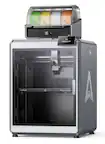
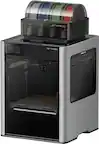
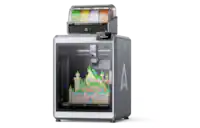
MakerBot - SKETCH Classroom 3D Printer - Black
More Buying Options
Related Item

About This Item
- Key Specs
- Networking: Wireless
- Printer Type: 3D Printer
- General
- Brand: MakerBot
- Model Number: SKETCHKIT
- Product Name: SKETCH Classroom 3D Printer
- Color: Black
- Display Screen: true
- Display Screen Size: 5 inches
- Dimensions
- Product Height: 17 inches (The out of box height of the item. Height is measured as the vertical distance from the bottom of the item to the top as it would be primarily used or placed.)
- Product Width: 16.6 inches (The out of box width of the item. Width is measured as the horizontal distance from one side of the item to the other as it would be primarily used or placed.)
- Product Depth: 14 inches (The out of box depth of the item. Depth is measured as the distance from the front of the item to the back as it would be primarily used or placed.)
- Product Weight: 26 pounds (The out of box weight of the item.)
- Print Height: 250 millimeters
- Print Length: 220 millimeters
- Print Width: 220 millimeters
- Connectivity
- Wireless Connectivity: Wi-Fi (The manner in which a device sends data to another device over a short distance without the use of wires or cables.)
- Other
- UPC: 812510032071
Bring 3D printing into your classroom with the MakerBot SKETCH Classroom 3D Printer. With a 5.9 x 5.9 x 5.9" build volume and a single extruder with a 0.4mm nozzle, each SKETCH 3D printer can use 1.75mm PLA and Tough filaments. Print via USB, Ethernet, and Wi-Fi. You can use a Mac or Windows computer or the integrated touchscreen. The enclosed print chamber and particulate filter provide peace of mind while printing. The heated print bed helps reduce warping, and its removable build surface makes it easier to remove finished 3D prints.
- MakerBot Certification: Certify your students in real-world problem-solving through design thinking and 3D printing. Get access to a full set of interactive content, projects, quizzes, and exams developed by MakerBot Certified Educators.
- MakerBot Cloud: MakerBot Cloud is a cloud-based, 3D printing file management software that allows your students to submit their designs. You can queue up their classroom prints with ease.
- 600+ Certified Lesson Plans: Get access to community-driven lesson plans reviewed and approved by MakerBot Education. Find lesson plans designed for grade levels and subjects applicable to your classroom and curriculum.
- Heated and Flexible Build Plate: The build plate is heated to reduce warping, and it has a flexible surface to make it easier to remove finished 3D models.
- Touchscreen Controls: Start, monitor, and pause your students' prints with an intuitive interface, designed for easy 3D printing navigation.
- MakerBot Certification: Certify your students in real-world problem-solving through design thinking and 3D printing. Get access to a full set of interactive content, projects, quizzes, and exams developed by MakerBot Certified Educators.
- MakerBot Cloud: MakerBot Cloud is a cloud-based, 3D printing file management software that allows your students to submit their designs. You can queue up their classroom prints with ease.
- 600+ Certified Lesson Plans: Get access to community-driven lesson plans reviewed and approved by MakerBot Education. Find lesson plans designed for grade levels and subjects applicable to your classroom and curriculum.
- Heated and Flexible Build Plate: The build plate is heated to reduce warping, and it has a flexible surface to make it easier to remove finished 3D models.
- Touchscreen Controls: Start, monitor, and pause your students' prints with an intuitive interface, designed for easy 3D printing navigation.
Q: does best buy have classes on 3 d printers ?
A: The Sketch Printer does come with one teacher and five student certification licenses that provide basics on how to use the printer, how teachers can integrate 3D Printing into their classes, and how students can engage in design thinking.
Q: What is the largest size object you can print?
A: undefined
Q: will this print in multiple colors?
A: Hello, Our SKETCH printer has many different colors available. Here are all of the available colors. Gray, Black, Blue, Green, Yellow, Orange, Red, and White.
Q: Does this come with any filament spools or accessories besides the printer?
A: Hello, Here is what comes in the box. 1 SKETCH 3D Printer, 3 spools of PLA filament, 2 build plates, 1 spatula, and a pair of snips.
Reviews
Customer Images
The vast majority of our reviews come from verified purchases. Reviews from customers may include My Best Buy members, employees, and Tech Insider Network members (as tagged). Select reviewers may receive discounted products, promotional considerations or entries into drawings for honest, helpful reviews.



Compare similar products

Bring 3D printing into your classroom with the MakerBot SKETCH Classroom 3D Printer. With a 5.9 x 5.9 x 5.9" build volume and a single extruder with a 0.4mm nozzle, each SKETCH 3D printer can use 1.75mm PLA and Tough filaments. Print via USB, Ethernet, and Wi-Fi. You can use a Mac or Windows computer or the integrated touchscreen. The enclosed print chamber and particulate filter provide peace of mind while printing. The heated print bed helps reduce warping, and its removable build surface makes it easier to remove finished 3D prints.
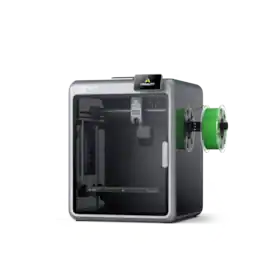
Experience high-performance multicolor printing with the Creality K2 Pro Its large 300×300×300mm build volume .Active chamber heating lets you tackle advanced materials like ABS and PPA-CF. Dual AI cameras monitor prints and adjust flow rates automatically, while smart auto-leveling targets only the print area for faster setup. Bonus 1 roll of filament 1 KG color may vary.
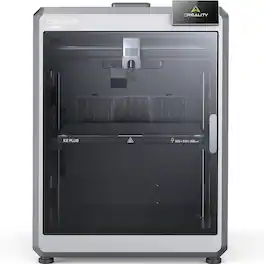
The K2 Plus is your next-level professional 3D printer. This desktop 3D printer adopts industry-grade FOC step-servo motors for the XYZ axis and extrusion. The five powerful motors work in unison, each offering 32.768 controllable microsteps per revolution for ultra precise positioning. Exceptional build volume, enables larger objects or larger batches, easily satisfying your ever-expanding 3D printing aspirations.
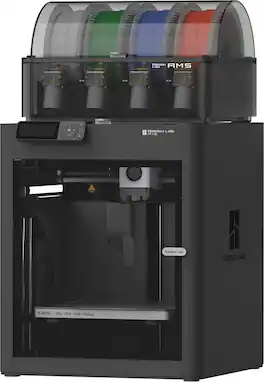
It just works right out of the box. You don't have to mess with it, just simply hit print, and the printer will handle all the calibrations (Auto-Bed Leveling, Vibration compensation) for you. Enjoy trouble-free printing every time with your P1S. Get the AMS combo to unleash Multi-color printing capability. Cutting-edge control algorithm with the help of vibration compensation and pressure advance, bring you lightning-fast print speed without compromising on quality.
| Pros for MakerBot - SKETCH Classroom 3D Printer - Black | |||
|---|---|---|---|
| There were no pros for this product— | There were no pros for this product— | There were no pros for this product— | Overall Performance, Ease of Use, Print Quality, Setup, Speed |
| Cons for MakerBot - SKETCH Classroom 3D Printer - Black | |||
| There were no cons for this product— | There were no cons for this product— | There were no cons for this product— | Nozzle Performance |