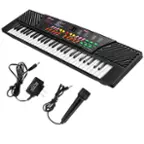
Novation - Launchkey 61 [MK4] MIDI Controller - Black
FREE shipping to
- General
- Brand: Novation
- Model Number: AMS-LAUNCHKEY-61-MK4
- Product Name: Launchkey 61 [MK4] MIDI Controller
- Color: Black
- Warranty
- Warranty - Parts: 3 years
- Warranty - Labor: 3 years
- Other
- Product Width: 35.24 inches (The out of box width of the item. Width is measured as the horizontal distance from one side of the item to the other as it would be primarily used or placed.)
- Product Height: 3.66 inches (The out of box height of the item. Height is measured as the vertical distance from the bottom of the item to the top as it would be primarily used or placed.)
- Product Length: 10.37 inches (The out of box length of the item. Length is measured as the longest dimension of the item.)
- Product Weight: 10.63 pounds (The out of box weight of the item.)
- Microphone Input: false (The device features an input for connecting an external microphone.)
- USB Port(s): true
- Headphone Jack: false (The device features an interface that allows for the connection of headphones.)
- Number Of Keys: 61
- Drum Pads: true
- Software Compatibility: Ableton Live 12 Lite,Gforce,Orchestral Tools,Klevgrand
- UPC: 815301001683
Launchkey 61 is a powerful DAW controller with a suite of onboard creation tools. Every element has been designed to feel musical, expressive, and razor focused on creative flow; from the semi-weighted keybed and 16 pads with polyphonic aftertouch, to the carefully laid out control surface with in-depth DAW integration. Play instruments and drums, launch clips and scenes, and get instant hands-on control of your DAW’s mixer, devices, and effects. Launchkey also has a unique, editable Arpeggiator, three Chord Modes to quickly create musical progressions, a Scale Mode that keep you in the right key, and a Chord Detector that shows what chord is currently being played on the OLED display.
- In-depth DAW control: Powerful control of Ableton Live, Logic Pro, FL Studio, Cubase, Reaper, Reason, and more, with no set-up required.
- Tweak your software: Eight encoders and nine faders deliver instant control over DAW mixers, virtual instruments, and effects; user mappings can also be created for customised control.
- Perform with a high-quality keyboard: The 61-note keyboard is semi-weighted with waterfall keys; delivering superb playability and feel.
- Play drums and instruments: 16 velocity-sensitive pads with polyphonic aftertouch for playing drums and instruments, as well launching clips and working with grids.
- Powerful tools for creating chords and patterns: Powerful built-in Arpeggiator and three Chord Modes to easily create musical progressions: Fixed Chord, User Chord, and Chord Maps.
- Always stay in key: Scale Mode locks notes on the keyboard into right key, and Chord Detector shows what chord is currently being played, with visual representation on the OLED display.
- Split and Layer the keyboard: Split enables you to divide the keyboard into two independent zones, and Layer means two MIDI channels can be played simultaneously from the same keys.
- Connect to other instruments: Launchkey 61 can be connected directly to synths and other MIDI hardware with its full-size MIDI out port; it also works with your iPhone or iPad.
- Create your own control surfaces: Launchkey is fully customisable; map MIDI parameters to pads and controls of your choice with Novation’s easy-to-use Components software.
- Additional software: Comes with Ableton Live Lite and a collection of pro-grade virtual instruments.
- In-depth DAW control: Powerful control of Ableton Live, Logic Pro, FL Studio, Cubase, Reaper, Reason, and more, with no set-up required.
- Tweak your software: Eight encoders and nine faders deliver instant control over DAW mixers, virtual instruments, and effects; user mappings can also be created for customised control.
- Perform with a high-quality keyboard: The 61-note keyboard is semi-weighted with waterfall keys; delivering superb playability and feel.
- Play drums and instruments: 16 velocity-sensitive pads with polyphonic aftertouch for playing drums and instruments, as well launching clips and working with grids.
- Powerful tools for creating chords and patterns: Powerful built-in Arpeggiator and three Chord Modes to easily create musical progressions: Fixed Chord, User Chord, and Chord Maps.
- Always stay in key: Scale Mode locks notes on the keyboard into right key, and Chord Detector shows what chord is currently being played, with visual representation on the OLED display.
- Split and Layer the keyboard: Split enables you to divide the keyboard into two independent zones, and Layer means two MIDI channels can be played simultaneously from the same keys.
- Connect to other instruments: Launchkey 61 can be connected directly to synths and other MIDI hardware with its full-size MIDI out port; it also works with your iPhone or iPad.
- Create your own control surfaces: Launchkey is fully customisable; map MIDI parameters to pads and controls of your choice with Novation’s easy-to-use Components software.
- Additional software: Comes with Ableton Live Lite and a collection of pro-grade virtual instruments.
Whats Included
- 1x Launchkey 61
- 1x USB A to C cable
- 1x Launchkey 61
- 1x USB A to C cable
Q: What is the warranty on the Launchkey 61?
A: The manufacturer's warranty for both parts and labor on the Launchkey 61 is 3 years.
Q: What is the weight of the Launchkey 61?
A: The Launchkey 61 weighs 10.63 pounds.
Q: Can the Launchkey 61 be used with Ableton Live?
A: The Launchkey 61 [MK4] MIDI Controller is compatible with Ableton Live 12 Lite software.
Q: How many keys does the Launchkey 61 have?
A: The Launchkey 61 has 61 keys.
Q: What kind of pads does the Launchkey 61 have?
A: The Launchkey 61 has 16 pads that feature polyphonic aftertouch.
Compare similar products
![Novation - Launchkey 61 [MK4] MIDI Controller - Black](https://pisces.bbystatic.com/image2/BestBuy_US/images/products/59fe6981-75ad-43ea-ba8f-329e138d9e58.jpg;maxHeight=422;maxWidth=264?format=webp)
Launchkey 61 is a powerful DAW controller with a suite of onboard creation tools. Every element has been designed to feel musical, expressive, and razor focused on creative flow; from the semi-weighted keybed and 16 pads with polyphonic aftertouch, to the carefully laid out control surface with in-depth DAW integration. Play instruments and drums, launch clips and scenes, and get instant hands-on control of your DAW’s mixer, devices, and effects. Launchkey also has a unique, editable Arpeggiator, three Chord Modes to quickly create musical progressions, a Scale Mode that keep you in the right key, and a Chord Detector that shows what chord is currently being played on the OLED display.
![Novation - Launchkey 49 [MK4] MIDI Controller - Black](https://pisces.bbystatic.com/image2/BestBuy_US/images/products/0d5a91c2-aac2-4a87-9b53-baab3bd5b612.png;maxHeight=422;maxWidth=264?format=webp)
Launchkey 49 is a powerful DAW controller with a suite of onboard creation tools. Every element has been designed to feel musical, expressive, and razor focused on creative flow; from the semi-weighted keybed and 16 pads with polyphonic aftertouch, to the carefully laid out control surface with in-depth DAW integration. Play instruments and drums, launch clips and scenes, and get instant hands-on control of your DAW’s mixer, devices, and effects. Launchkey also has a unique, editable Arpeggiator, three Chord Modes to quickly create musical progressions, a Scale Mode that keep you in the right key, and a Chord Detector that shows what chord is currently being played on the OLED display.

Launchkey Mini 37 is a compact but powerful DAW controller with a suite of onboard creation tools. Every element is razor focused on creative flow; from the synth-style mini-keybed and 16 pads with polyphonic aftertouch, to the carefully laid out control surface with in-depth DAW integration. Play instruments and drums, launch clips and scenes, and get instant hands-on control of your DAW’s mixer, devices, and effects. Launchkey also has a unique, editable Arpeggiator, three Chord Modes to quickly create musical progressions, a Scale Mode that keep you in the right key, and a Chord Detector that shows what chord is currently being played on the OLED display.

Launchpad X is our essential 64-pad MIDI grid controller for Ableton Live. It gives you everything you need to make music. Launch, play and perform your sounds and build your tracks using the large, super-sensitive RGB pads, dynamic note and scale modes, and mixer controls. The essential Live controller - Everything about making tracks in Ableton Live is made easier with Launchpad X’s quick, hands-on clip and scene launching and our most playable grid to date. Play your instruments and devices expressively with the 64 velocity- and pressure-sensitive RGB pads, then never lose an idea with one-press Capture MIDI control. Launchpad X belongs on the desk of every Ableton Live music maker. Express yourself - Launchpad X gives you everything you need right at your fingertips so you can spend less time clicking a mouse and more time making music. Never worry about being out of key – Dynamic Note and Scale modes let you easily play perfectly in-key basslines, melodies, chords and leads. Our most responsive velocity-sensitive pads with polyphonic aftertouch let you play your instruments dynamically and expressively. Step back from the screen, get hands-on and dive into your tracks. Make it yours - Go deeper and get Launchpad X working the way you want. Use Novation Components to customize MIDI mappings, and control almost anything; four custom modes mean you can design how this essential grid controller works for you – you’re only limited by your imagination. Take control of your performance - Essential performance controls are a single button-press away: stop, solo, mute, record arm and set your levels, pans and sends. Using Launchpad X is a simple as it gets, no drivers to install, just plug and perform. Sound Collective - When you register your Launchpad X, you’ll automatically gain access to Sound Collective. Get new free plug-ins every couple of months from some of the biggest names in the business, along with offers, discounts and more. Launchpad Mini [MK3] & Live Loops in Logic Pro - Live Loops brings cell-based looping playback and performance to Logic Pro. With Launchpad Mini [MK3] as your Live Loops controller, use cells to sketch out arrangement ideas, fast, and record your performances. Setup is automatic: just select your Launchpad from Logic’s Control Surface Setup. There are orientation options in Logic’s settings that allow you to choose vertical or rotated arrangement, to suit your preference. (Logic Pro 10.6 is required.)
Specs
Reviews
Customer Images
The vast majority of our reviews come from verified purchases. Reviews from customers may include My Best Buy members, employees, and Tech Insider Network members (as tagged). Select reviewers may receive discounted products, promotional considerations or entries into drawings for honest, helpful reviews.
- Rated 5 out of 5 stars
Definitely purchase this item
Best product I’ve purchased. Would purchase again. And it also comes with a lot of features.
This review is from Novation - Launchkey 61 [MK4] MIDI Controller - Black
Posted by AndreaW
- Rated 5 out of 5 stars
great controller for a Logic Pro user
Good quality controller. I like the feel of the keys and the pads, and the script to map it to Logic Pro works well. I also appreciated the bundled software, although the installation process for the various plugins was unnecessarily tedious.
Posted by KRSFun
- Rated 5 out of 5 stars
Great value.
I love it! Great product, keys don’t feel cheap. Easy to use!
This review is from Novation - Launchkey 61 [MK4] MIDI Controller - Black
Posted by Cecy