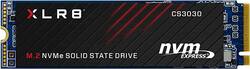
PNY - XLR8 CS3030 250GB Internal PCIe Gen 3 x4 Solid State Drive
- Key Specs
- Storage Capacity: 250 gigabytes (Measured in megabytes (MB), gigabytes (GB) and terabytes (TB), this is the amount available for storing files, music, movies, photos and more. The total includes the capacity of the hard disk drive and solid state drive if both are included on the computer.)
- Storage Drive Type: SSD (Traditional, mechanical hard disk drives are the most common type of storage because they're relatively inexpensive and offer huge capacities. However, they also generate both noise and heat. Solid state drives, also known as SSDs, are many times faster than hard disk drives and have no moving parts to wear out, but typically offer less capacity for the same price.)
- Maximum Read Speed: 3500 megabytes per second (The greatest speed at which the device can read information; for example, opening files.)
- Maximum Write Speed: 1050 megabytes per second (The greatest speed at which the device can write information; for example, saving files.)
- Form Factor: M.2
- Interface(s): PCIe Gen 3 x4 (Refers to the types of connections that devices use to interact and communicate with each other.)
- General
- Brand: PNY
- Model Number: M280CS3030-250-RB
- Product Name: XLR8 CS3030 250GB Internal PCIe Gen 3 x4 Solid State Drive
- Capacity
- Storage Capacity: 250 gigabytes (Measured in megabytes (MB), gigabytes (GB) and terabytes (TB), this is the amount available for storing files, music, movies, photos and more. The total includes the capacity of the hard disk drive and solid state drive if both are included on the computer.)
- Performance
- Storage Drive Type: SSD (Traditional, mechanical hard disk drives are the most common type of storage because they're relatively inexpensive and offer huge capacities. However, they also generate both noise and heat. Solid state drives, also known as SSDs, are many times faster than hard disk drives and have no moving parts to wear out, but typically offer less capacity for the same price.)
- Maximum Read Speed: 3500 megabytes per second (The greatest speed at which the device can read information; for example, opening files.)
- Maximum Write Speed: 1050 megabytes per second (The greatest speed at which the device can write information; for example, saving files.)
- SSD Endurance: 170 terabytes (The total amount of data that the solid-state drive (SSD) is able to write before it wears out, as specified by the manufacturer. Endurance is limited because the flash on a SSD has a finite number of cycles that it can complete.)
- Compatibility
- Internal Or External: Internal
- Product Compatibility: Desktop computers, Laptop computers
- Form Factor: M.2
- Interface(s): PCIe Gen 3 x4 (Refers to the types of connections that devices use to interact and communicate with each other.)
- Operating System Compatibility: Linux, Mac, Windows
- Minimum System Requirements: Linux, Apple MacOS X, Ubuntu 14, Microsoft Windows XP / Vista / 7 / 8 / 10
- Features
- Security Features: None
- Usage: Everyday computing
- Memory
- NAND Flash Memory Type: 3D NAND (Single Level Cell (SLC) stores 1 bit of data per memory cell; Multi Level Cell (MLC) stores 2 bits per cell, Triple Level Cell (TLC) 3 bits, and Quad Level Cell (QLC) 4 bits. Vertical NAND (V-NAND) or 3D NAND stores more data by layering cells vertically. Similarly, there are 3D MLC, 3D TLC and 3D QLC stacked cells.)
- Dimensions
- Product Height: 0.1 inches (The out of box height of the item. Height is measured as the vertical distance from the bottom of the item to the top as it would be primarily used or placed.)
- Product Width: 0.9 inches (The out of box width of the item. Width is measured as the horizontal distance from one side of the item to the other as it would be primarily used or placed.)
- Product Weight: 0.2 ounces (The out of box weight of the item.)
- Other
- UPC: 751492624648
Store and retrieve files quickly while using minimal power with this PNY 250GB NVMe SSD. The generous capacity fits plenty of files and programs, and read speeds up to 3500MB/sec. provide rapid access to stored data. This PNY 250GB NVMe SSD speeds up boot times, launches applications promptly and offers near-silent performance.
- 250GB storage capacity: Provides ample storage space for your music, movies and other files.
- PCI Express interface: Offers simple connection to your computer.
- Data transfer rates up to 3500 MBps: For quick response when updating files.
- 250GB storage capacity: Provides ample storage space for your music, movies and other files.
- PCI Express interface: Offers simple connection to your computer.
- Data transfer rates up to 3500 MBps: For quick response when updating files.
Whats Included
- PNY 250GB Internal PCI Express Solid State Drive
- PNY 250GB Internal PCI Express Solid State Drive
Product Manuals
Q: Does this work on desktops?
A: Yes, it works on desktop.
A: The PNY XLR8 CS3030 will only work in an NVME M.2 slot. (I.e. a slot that provides a PCIe interface as opposed to SATA). Assuming that M.2 slot compatibility has been verified, the real test is whether the drive shows up in the OS or not. If the M.2 device is visible in the OS (or the OS installer..) then it is a compatibility issue with your BIOS. This will prevent you from using the M.2 as the boot device. However, you can still use the M.2 as the system drive, you only need a small boot partition on a SATA HDD. The Windows 10 installer should figure this out automatically. You say that you are building a gaming rig, so I assume that the plan is to have a large rotating "data" HDD too. 256GB is rather skimpy for some of the larger games out there... If the M.2 device is not visible in the OS then something is defective. Could be the drive itself, the motherboard or the PCIe adapter card if you use one.
A: When you say "B/M slot," do you mean a slot that accepts EITHER B OR M Key drives, or do you mean one that accepts a B PLUS M Key slot? Because according to the illustration, this is a M-Key slotted drive, so I think that you would need an M-Key slot on the motherboard.
Q: will this work on a lenovo 110s?
A: undefined
Q: Will this work to replace the hard drive on a Dell Latitude E5470?
A: It should work I believe that laptop supports 80mm m.2 drives.
Q: Will this fit a 2015 Macbook Air 11in?
A: undefined
A: undefined
Q: Will it work for a late 2010 Macbook air?
A: undefined

![The text on the image reads: "SAMSUNG 990 EVO Plus 1TB HF 87 29 [4] D2 UIT 2/-c 947-0 CrUNED AZUECHB 25 a17 SAMSUNG 003 200 s0o 8 SAVSUNG KZS 82TOHBLS."](https://pisces.bbystatic.com/image2/BestBuy_US/images/products/3c623518-8022-4e56-b6e5-f6c8cb9144bf.jpg;maxHeight=144;maxWidth=200?format=webp)




![The text on the image reads:
"SAMSUNG 990 EVO Plus 2TB HF 87 29 34] D2 UIT 21-c 341-0 CrUNE AZMECHB 25 SAMSUNG OCS 200 SSo 8 SAVSUNG KIVL OHEL"
Corrected text:
"SAMSUNG 990 EVO Plus 2TB HF 87 29 34] D2 UIT 21-c 341-0 CrUNE AZMECHB 25 SAMSUNG OCS 200 SSo 8 SAVSUNG KIVL OHEL"
The text is a description of a Samsung product, which is a 2TB hard drive.](https://pisces.bbystatic.com/image2/BestBuy_US/images/products/ee3c5861-78da-4d93-97ad-825a9eff529a.jpg;maxHeight=144;maxWidth=200?format=webp)