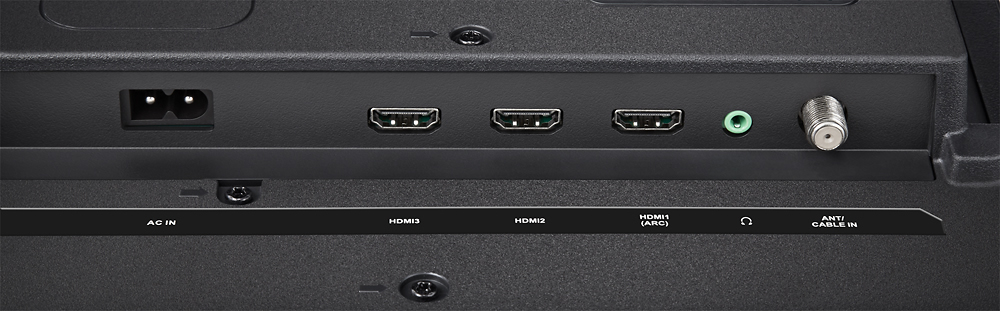
A:AnswerYes. However, it's important to understand that certain TV's put a drain on the resources of your video card. You can connect this TV to your computer as a wireless monitor (if you're running windows 10, or through an HDMI chord. I use it regularly as my extended monitor and haven't had any problems with it so far.
A:AnswerCopied from an article I found online: The number refers to the lines of vertical resolution and the "p" indicates that the display is progressively scanned (i.e. not interlaced).
720p usually describes a total resolution of 1280x720 (or 0.9 megapixels) and 1080p is 1920x1080 (or 2.1 megapixels). As a result, the latter can offer a more detailed image.
A:AnswerBecause the Roku is built into this TV, it is exclusive to the TV. Consider setting a HTPC(home theater personal computer) up as a media server and use a media server program as a way to stream.
A:AnswerYes the whole screen is uniformly lit...
Being a "LED" LCD just means the LCD panel is back lit by white LEDs and not florescent bulbs found in older LCD units...
The TV is a "true" LCD unit... just back lit by LEDs..
Dave
A:AnswerI doubt it. You can't install drivers required for USB to Ethernet connector on a Smart TV system. The USB ports are only for media. I believe this TV is WIFI only.
A:AnswerYou have 2 options if you also subscribe to Comcast: 1. attach the inexpensive box (I think 3-4 dollars to rent from Comcast) and use the cable or, 2. Comcast has a beta version for xfinity subscribers that enables you you access evry channel thet you have on your DVR/HD box from another room!
A:AnswerYes Direct Tv Now is compatible. Infact, a couple of days after we set up the tv we received an email from Roku with a free 30 days of Direct Tv Now. I have Directv as my cable provider, was hoping this tv will allow web surfing like the Samsung smart tv so the kids could watch Directv online for free but at least they have a free 30 days