A:AnswerThis did not require any configuration with an existing wireless network when I set this up in my house.
It was literally a plug and play connection.
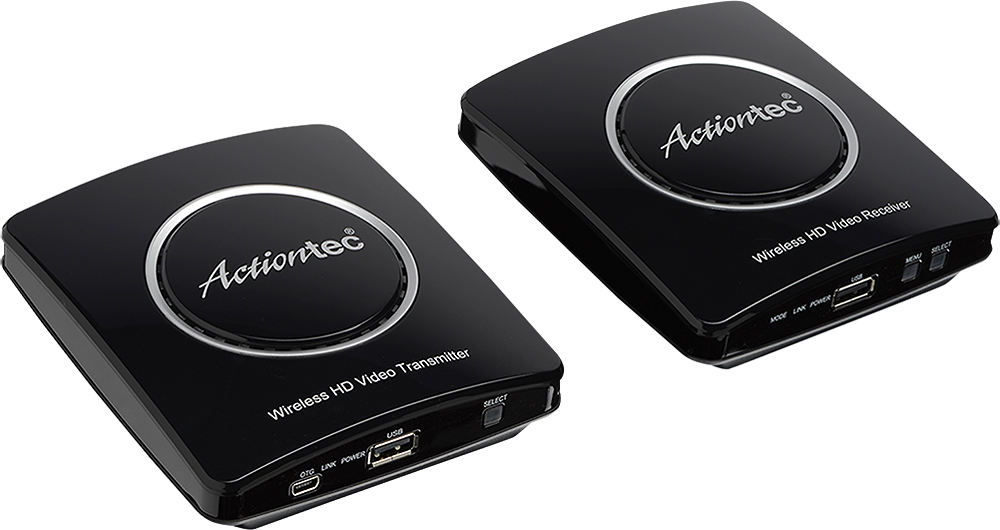
Added the transmitter on my TV with the Cable connection. Powered on, added the receiver (about 45 feet away) and powered on. Changed the inputs on receiving end and was watching TV with sound via the HDMI connection with no issues.
I noticed a split half second delay but if you are in two separate rooms you wont notice.
A:Answerit should work fine. keep in mind it it simply rebroadcasting the channel your main tv is on. my initial experience was poor as the picture frequently cut out to the 'receiver' tv i installed in the kitchen. with some minor location changes the reception has improved dramatically (it does seem to take a few minutes to 'lock in'). also, the 'main' tv channel is the only channel that can be viewed with this set-up.
A:AnswerThis device is but one input to a television. If the tv has multiple inputs, then any other input may be selected for viewing. If you have switched inputs to this device, then the device will pass whichever input to the device is selected.
A:AnswerYes. This just mirrors what your DVR box shows on your main TV.
Connect the two I/R blasters that come in the box AND use the DVR remote at TV #2 (or buy a universal remote and pair it to your DVR) and you’ll have full DVR control. In my case I have DirecTV and I bought an extra remote just for my TV#2.
A:AnswerThat's entirely up to you. Just remember, whichever tv/cable box you choose you will see the same programing on both tv's. It's more or less a signal repeater.
A:AnswerNo. There is only spots for one source input and then an output to your TV.
In your case this would be the middle man. Cable box-Wireless TV transmitter-TV or Roku- Wireless TV Transmitter-TV. You’ll have more cords in general as this adds another HDMI behind your TV, a power cable, and the I/R blaster.