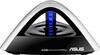
“Can I purchase larger or better antennas to enhance performance of my new Asus N66R ?”
Answer This Question
1-6 of 6 Answers
The antennas are removable. I saw a few different options on ebay, including a Yagi-style.
Sorry, there was a problem. Please try again later.You do not need extended antennas the ones included are extremly efficent - placement of the router is key. like any other device that broadcasts a radio signal it will be effected by 3 major factors 1* Elevation- (place in the highest centralized location you can) 2* Line of sight - (Make sure there is not a large metal object ie: furnace ,refridgerator, large metal cabinet, close to the location of the router that would bloct the signal). and 3* direct interferance-ie: objects above the router - like metal duct work in ceiling above router, placing it too close to a device that creates a magnetic fields ie: large electronic motors, other electronise that have large power supplies, placement of router to heat emmission form other electronics
Sorry, there was a problem. Please try again later.Yes, you can swap out the antennas if you would like. Please make sure that if you use the 5ghz band, the antennas need to support it as well. If it doesn't specify, it may only support 2.4ghz and you will only get that signal from the router.
Sorry, there was a problem. Please try again later.Yes, I think you can. I am pretty sure the antennas come off.
Sorry, there was a problem. Please try again later.Just checked Asus website...don't see any alternative antennas offered.
Sorry, there was a problem. Please try again later.You can, but I wouldn't coax isn't good at blocking microwaves what cause interference. Instead purchase a range extender, there is one that matches this router, and it is dual band. You can also change the transmit power in the stock firmware, but be careful doing that, as you can wear down your router faster that way.
I would recommend:
Sorry, there was a problem. Please try again later.