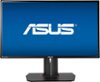
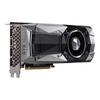
“My GPU (gtx 1070) has a display, hdmi, and DVI-D port. How do I connect it to this monitor? Do I connect all of them to it or just 2? Anything helps”
Answer This Question
1-4 of 4 Answers
Just use the DisplayPort from your GPU to the monitor.
Sorry, there was a problem. Please try again later.You only need 1 connection, Just use the Display port cable that was included with the monitor, this will also let you take advantage of the 180hz refresh rate that the ASUS PG248Q is capable of.
I would recommend:
Sorry, there was a problem. Please try again later.Only one connection is needed. Recommend using the display port
Sorry, there was a problem. Please try again later.Hello, You could connect it via HDMI, but to get the most out of this monitor (refresh rate, etc), you will want to connect it to your computer via DV connector.
I would recommend:
Sorry, there was a problem. Please try again later.