“i was just sold a belking net cam and told it can work with apple ipad mini, after working with it for hours i am unable to hook them up, can some one i was just sold a belking net cam and told it can work with apple ipad mini, after working with it for hours i am unable to hook them up, can some one pls with this issue, how can i make ipad mini and netcam work together?”
Answer This Question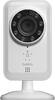
1-4 of 4 Answers
Download the belkin net cam app. Once your camera is plugged in you must wait for the orange light to flash. Then open settings on your mini and look where your available wifi connections pop up and pic your cam. It may have a number and letters. They all have different names. Then hit your home button and launch the app it should tell you everything to do from that point on.
Sorry, there was a problem. Please try again later.need to make sure your iphone is upgraded with the latest operating system, then u download and should work fine !
Sorry, there was a problem. Please try again later.As long as you can download the app, you should be able to get it on the mini-iPad. Go to the app store, and at the top of the page, choose apps for both iPhone and iPad. Use the iPad app.
Sorry, there was a problem. Please try again later.I'm using it on my iPhone 4S and it works fine. It should work on the iPad Mini as well seeing how it is the same app and software. Make sure they camera is in a location that it can pick up the wi fi signal. I believe there is a light on the camera that flashes if it's picking up the wifi signal.
Sorry, there was a problem. Please try again later.