A:AnswerThis is a standard USB connection so it should work with anything. I don't have a Sony TV so I'm not sure what the purpose is - wireless connection to DVD player or computer? I suggest you check with Sony to be sure.
A:Answeryou will have to go to your network and sharing, and enable the device, I have used both at the same time and had no conflicts, but you can disable your built in adapter.
A:AnswerIf you have a WiFi ready home theatre system, it already has a WiFi tranceiver built into it! No point in adding a second one. Read your manual to determine what you need to connect to your router.
If your home theatre device is incompatible with Belkin Routers, switch to another brand.
A:AnswerLike any wireless device, it depends on what's between it and the router it will connect to.
The imaginary line connecting these two is known as line of sight.
In a wooden house usually there will be no problem up to 60-70 ft from the router.
Items that could cause interference include:
Wireless phones, specially if less than a few feet from the computer or the router.
Cell phones, same.
Mirrors, specially large ones, close to the computer, and in the line of sight.
Any large metal sheet, such as an electrical service panel.
Usually, relocating the router and/or computer will solve this issue.
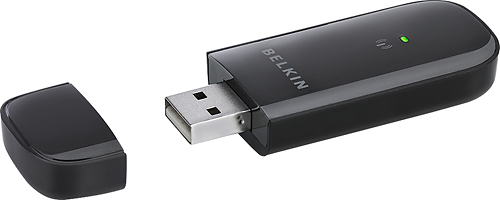
A:AnswerThe Belkin N300 USB adapter will allow you to connect to any wireless router or access point that is wireless B, G or N compatible.
Regards,
Belkin Support
A:AnswerNot sure of the answer, but my guess in no. This product has software that must be installed on a computer's OS. Your DVD player does not have an Operating System per se. So my guess is no wireless adapter will work with it.












