1-1 of 1 Answer
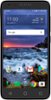
The following is the instruction on how to take a screenshot from this phone: • Navigate to the desired screen. • Press and hold the Power and Volume down keys together. • The camera takes a picture of the screen and makes a shutter sound. • A thumbnail of the screenshot briefly appears and is then saved to the Gallery. • To locate the saved screenshot, go to Apps > Gallery > Screenshot.
Sorry, there was a problem. Please try again later.