A:AnswerIF you havent already looked...
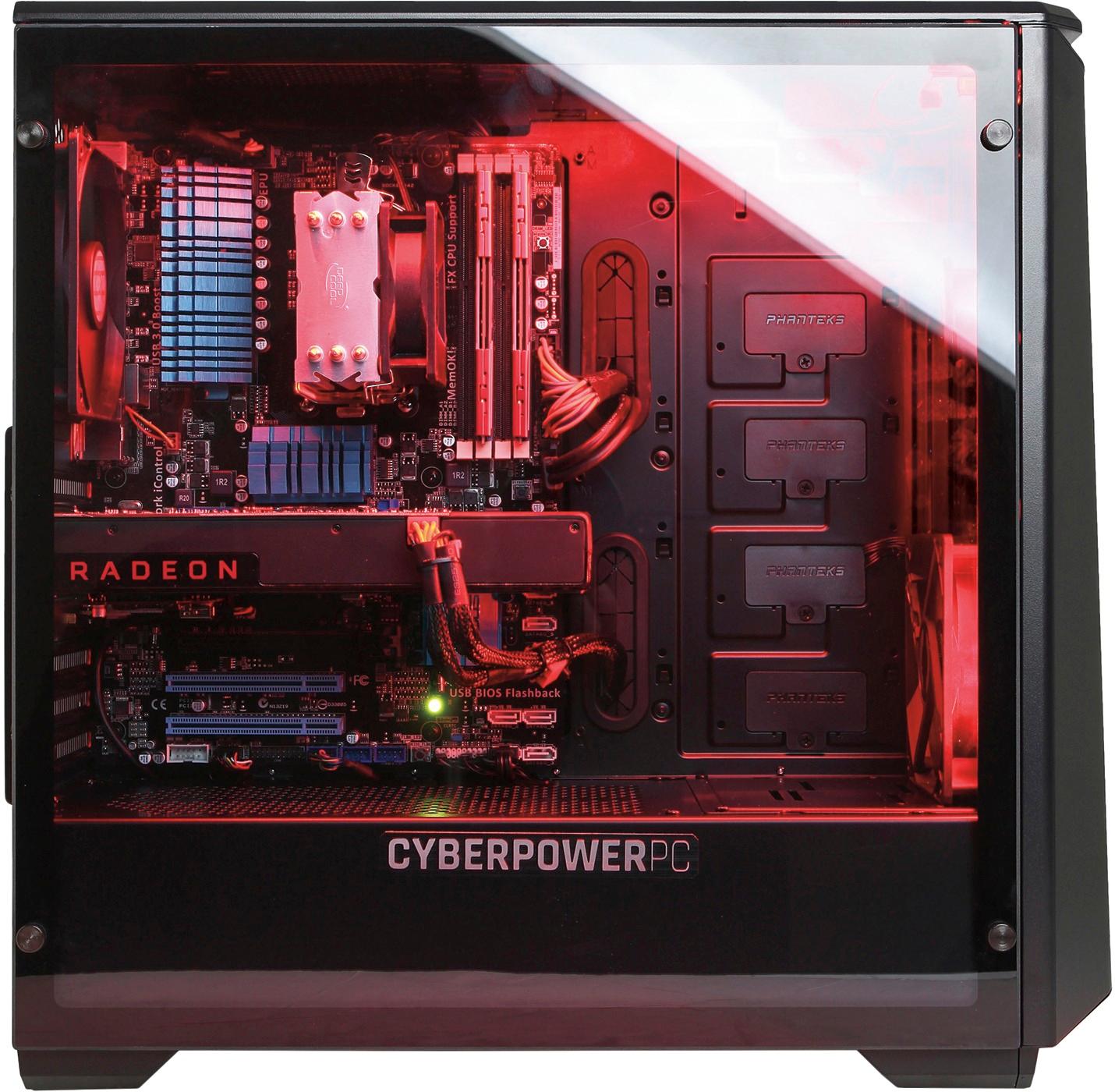
open the other side opposite of the tempered glass panel. Just unscrew the two screws in the back and slide the panel back and towards you. Here you will find where all of the cable management resides along with the two side mounts for 2.5 hdd/sdd and the two 3.5 hdd mounts towards the front. The power supply will be towards the bottom/back and all of those cables stuffed in the empty area are held together with zip ties. All I did was cut it and I was able to give/take slack when I was installing an ssd and another 2.5 hdd.
Hoped this helped.
A:AnswerIt is configured with an AMD FX-8350 as listed in the product features section of the product page. Please feel free to call us if you have any other questions at 1.800.707.0393.
A:AnswerEverything is already installed easy set up computer is awesome fast and has windows 10 if you want to run cds yes you will have to buy a reader I think you can get one for 20-40 bucks but most things these days are all download from internet like computer games and sites
A:AnswerDDR3 RAM does not go below 1600mhz so it may be possible the software you are using to read the ram is displaying it as a single channel. We highly suggest getting in touch with our tech support team for assistance on this matter; we're happy to help anyway we can.
Tech support:
(888)937-5582
- Cyber_Tech2
A:AnswerThe motherboard will allow for overclocking however please be aware that our warranty does not provide support or cover you if the PC has failed from overclocking. If you decide to proceed, please do the proper research. Please contact our technical support department if you need additional questions at 1.888.937.5582 Monday through Friday from 7am to 7pm PST.
A:AnswerOh boy yeah buddy and it is nice!! Be careful, you will void your warranty! https://video.search.yahoo.com/search/video?fr=tightropetb&p=how+to+over+clock+asus+mother+board#id=5&vid=59ee91af1a41c4a9016477baa5b985b5&action=click
If you have a Dual GPU card (such as a 5970) or are running a Crossfire configuration, see the note at the end of this post before you begin.*
http://www.overclock.net/t/633816/how-to-overclock-your-amd-ati-gpu
Step 1: Make sure your CPU and Memory overclocks are fully stable by running some passes of Prime 95. If you have any doubts put everything back to stock. Also make sure you are on the latest version of the ATi drivers, if you aren't, you can download the latest here. If you are using a 2xMolex to PCI-e power adaptor or are near the limits of the power output of your current PSU overclocking may not be recommended, as you overclock power draw can increase dramatically.
Step 2: Download GPUTool to an accessible folder and run it. Download MSI Afterburner (even if you already have Afterburner on your PC make sure you have it updated to the latest version). Navigate to the folder you installed it to (usually C:\\Program Files (x86)\\MSI Afterburner) and open the MSIAfterburner.cfg file using Wordpad. Find the following setting:
Code:
UnofficialOverclockingEULA
UnofficialOverclockingMode
and change (or add) it to:
Code:
UnofficialOverclockingEULA = I confirm that I am aware of unofficial overclocking limitations and fully understand that MSI will not provide me any support on it
UnofficialOverclockingMode = 1
This will allow us to bypass the limitation that stops you from passing the limits of ATi Overdrive (This tip was found on HWBot news). A BIOS flash is not necessary to do this, you just need to edit the file . If you get an Access Denied or permissions error see the 'I Get An Error When Saving The Config File' section at the bottom of this post.
Run MSI Afterburner.
Step 3: Put both programs side by side for ease of use. Firstly we will begin to increase the core frequency. The 'Core Clock (MHz)' slider is set at the default clock speed, to increase the core frequency, move the slider to the right. Be careful not to make quick jumps before testing for stability. I find it is best to increase the core frequency by 10MHz at a time. Once you have increased it click the 'Apply' button.
Step 4: Now switch to GPUTool and press the 'Test for Stability' button. You will see a screen like below. This will scan for artifacts, which could be a sign of an unstable overclock. Let the test run for between 30 seconds and 1 minute, you can let it run longer if you like. Make sure you keep an eye on temperatures, try to stay below 85*C, but you should be safe up to a maximum of 100*C, although this is not recommended.
Step 5: Repeat steps 3 and 4, increasing the core frequency 10mhz at a time until you see artifacts on the screen, these will appear as yellow dots in the GPUTool stability testing window like below:
(Note that your card may not artifact but may show other signs of instability such as Driver VPU recovers or hard locks. This is often the case with cards from the HD 5xxx series, which may not show artifacts but may cause the screen to flash and the driver to restart.)
Step 6: Now that you have found the point at which the core is unstable I like to back the clocks down by 10mhz or so from the failure point and run GPUTool for 15 to 30 minutes to fully test for stability. Do not step away from the PC whilst doing this in case you notice any artifacts. If you see any back the clocks back a little further until you think it is stable. At this point you may want to run a pass of 3DMark 06 or a demanding game to check for gaming stability (artifact testing only shows you so much). If you notice an exceptionally low score or see missing textures your card may not be stable.
Step 7: We have now found the stable core clock for your card. Next we will find the maximum stable clock for the memory. First note down what core clock you had so you don't forget it later. Now put the core clock back to stock by pressing the 'Reset' button in afterburner. Follow the same method detailed in steps 3, 4, 5 and 6 except this time increase the 'Memory Clock' slider. Make sure you go in small 10MHz increments and scan for artifacts at the end.
Step 8: Now you have found the limits of both the core and memory, you want to increase the core clock to what you found was stable earlier. Note that occasionally having both the core and memory at their highest stable clocks may cause instability, when they were stable individually before. So to make sure your final clocks are stable run the GPUTool stability test once more for at least 15 minutes, if you notice artifacts decrease either the memory or core clock to see which one is at fault. This should be your final stable overclock, play some games to make sure it is stable.
Step 9: Once you are sure your overclock is totally stable, save it to an empty profile, to do this click 'Save' and then one of the empty quick profile slots.
You can also set the overclock to apply at startup by clicking the 'Apply overclocking at system startup' button towards the bottom of the Afterburner screen. If you are absolutely sure your overclock is stable you can also have it be applied at windows startup by clicking the 'Settings' button and tick the 'Start with Windows' and 'Start minimized' boxes.
Step 10: Check that your clocks have been applied by checking with GPU-z.
Step 11 (Optional): Submit your overclock or benchmark results to HWBot to see how your results compare to others and earn some points for yourself and OCN.
Congratulations you have now learned how to overclock your GPU!
A:AnswerYes, this case can support a 240mm liquid cooler internally. Please feel free to call us if you have any other questions at 1.888.937.5582 Monday through Friday from 7am to 7pm PST. Please note that we are closed on Holidays.
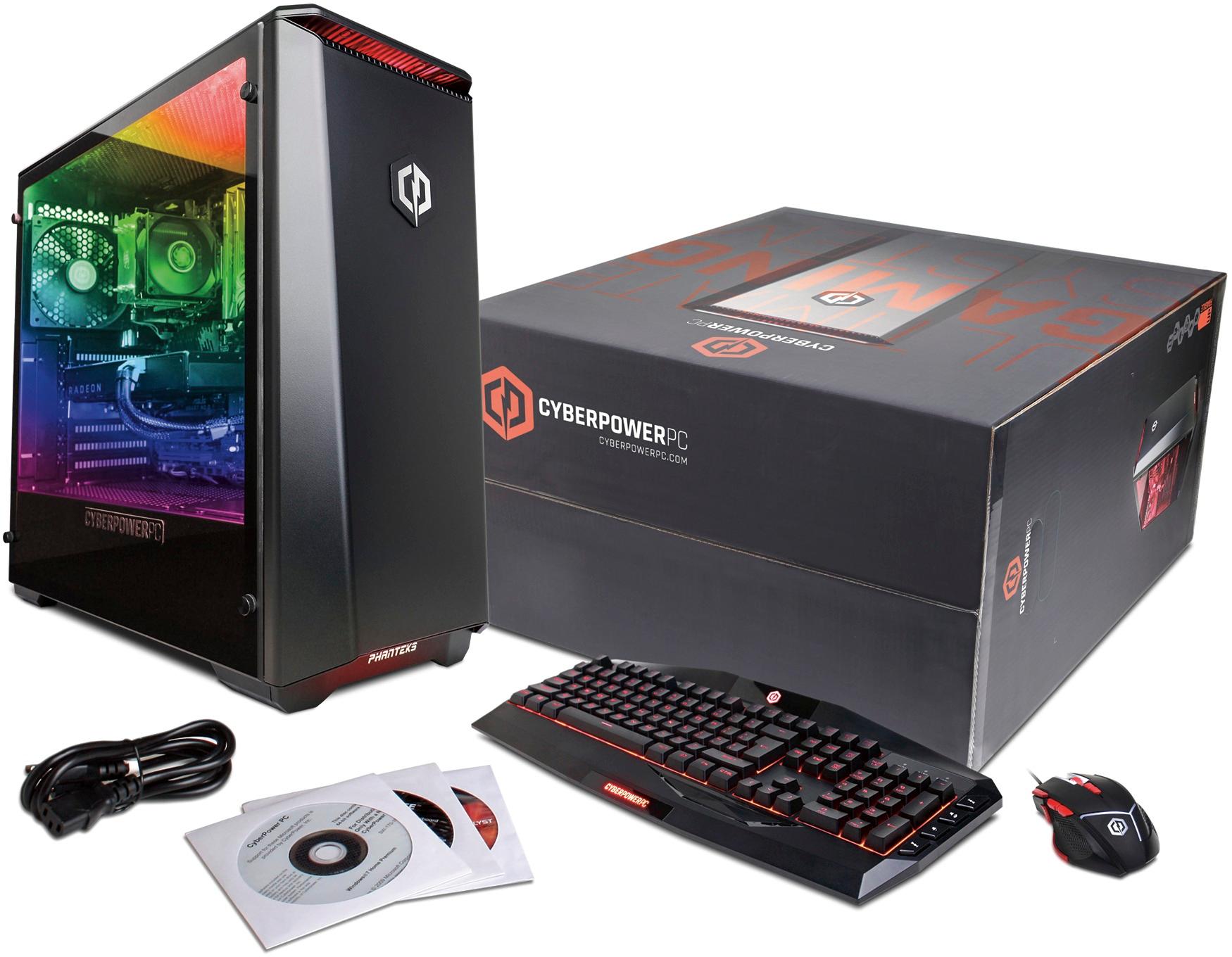
A:AnswerThe mouse has 6 buttons including the wheel and DPI selection buttons. The keyboard is not mechanical, only LED backlit. Please feel free to call us if you have any other questions at 1.888.937.5582 Monday through Friday from 7am to 7pm PST. Please note that we are closed on Holidays.
A:AnswerI do apologize to hear you're experiencing problems with your new PC. It is recommended that you contact our technical support department for further assistance. Please contact our technical support department at 1.888.937.5582 Monday through Friday from 7am to 7pm PST so that they can assist you in addressing the issue.
A:AnswerThis PC will come configured with 2x 8GB DDR3 memory modules. You can add two more 8GB DDR3 modules for a total of 32GB. It is recommended to install the same type as the ones in the PC so you may want to wait until you receive it so you can determine what brand or type to purchase. Please feel free to call us if you have any other questions at 1.888.937.5582 Monday through Friday from 7am to 7pm PST.
A:AnswerThis model PC will be configured with 2x 4GB DDR3 1600MHz memory modules. The brand will not be available as we carry several memory modules that are OEM and major brand manufacturers and will depend on what is available at the time of production. Please feel free to call us if you have any other questions at 1.888.937.5582 Monday through Friday from 7am to 7pm PST.