Questions & Answers
- Model:
- DCS-2132L
- |
- SKU:
- 6363807
Highly rated by customers for: Camera Quality, Ease of use, Night Vision
Page Showing 1-9 of 9 questions
Q: QuestionDoes this camera work with a Mac computer without additional equipment?
Asked by Anonymous.
- A:Answer Yes, but you need Mac OS X10.5 or higher with at least Firefox 3.5 or Safari browser to support. I have a MacBook Air from 2010 and it worked.
Answered by ta3625
Q: QuestionSD card useFor the Dlink 2200 wireless camera, how do you use /access the info on the SD card? Does it record continuously or do you have to manually engage the recording?
Asked by eyedoc.
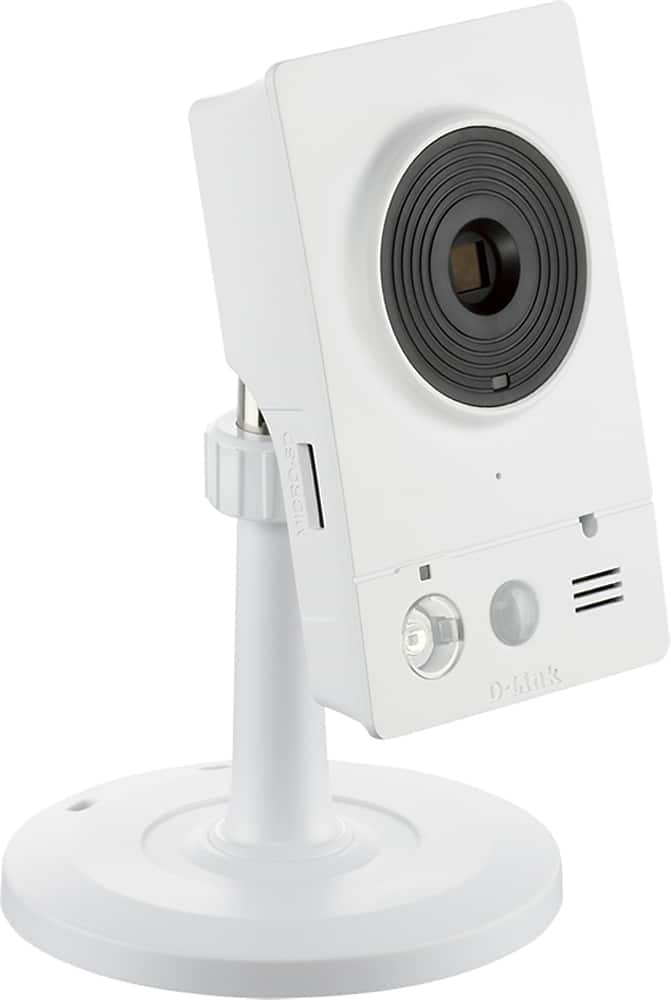
- A:Answer We want to thank you for your interest in the product. Please note that you can access the pictures or videos by clicking the "SD Card" tab in the "Setup" settings. To enable recording, you can set schedules or have it triggered by motion detection. For more information please visit www.support.dlink.com.
Answered by D-Link Support

Q: QuestionDoes this camera have 2 way audio?
Asked by Anonymous.
- A:Answer yes, but slow
Answered by DoctorDJ
Q: QuestionSD Recording questionsHow many hours of video can an SD card hold? (per GB) Where is the SD card located? is it secure or easily accessed? Can it be connected to a DVR for (longer) recording?
Asked by CP.
- A:Answer We thank you for your comments and questions. Please note that the recommended maximum capacity of an SD card used in the DCS-2132L is 32GB and the MicroSD slot is easily located and accessible on the right side of the DCS-2132L. The number of hours of pictures and video that can be recorded to the SD card on the DCS-2132L is directly dependent upon the audio and video configuration settings configured with the DCS-2132L used to record as some of these settings will utilize more data to record than others. An example of some of these configuration settings are Aspect Ratio, Mode, Frame Size, Maximum Frame Rate, Video Quality, Constant Bit Rate and Fixed Quality. You may also download and install our D-ViewCam application to setup to view this camera and or record from this camera to an FTP server of your choosing. If you need further information please visit www.support.dlink.com. Thank you for choosing D-Link.
Answered by D-Link Support

Q: QuestionCan it be powered by 220V power or by batteries? What type of WiFi speed is recommended?I would like to install it in my parents home overseas.
Asked by Anonymous.
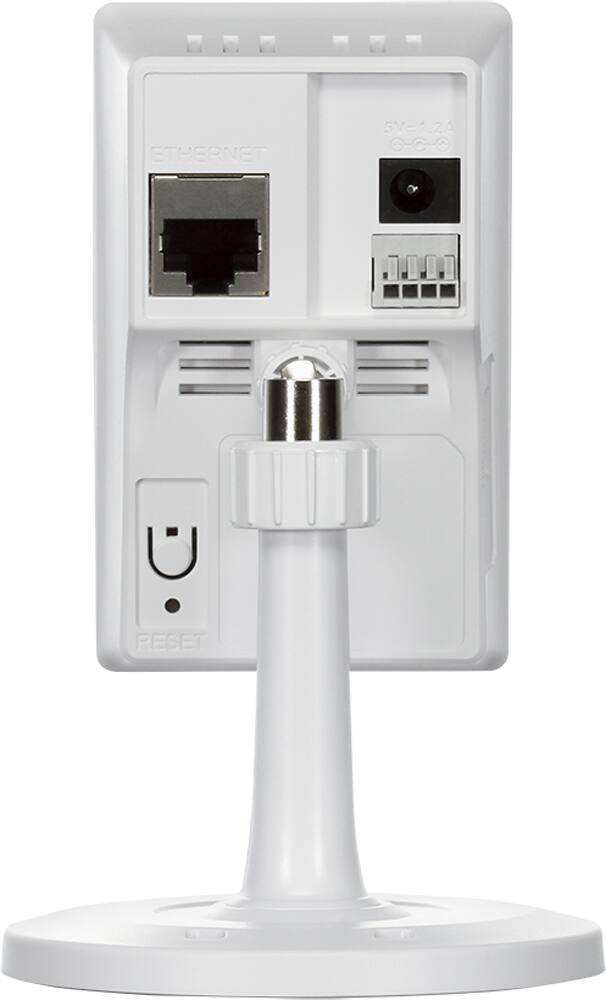
- A:Answer Can be powered by 220, cause the power adaptor is 110-220. It's working at 220 at my home, in Brazil. Won't work with batteries.
Answered by Cargis
Q: QuestionI have a vacation house with a DSL router but no computer - does this camera allow me to access just using your cloud?
Asked by Pete.
- A:Answer We use D-Link DSC-942L aka Cloud 1200. Do not need any computer in your house just hard wire network or WiFi and 24/7 Internet if you want immediate notices. The cam can record all by itself and you retrieve later so with enough memory and electric power it could record events with no network and later you could retrieve the images or video clips.
Answered by Min554
Q: QuestionAdding a second device..Can you install more than one camera to the set up?
Asked by Anonymous.
- A:Answer Yes, works very well, if they are different models, you need to run the appropriate set-up for each one.
Answered by Chutch
Q: Questionwhat is the range from camera to router?
Asked by Anonymous.
- A:Answer I bought a wifi extender and have the camera plugged into the extender. It works best this way.
Answered by Jackblack79
Page 1, Showing 1-9 of 9 questions
Top Rated
- $1,099.99$1,099.99The price was $1,299.99
- $329.99$329.99The price was $469.99
- $139.99$139.99The price was $149.99
- $299.99$299.99The price was $349.99
- $279.99$279.99The price was $329.99
- $949.00$949.00The price was $1,099.00
- $1,499.00$1,499.00The price was $2,799.00
- $449.99$449.99The price was $649.99