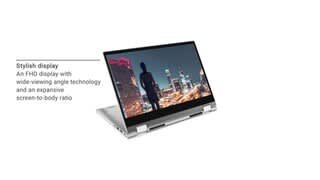
A:AnswerThis system is the Dell Inspiron 5400 2 in 1, the 5400 would be the Dell Latitude. The Inspiron is built for home and student use, while the Dell Latitude is a business class laptop. The dimensions for the Inspiron are as follows: Height: (a) Front height: 17 mm (0.67 in.), (b) Rear height: 18.94 mm (0.75 in.), Width: 324.30 mm (12.77 in.), Depth: 222.80 mm (8.77 in.) and the dimensions for the Latitude 5400 are as follows: Height (a) (Front): 19.6 mm (0.77 in.), (b) (Rear): 20.85 mm (0.82 in.), Width: 323.05 mm (12.71 in.), Depth: 216 mm (8.5 in.).
A:AnswerIt does take more force to press the power button compared to other keys, so I've never accidentally turned my laptop off. I would say it's a bit inconvenient not having the power button on the side though.
A:AnswerYes, you can connect this unit with a type-C universal docking station and the laptop has to be connected to the power source as it will not draw power from the docking station.
A:AnswerThis laptop has only one USB 3.2 Gen 1 (Type-C) port/Display Port that helps you connect to peripherals such as external storage devices, printers, and external displays. Also, provides data transfer speeds up to 5 Gbps.
NOTE: A USB Type-C to Display Port adapter (sold separately) is required to connect a Display Port device.
If you want to connect two displays at the same time, you can connect the other display via the HDMI.