A:AnswerHello and thank you for your question. A powered subwoofer is recommended. Powered subwoofers will provide a superior Bass output over passive subwoofers. A passive subwoofer can be used.
A:AnswerHello, please check the firesticks audio setting. Configure the firestick for digital audio. By changing this setting, the receiver will detect surround sound audio and provide all sound modes. Further assistance needed please call Denon General Customer Service Phone: 800-497-8921 or visit https://support.denon.com/
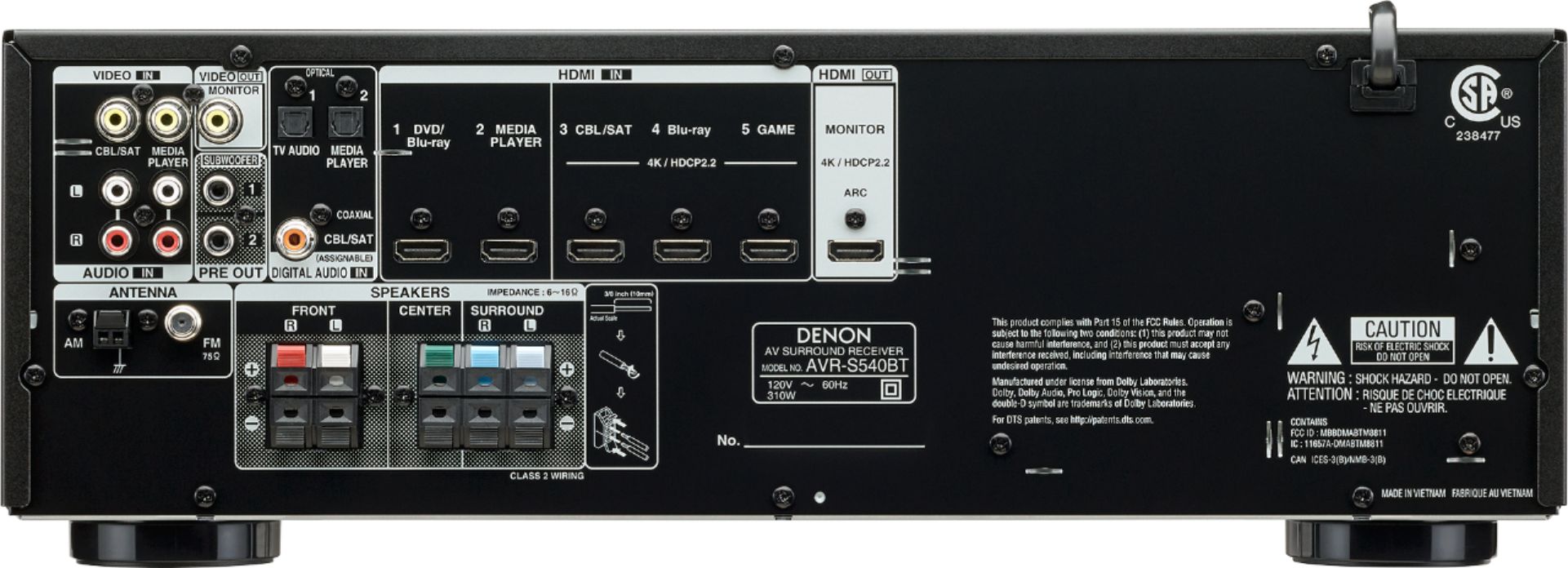
A:AnswerHello, no you will not want to plug in both sub outputs to one sub. LFE channel is a mono .1 channel output. Plugging both Sub outputs to one subwoofer could damage the subwoofer.
A:AnswerHello, first let me apologize for your frustrations. You have listed all typical troubleshooting methods. The receiver will need to be serviced or exchanged.
A:AnswerHello and thank you for your question. The Denon AVR-S540BT does not have a CD player built in. Please consider the Denon D-M41. The D-M41 is a mini Hi-Fi system built on over 100 years of innovation. Stream your music with Bluetooth, play your CDs or even listen to the radio, the D-M41 is engineered for small spaces like an office or bedroom.
A:AnswerHello, while in the CBL/SAT input, press the sound mode left or right until you see Multi CH stereo. For further assistance please call Denon General Customer Service
Phone: 800-497-8921
A:AnswerConnecting different ohm rated speakers is safe to do. The receiver will correct any output level differences during the auto calibration. Please keep in mind the AVR-S540H is rated for speakers 6-16 ohm. To help prevent overheating with 4 ohm speakers, consider the AVR-S650H
A:AnswerHello and thank you for the question. You do not have to use a subwoofer with this receiver. In the set up menu, you will have the option of selecting subwoofer yes or no. Also selecting speakers large or small. Speakers set to large will receive a full range signal.
A:AnswerWith limited obstacles between the receiver and the smart phone yes. That is the max distance and will work with a clear path between the two devices. I would recommend the Denon AVR-S650H with HEOS. HEOS will use your internet to stream music. Allowing this distance to work without question.
A:AnswerThe Denon AVR-S540BT comes equipped with Bluetooth. No HEOS, Please consider the AVR-S650H with HEOS. The AVR-S650H will allow you to sync with the HEOS sound bar.
A:AnswerYes. The Denon AVR-S540BT can handle a wide range of speakers. Typical speaker ratings are 4ohm/8ohms with a sensitivity rating between 89 and 93 db with a max power handling from 50 watts to upwards of 300 watts. The 150 watt speaker rating you mentioned is probably a max wattage. 25 to 50 watts is all that is required at average listening levels. Then AVR-S540BT can output up to 140w max at 6ohms.
A:Answer12 year old tv died. Boiught new one at Best Buy. However, newer tv's require new support . Salesman brought
this point up and recommended this sound receiver.
Geek squad set up the system and the received handles what we need for the tv nicely.
Actualy old receiver was also the same brand.