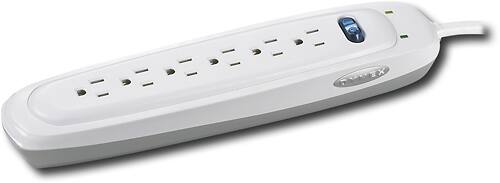
A:Answer In models with a “protected” light, the light should be on when the power switch
is turned on. If this light goes out at any time, it means your surge protector has
sacrifi ced itself to protect your equipment and should be replaced.
• In models with a “grounded” light, the light should be on when the power switch is
turned on. If the light does not come on when you turn on the surge protector, you
have a ground wiring problem and you should contact an electrician to properly
ground the outlet. Connecting your surge protector to an improperly grounded outlet
will void all Dynex warranties.
• In models with a power switch light, the light in the power switch lights when the unit
is powered on. Your surge protector provides maximum surge protection even if the
power switch is in the off position.
• Some models have a Surge Stat™ indicator. In these models, the indicator shows the
current condition of the surge protector. If the Surge Stat™ indicator shows either Not
Grounded or Exhausted, you need to take the appropriate action as described in the
first two bullets above.
You may find more information about this product through its Quick Setup Guide, which can be downloaded within the Support/Downloads tab of its product page here: http://www.dynexproducts.com/products/computer-accessories/DX-S114191.html, or by calling Product Support at 1-800-305-2204 (US and Canada) or 01 800-926-3020 (Mexico).