

Questions & Answers
- Model:
- V11HA14020-N
- |
- SKU:
- 6594703
$449.99Your price for this item is $449.99
Comp. Value: $749.99
The comparable value price is $749.99
Page Showing 1-13 of 13 questions
Q: QuestionDoes the Epson projector have a built-in speaker?
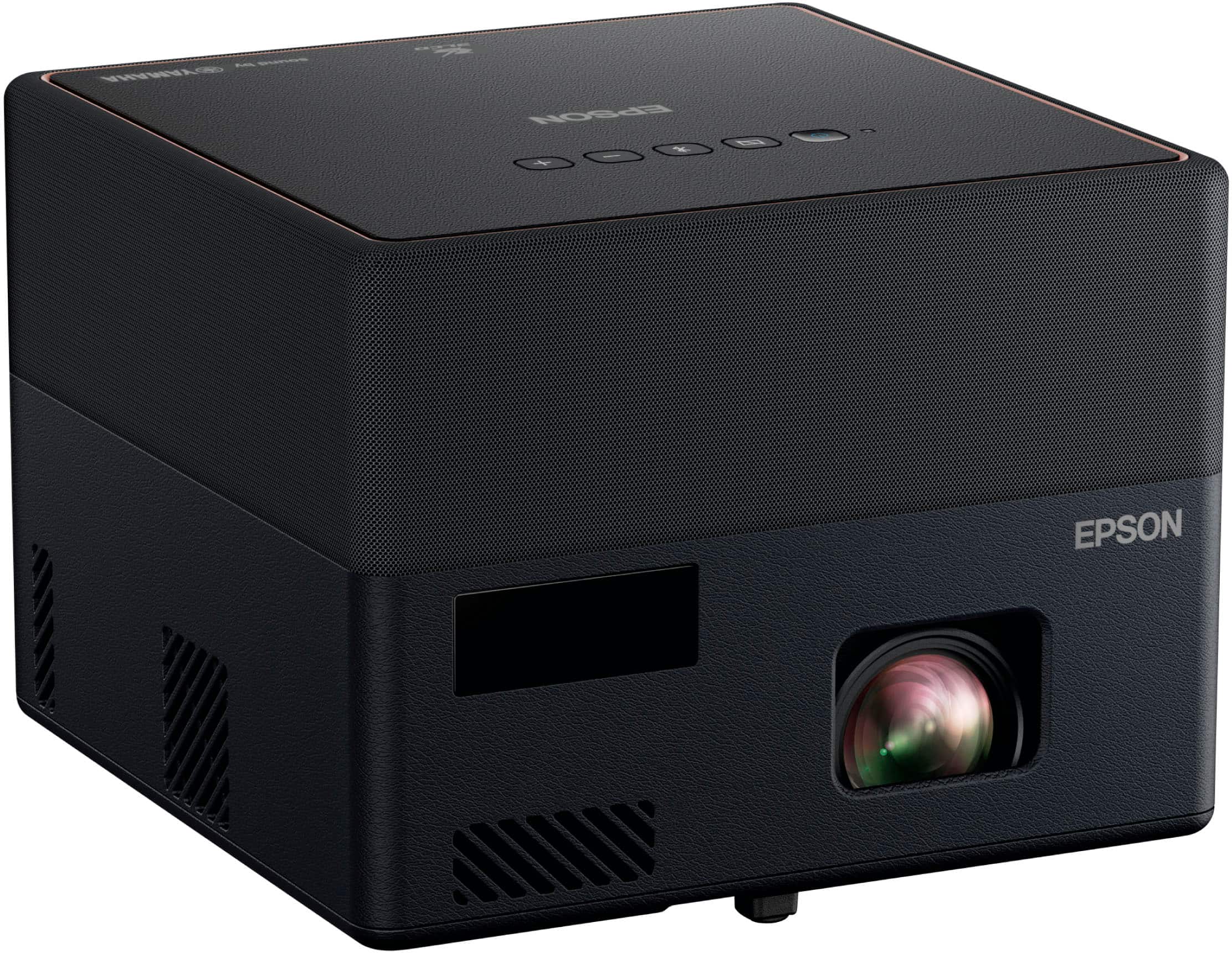
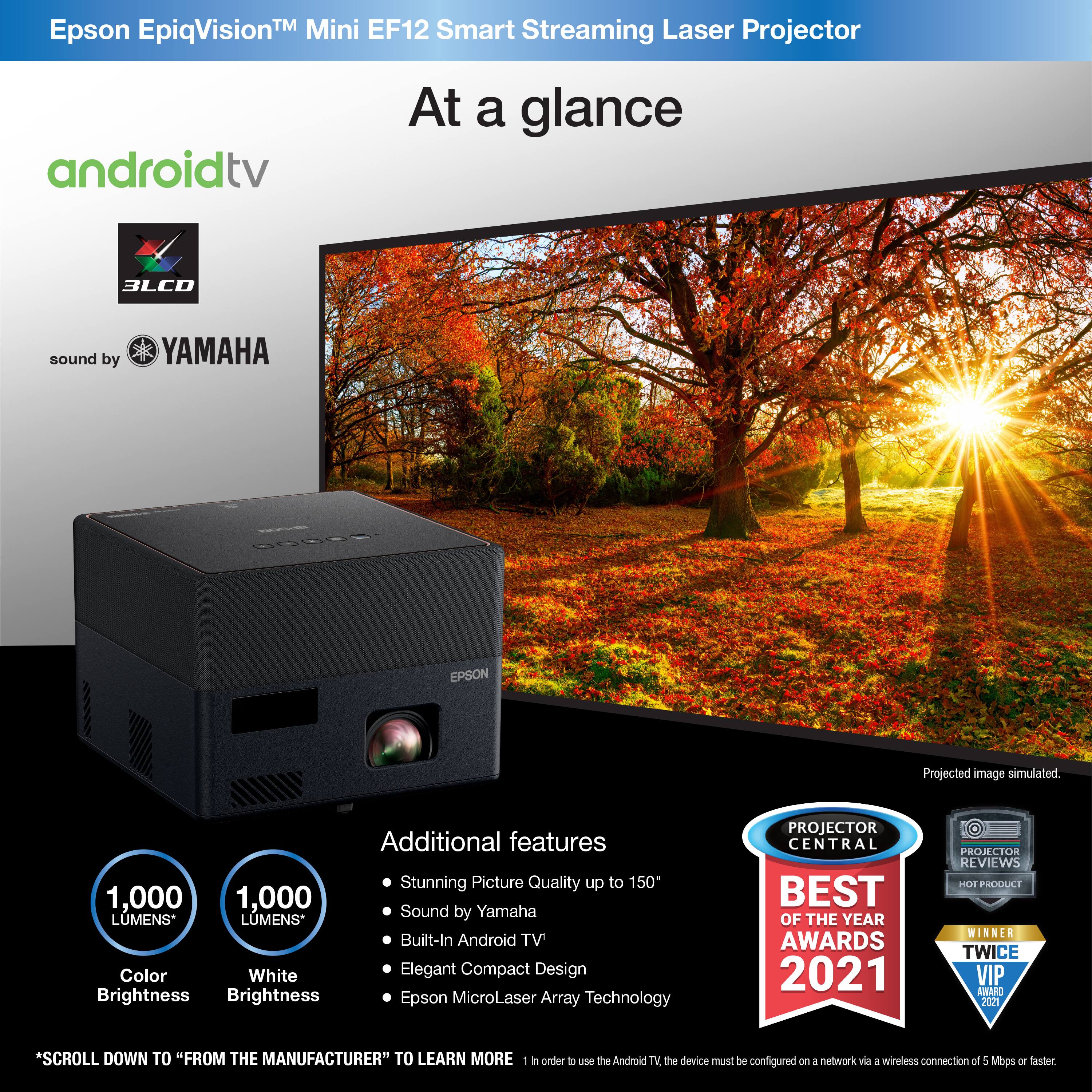
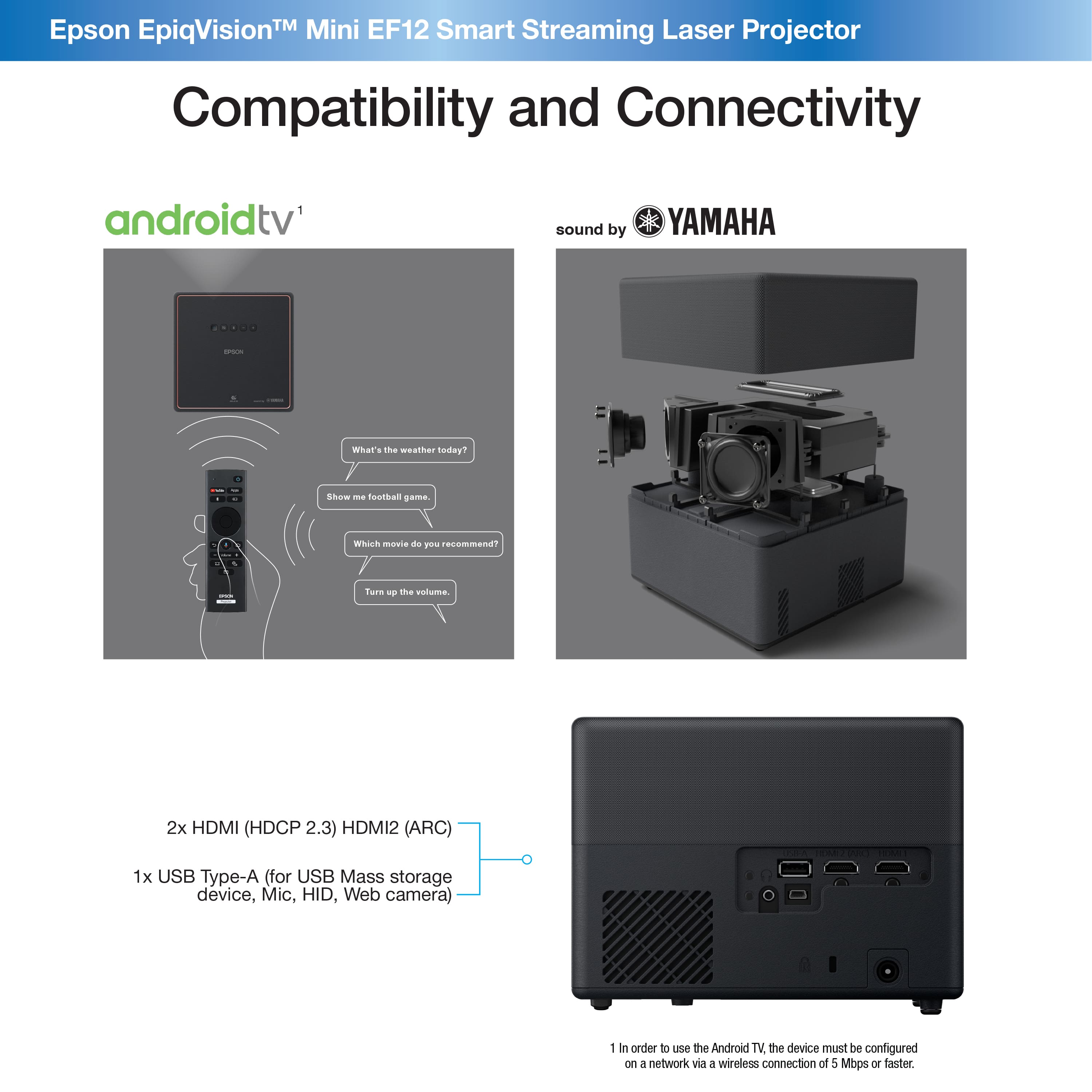
- A:Answer Yes, the Epson EpiqVision Mini EF12 projector comes with a built-in speaker designed by Yamaha.
This question and answer was generated by AI based on customer and product data.Q: QuestionHow long is the warranty on this refurbished projector?
- A:Answer This refurbished projector comes with a 2-year limited warranty for both parts and labor.
This question and answer was generated by AI based on customer and product data.Q: QuestionWhat is the maximum screen size supported by this projector?
- A:Answer The Epson EpiqVision Mini EF12 projector can support a screen size of up to 150 inches.
This question and answer was generated by AI based on customer and product data.Q: QuestionWhat is the native resolution of this projector?
- A:Answer This projector has a native resolution of 1920 x 1080.
This question and answer was generated by AI based on customer and product data.Q: QuestionDoes this projector support HDR?
- A:Answer Yes, this projector supports HDR10 format.
This question and answer was generated by AI based on customer and product data.Q: QuestionAm i able to use this as a wireless display for my windows 11 laptop?
Asked by Lprchaun.
- A:Answer Hello Lprchaun. Yes, if your laptop has an HDMI port, you can connect it to the EF12 and project directly from it. Regards, Kevin - The Epson Team.
Answered by Epson
Q: QuestionCan I download the peacock app on this?
Asked by Anonymous.
- A:Answer Hello. Yes, the EF12 includes built-in Android TV, which supports downloading the Peacock app. Regards, Kevin - The Epson Team.
Answered by Epson
Q: QuestionCan I connect Bluetooth speakers or a soundbar via hdmi or hdmi arc?
Asked by DMC2000.
- A:Answer Hello SamSUNG2000. Yes, you can connect speakers using the HDMI ARC port on the projector. You can also connect a Bluetooth speaker through the Android TV interface. Since the projector can also be used as a Bluetooth speaker, make sure that option is not turned on, as that can cause pairing issues. Regards, Kevin - The Epson Team.
Answered by Epson

Q: QuestionDoes the AndroidTV on this projector include the AppleTV+ app or can it be downloaded?
Asked by Dom.
- A:Answer Hello Dom. Yes, the Apple TV app is available for download on the EF12's built-in Android TV. Regards, Kevin - The Epson Team.
Answered by Epson

Q: QuestionHello, what would be a sufficient ceiling projector mount for this projector
Asked by KeeJB.
- A:Answer Hello KeeJB.We recommend using the Epson Mounting Plate. The part number is ELPMB65. Regards, Kevin - The Epson Team.
Answered by Epson

Q: QuestionI tried to install netflix but i got the message saying this version of netflix is not supported by my device. How can I solve this problem and watch netflix on my device? Thanks
Asked by Wolvereine.
- A:Answer Hello Wolf. The easiest way to view Netflix on the EF12 projector is by connecting your streaming device that supports the app. Unfortunately, at this time, the app is not available with the built-in Android TV. Regards, Kevin - The Epson Team.
Answered by Epson

Q: QuestionDoes this item require a separate display screen or can it project onto wall?
Asked by pnelson.
- A:Answer Hello pnelson. While a screen is recommended, you can technically project onto a wall without using one. Please be aware that wall color and texture can impact image quality. Regards, Kevin - The Epson Team.
Answered by Epson

Q: QuestionI bought an Epson EF12 over a year ago, it keeps saying I am not connected to the internet. Every time I try to connect, it disconnects me. It did not do this when I bought it
Asked by bob.
- A:Answer Hello bob. If your EF12 projector keeps disconnecting from the internet, it could be due to a weak signal, outdated firmware, or issues with the network itself. Try moving the projector closer to the router, checking for software updates, and restarting both the router and projector. It can also help to forget and reconnect to the network. Make sure your router’s security settings aren’t blocking the device, and avoid using unstable connections like mobile hotspots. If the problem persists, we recommend doing a factory reset as a last resort. Regards, Kevin - The Epson Team
Answered by Epson
Page 1, Showing 1-13 of 13 questions
Best-selling projectors
- Black Friday Deal$129.99Your price for this item is $129.99
- $66.89Your price for this item is $66.89$199.89The comparable value for this item is $199.89
- Black Friday Deal$329.99Your price for this item is $329.99
- Black Friday Deal$199.99Your price for this item is $199.99
- Black Friday Deal$599.99Your price for this item is $599.99
- Black Friday Deal$549.99Your price for this item is $549.99
- Black Friday Deal$499.99Your price for this item is $499.99
- Black Friday Deal$849.99Your price for this item is $849.99
- Black Friday Deal$1,499.99Your price for this item is $1,499.99
- Black Friday Deal$999.99Your price for this item is $999.99
- Black Friday Deal$699.99Your price for this item is $699.99
- Black Friday Deal$169.99Your price for this item is $169.99
- Black Friday Deal$749.99Your price for this item is $749.99
- Black Friday Deal$199.99Your price for this item is $199.99
- Black Friday Deal$2,699.99Your price for this item is $2,699.99
- Black Friday Deal$549.99Your price for this item is $549.99
- Black Friday Deal$1,869.99Your price for this item is $1,869.99
- Black Friday Deal$169.99Your price for this item is $169.99
- Black Friday Deal$249.99Your price for this item is $249.99