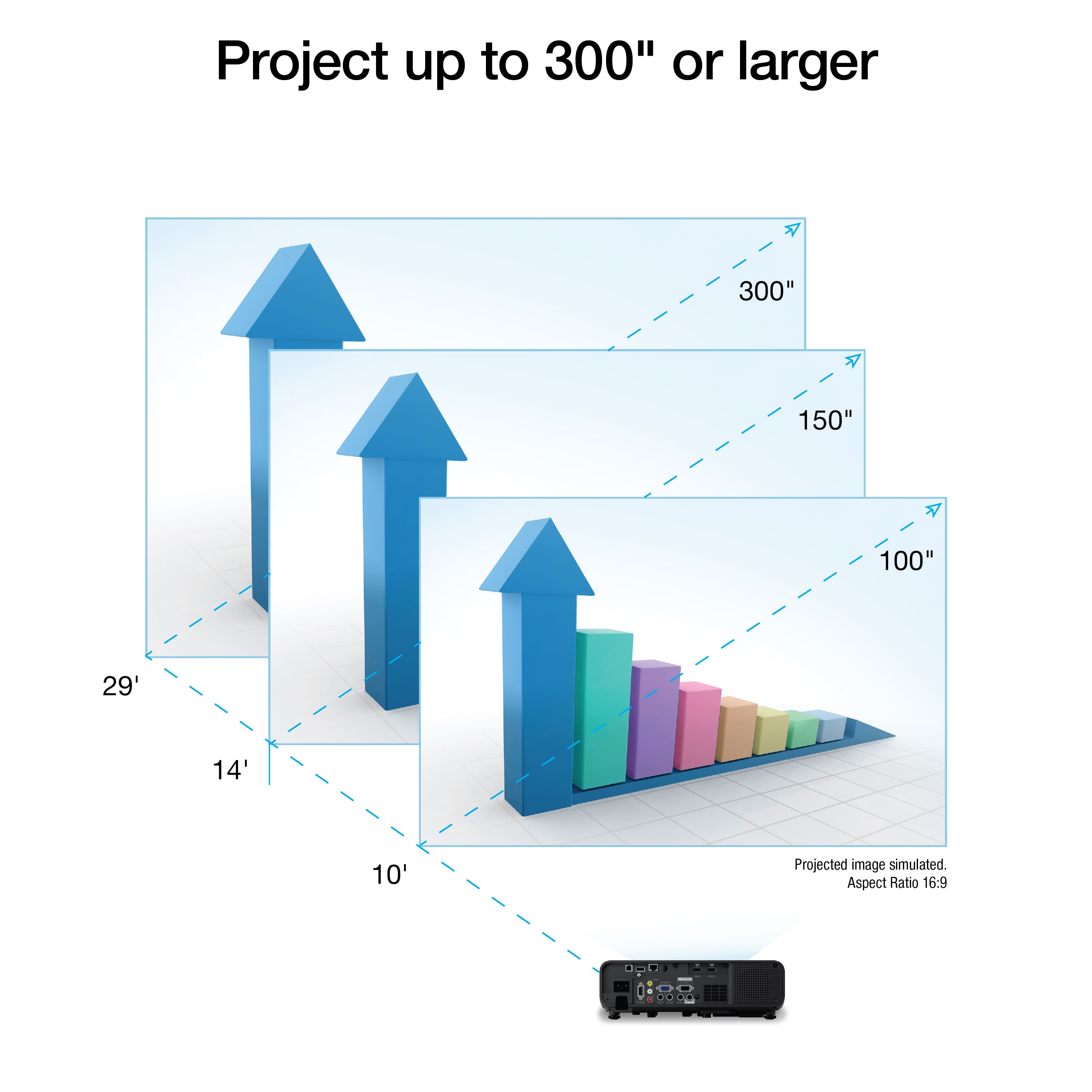
A:AnswerHello amistad. To better assist you, we would need to confirm the screen size and distance from the projector to display. In general, the projector can be placed between 3.5 to 77 feet away and supports screen sizes ranging from 40 inches to 500 inches. For more details, please see the "Projector Placement" in the User's Guide found on our official Epson Support page. Regards, Kevin - The Epson Team.
A:AnswerHello grape2024. You can use the EX11000 without having to mount it to the ceiling. If you plan to place the projector approximately 5 feet away, we recommend using a screen size of about 40 inches. Regards, Kevin - The Epson Team.
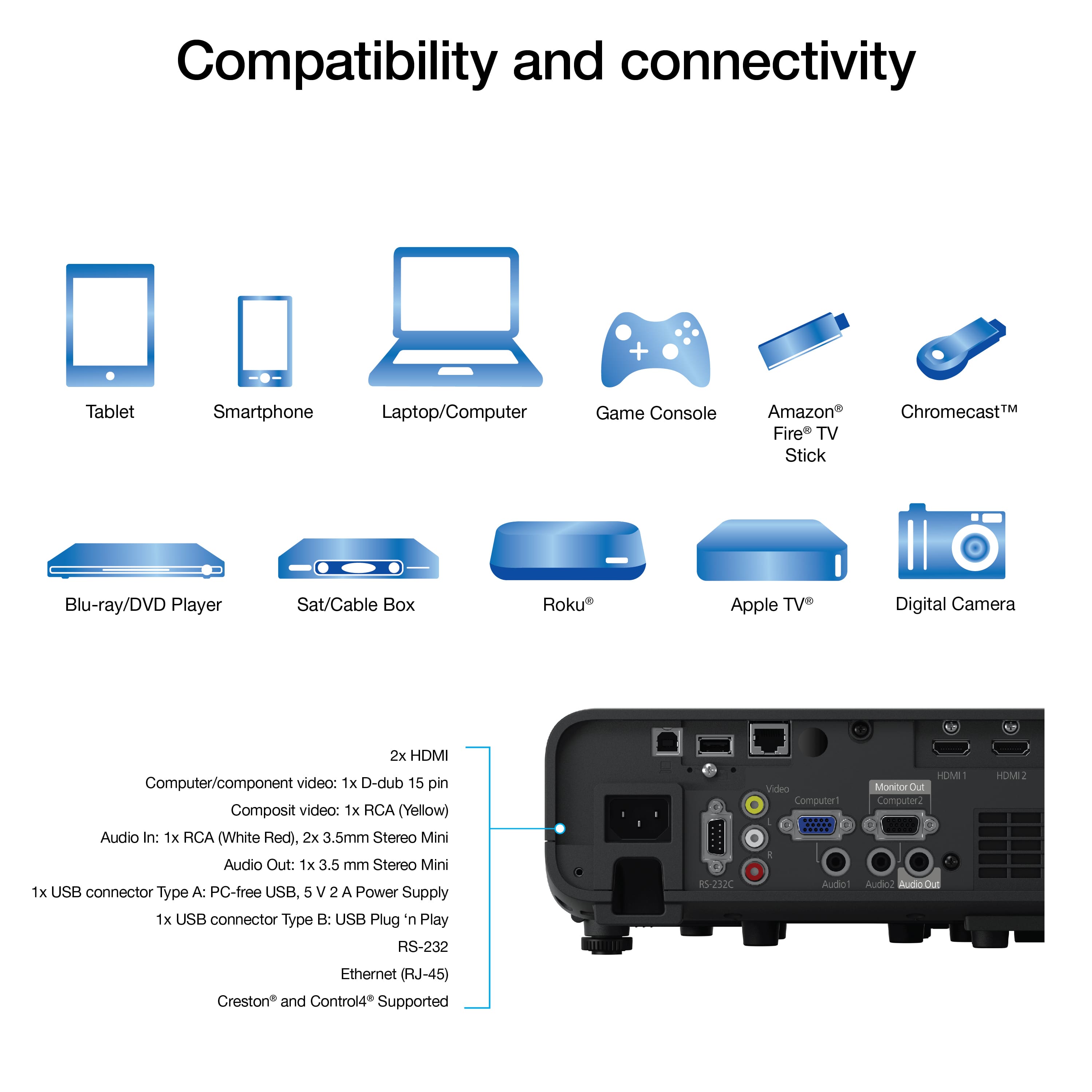
A:AnswerHello Avilasailor. The EX11000 can connect to external speakers using a stereo mini-jack-to-pin jack cable via the Audio Out port. Unfortunately, it does not have an optical audio option. Regards, Kevin - The Epson Team.
A:AnswerHello. Yes, you can connect external self-powered speakers to the EX11000 by using the Audio L/R output on the back of the projector. To do this, you would need an RCA or stereo mini-jack-to-pin-jack cable. Regards, Kevin - The Epson Team.
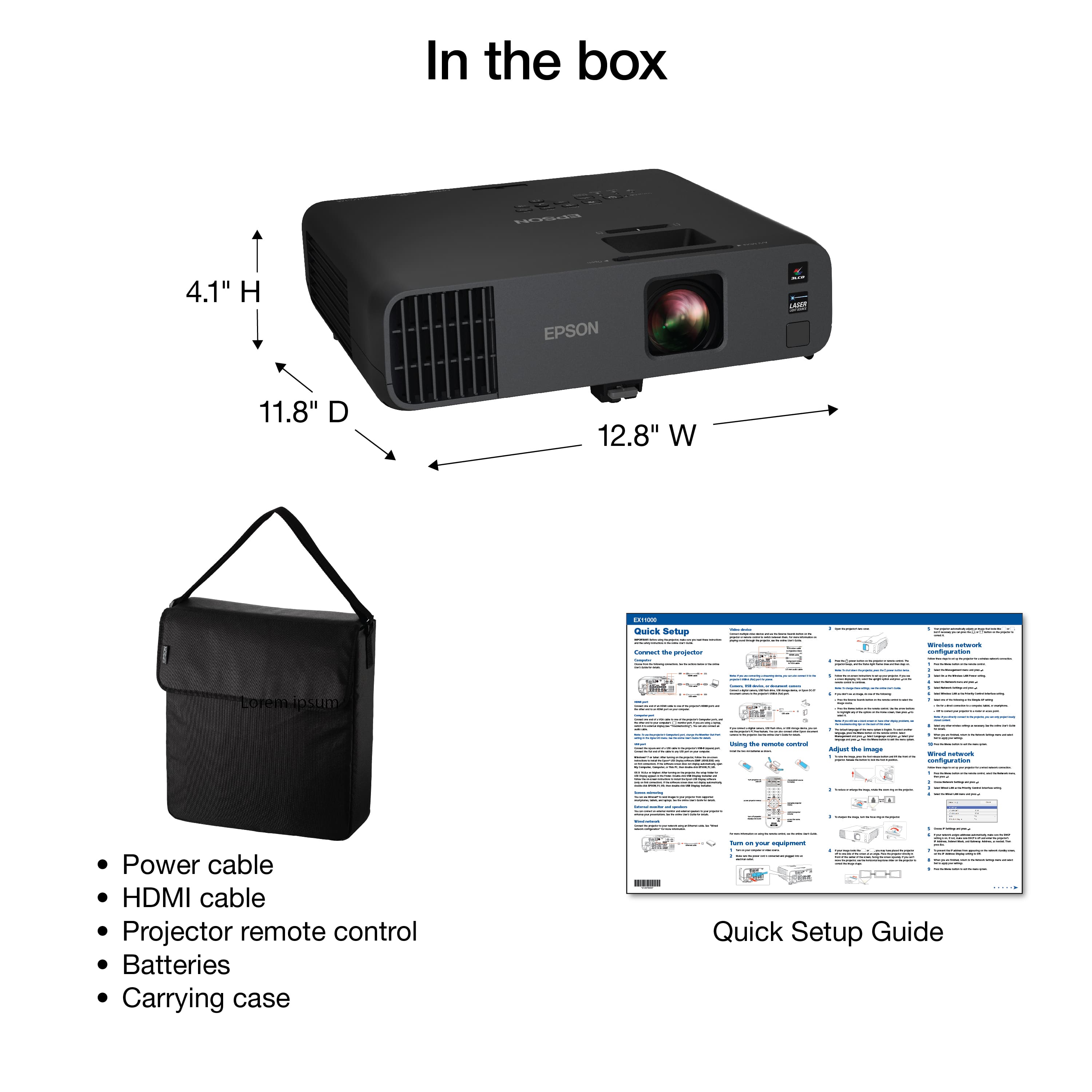
A:AnswerHello. Yes, the Pro EX11000 Laser Projector can be ceiling mounted. We recommend using the Epson Universal Projector Mount. The part number is ELPMBPJG. Regards, Kevin - The Epson Team.
A:AnswerHello Kale. The projector can be placed up to 47 feet from the screen. At a distance of 10 to 12 feet, we recommend using a screen size between 80 and 100 inches. Regards, Kevin - The Epson Team.
A:AnswerHello. The Epson Pro EX11000 can be used outdoors, but it isn’t weatherproof and should only be operated in dry conditions, ideally at night or in shaded areas. You’ll need to protect it from water and dust. Cold winter weather could make it unsafe to run directly, since the components aren’t designed for freezing temperatures. If you plan to use it in those conditions, you’ll need a weatherproof enclosure with good airflow and stable operating temperatures. For more details, please see the Projector Environmental Specifications in the User's Guide on our official Epson Support page. Regards, Kevin - The Epson Team.
A:AnswerHello Bob21. The EX11000 does not have built-in streaming capabilities. However, it does include two HDMI ports and a USB port to power popular streaming devices like Fire TV, Apple TV, Roku, and Chromecast. Regards, Kevin - The Epson Team.
A:AnswerHello. When operating on a 120V power supply, the EX11000 consumes 272 watts in Normal mode, 208 watts in Quiet mode, and 199 watts in Quiet and Extended mode. In standby, power consumption is 0.5 watts with communication off and 2.0 watts with communication on. Regards, Kevin - The Epson Team.
A:AnswerHello Colonel. The EX11000 doesn’t have built-in Bluetooth, but you can still connect a streaming device like Fire TV, Apple TV, Roku, or Chromecast that offers Bluetooth connectivity and use it with the projector. Regards, Kevin - The Epson Team
A:AnswerHello Glenn. Unfortunately, the EX11000 does not have Bluetooth functionality. Fire Sticks and Xbox consoles generally support Bluetooth connectivity, but we recommend confirming first. If so, then you should be able to connect it to the projector and use your speakers that way. Regards, Kevin - The Epson Team.