A:AnswerIt comes with a usb charges that connects to your computer to charge. However, if you want to charge it without a computer, you need to buy a separate usb converter to charge using an outlet.
A:AnswerNo, but you would need a computer with Internet access (or a way to install fitbit's software). The HR comes with a USB-Bluetooth adapter and a USB connector to directly connect the device. You can use Fitbit's website and/or software on your computer with virtually the same features as the smartphone app.
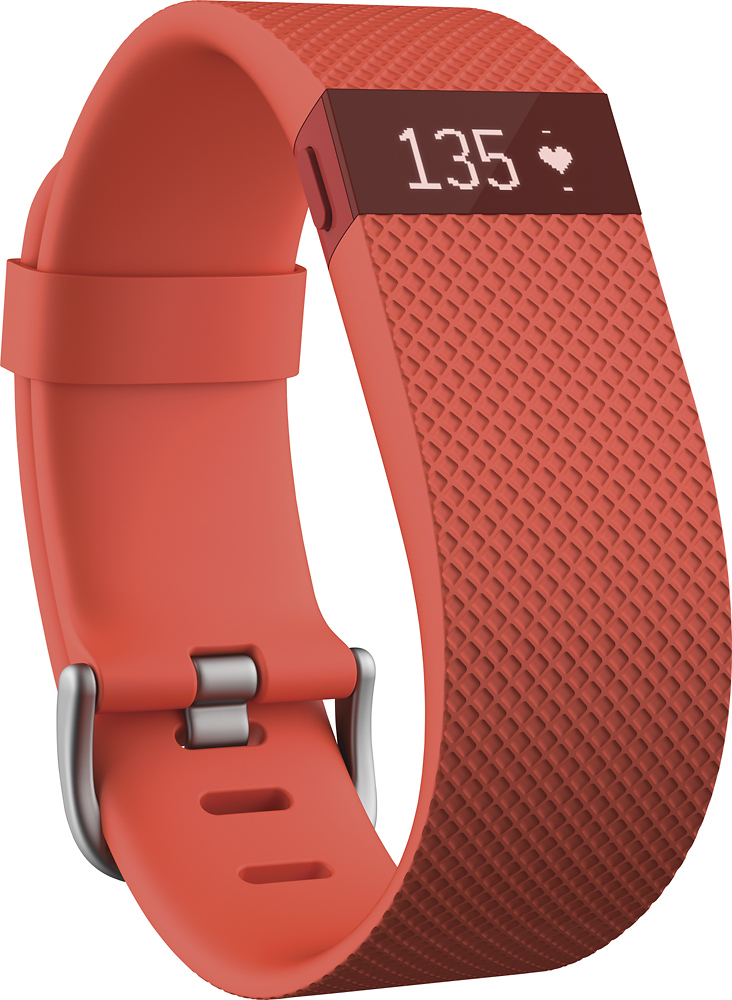
A:AnswerThe Charge HR will display your heart rate and the zone. Depending on how you set up your display (mine is set to show heart rate last) will determine where you see it in the rotation. The display does not stay on constantly for anything. You have to tap the top to get what you've set to be your face display (mine is clock), or press the side button to scroll through to see each item.
A:AnswerUnfortunately not. The activity tracking primary relies on the movement of your arm. It will, however, track your heart rate while on the bike.
A:AnswerYou might have received a used or previously opened unit as they do come with a USB charging cable, & a bluetooth dongle included with two very small booklets with some minimal instructions & contact information.
In the bottom portion of the display stand which is part of the packaging, you should find that it holds both booklets & the communication dongle along with a 3 or 4 inch long USB charging cable (which plugs into the rear of the FitBit.
A:AnswerYou don't "have" to carry your phone with you. The Fitbit will hold all the data and it will Sync with your phone or Mac/PC later. However if you like to run and you tell the Fitbit App your running it will track your location, speed and distance more accurately using the Phone gps. The Fitbit can only calculate distance based on the number of steps.
A:AnswerI have a plate and 10 screws in my wrist and find that I have wrist pain and stiffness when I wear fitnit on that wrist. No problem when no watch
Worn.
A:AnswerOnly if you put it in workout mode (holding the button on the side till you see the counter start up). Then, once you are finished, you will need to hold the button again to stop. Then go into your Fitbit dashboard and change the activity to stationary bike.
A:AnswerNo it will not damage it as long as you do not soak it. Also it is advised to dry it afterwards. With the Charge HR, you wear it an inch above your wrist so that will decrease the chance of it getting wet. Also it's NOT recommended that you shower with it.
A:AnswerI just wrote my review of the product and only gave it 2 stars because I've found (for me at least) it to be hit/miss on how accurate it is. Some times not matter how high, low, loose, tight I have it, the heart rate feature is WAY off! It happens just enough to make me question how accurate it is every other time of the day. In one of MANY examples I have, I was doing HIIT cardio, was completely out of breathe, sweating, heart is racing and the Fitbit says my HR was at 72bpm...in reality it was probably in the 155-175 range.
A:AnswerNo, when midnight hits it automatically resets to zero steps. Even if you are taking a late walk, the moment that 12:00 hits, you will go back to zero steps
A:AnswerSo far this is tracking my calories burned based on my heart rate, and is reducing my weight based on this information. If I was to add the calories I'm eating during the day, I think it would do a better job of this too.
A:AnswerWe only plug ours in to charge it once a week or so. It's totally wireless and can sync automatically whenever you are within 'x' number of feet of your computer or by manually clicking on the FitBit icon on your computer. You do need to connect it the first time to set things up. After that, you never really NEED to connect it via the cable unless you want to charge it that way.
A:AnswerThe USB cable does come in the box as well as the dongle. The box is a nightmare to get into but all that is at the bottom. I had to he-man it out of the box. Really the person who designed that box hates the world apparently.
A:AnswerIt uses your account settings (height, weight, and age) and utilizes your heart rate to decide how many calories. It looks at how long you are in the fat burn, cardiac, or high peak zone and takes that into account. Steps alone don't really burn that many calories unless you are walking intensely and increase your heart rate or if you are walking at least 8,000 steps/day to burn some more calories.
Hope this helps.















