“Does the time show on the screen all the time, or do you need to tap it to see the time? Are there any fitbit screens that show the time always.”
Answer This Question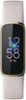
1-5 of 5 Answers
The default setting seems to be that the time just shows up when you double tap. But in settings, you can put it so that it’s on always as far as lighting up the time. That seems to drain the battery quite a bit but you don’t have to double tap to see the time. Pull down from the top and go to Display. Change it from manual to always. I think that is right. I found it difficult for my old, arthritic hands.
Sorry, there was a problem. Please try again later.Hi, Anita. You can turn On the Always-on display feature in your Fitbit Luxe if you want the screen to always display the time. To do so, you can follow the steps here to turn this feature on: https://help.fitbit.com/articles/en_US/Help_article/2086.htm For any additional questions and concerns, feel free to reach out through phone, chat, social support or through our community forums: contact.fitbit.com
Sorry, there was a problem. Please try again later.The Luxe fitbit does not show the time all the time. You tap the screen or just flip your wrist and it shows the time.
Sorry, there was a problem. Please try again later.You have to tap it and it does not have a side button you can push if the tapping doesn’t work. I was disappointed.
Sorry, there was a problem. Please try again later.You can go into settings and change the mode to always on if you like .
Sorry, there was a problem. Please try again later.