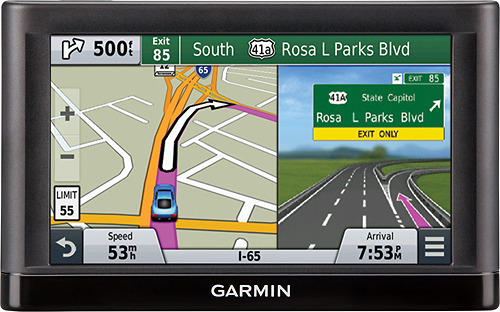
A:AnswerNo. In order to get traffic data, you will want to purchased the nüvi 65LMT instead (the T at the end signifies traffic, and the LM signifies lifetime map updates). -OA
A:AnswerI installed the garmin express app. I was able to enter / register / identify the 2 garmin (nuvi 50, nuvi65) models I own. I haven't had any problems updating the maps on either device. At the time of individual purchase, each one offered ' free maps for life ' There hasn't been any charge for the updates.
A:AnswerI installed the garmin express app on my laptop. It notifies me when an update is available. By plugging my garmin portable gps into my laptop, the app then walks me through the update process. The initial product update right after new purchase took 40 minutes. I've got fast internet so the time was for waiting on the garmin site and installing. I had gone through this process before with older purchases so even though there was no screen activity for a good chunk of time, I knew just to leave the device attached and let it finish. It did. New Products tend to come with 'free lifetime map updates'. Check to make sure this is the case at the time of purchase. An update usually happens every 3 or 4 months.
A:AnswerThe nüvi 65LM can be used in South America; however, it does not come preloaded with mapping of South America. Additional mapping can be obtained and loaded as an accessory purchase.
^DK
A:AnswerMapping for other regions is available for the nüvi 65LM as an additional purchase. For maps of Australia, you would need City Navigator Australia and New Zealand NT. It is available as a download from the Garmin website, or as a pre-loaded micro SD card (Garmin part number 010-11875-00) through dealers.
^DK
A:AnswerNo, the nüvi 65LM does not cover Alaska and Canada. The preloaded mapping covers the lower 49 United States. Canada and Alaska can be added as an accessory purchase.
^DK
A:AnswerYes, the nüvi 65LM will be able to acquire a GPS signal around the world. However, this is the North American version that comes preloaded with North American maps, so you would need to purchase additional mapping to navigate in Germany. -OA
A:AnswerYes. You can update the nüvi 65LM using our Garmin Express software, which will work on Windows Vista SP2 or newer, or Mac OS X 10.8 or newer. -OA
A:AnswerThat depends on what data you're trying to transfer. If you're referring to Favorites and Routes, then you should be able to by following the steps listed here: http://bit.ly/1ERqeq9 (KS)
A:AnswerThe nüvi 65LM does include detailed Miami Beach mapping that has points of interest, and street-level detail as well as addresses. The Lower 49 US States means that it does not have Canada, Alaska, or Mexico like some of the other nüvi models.
^DK