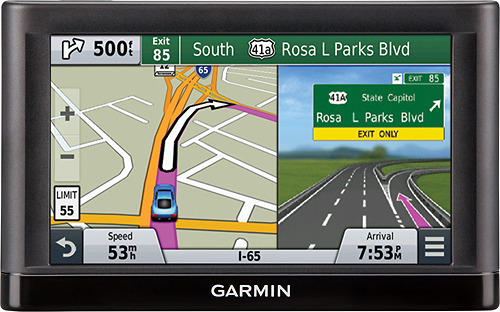
A:AnswerThis is correct; the size of Europe mapping is rather large. Currently the map is approximately 3.1GB is size, not to mention the nüvi 65LM has all of the United states, and has limited space. You can insert an SD card in the nüvi to expand the space. Please click on http://support.garmin.com/support/searchSupport/simpleCase.htm?caseId={18331ce0-4af6-11e3-f27b-000000000000}&kbName=garmin for more information regarding the SD cards.
If you have further questions we encourage you contact our support at http://www.garmin.com/us/support/
~JH
A:AnswerYou can manually entered the stored location from your old device to the new one, just like you would enter a new address on your new device. You can also use Garmin Express to transfer Favorites and Routes from one device to another as long as both of them are compatible with the software. You can view steps on how to do this here: http://support.garmin.com/support/searchSupport/simpleCase.htm?caseId={7918afc0-4264-11e2-e8a7-000000000000}&kbName=garmin. Thank you. ~QKO
A:AnswerHi,
The mapping for India is compatible with the nuvi 65LM, however, it would be a separate purchase. The part number for the City Navigator India NT that comes preloaded microSD card is 010-11432-00.
-NM
A:AnswerMicrosoft no longer supports XP or Vista. When the primary OS is no longer supported, software developers must move on to new generations of operating systems. Many software developers must assume the mass majority are moving forward with newer versions of their system's operating system.
A:AnswerThis GPS device comes pre-loaded with maps of the US, but includes a micro-SD card slot that allows you to add additional maps, including those for France.
A:AnswerIf you want English, you have a choice between 2 female voices. One says the road names you are turning on; the other one just says turn left or right. I'm not sure about the other languages.