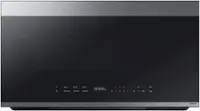
A:AnswerThe JVM6175SK6SS and the JVM6175SKSS are the the same model. When the appliance is manufactured on the assembly line, a rating plate with the model and serial number is applied to the appliance. The model number will have extra letters or numbers. These letters/numbers are used to identify manufacturing specific data when the appliance is made. That is why your current microwave has an extra "6" in the model number.
A:AnswerAll 30" over-the-range microwaves are approximately the same width and are designed to fit into a 30" wide cabinet opening. Therefore, any GE Appliances current 30" over-the-range microwave models will work as a replacement for an existing 30" over-the-range microwave model. Each microwave comes with the mounting hardware (mounting bracket, screws, exhaust adapter), top and rear templates, and Installation Instructions needed to complete the installation process. The mounting bracket included with the new microwave should be used since the mounting bracket is specific to each model. The new screws, bolts and exhaust adapter should also be used.
A:AnswerIf you're planning to install this microwave with an outside exhaust, you'll need to purchase additional parts. The parts you'll need will vary based on if you're installing an outside top exhaust or an outside back exhaust. You can find the parts you'll need in the section titled "Hood Exhaust" on pages 3-4 of the Installation Instructions. To access the Installation Instructions, you'll need to go to this model's product homepage on Bestbuy.com, open the "Features" section, and you'll find the link for the "Installation Guide."
A:AnswerThese models are the exact same microwaves. However, the new microwave more than likely comes with it's own new and improved mounting hardware (mounting bracket, screws, exhaust adapter), top and rear templates, and Installation Instructions needed to complete the installation process. Please review the article titled “Over-the-Range Microwave - Microwave Oven Replacement” on the GE Appliances website.
A:AnswerAll of our 30" over-the-range microwaves are approximately the same width and are designed to fit into a 30" wide cabinet opening. Therefore, any of our 30" over-the-range models will work as a replacement for an existing 30" over-the-range model.
A:AnswerThe JVM6175SKSS would be a great fit for your home. All 30" Over-The-Range (OTR) microwaves are approximately the same width and are designed to fit into a 30" wide cabinet opening. Therefore, any of our current 30" OTR microwave models will work as a replacement for an existing 30" model. When replacing an OTR microwave, the mounting bracket included with the new microwave should be used since the mounting bracket is specific to each model. The new screws, bolts and exhaust adapter should also be used. -Don@GEAppliances
A:AnswerThe dimensions of that model are 16 5/16" H x 29 7/8" W x 15 9/16" D. The model features a vent fan and a two-speed, 300-CFM venting system. It is recirculating but can be converted to external venting. More details about venting are available in the manual and installation instructions; those can be viewed on our GE Appliances website when you look up the model number and go to the product's page. Regarding a similar model, we can advise all of our 30" over-the-range microwaves are approximately the same width and are designed to fit into a 30" wide cabinet opening. Therefore, any of our 30" over-the-range models will work as a replacement for an existing 30" over-the-range model. Please note that you should use the mounting bracket and hardware that comes with the new model, rather than the old bracket and hardware. -Sarah@GEAppliances
A:AnswerModel JVM6175SKSS and model JVM6172SKSS are very similar with the exception of JVM6172SKSS offering extra cooking features like "Melt" and "Defrost."
A:AnswerIf your microwave isn’t starting, several common issues could be the cause. First, check your home’s electrical panel to see if a fuse has blown or a circuit breaker has tripped—if so, replace the fuse or reset the breaker. A power surge could also be the culprit; unplug the oven for a minute, then plug it back in to reset it. Make sure the power cord is fully inserted into the wall outlet, as a loose plug can prevent the unit from operating. Lastly, ensure the oven door is completely closed and latched securely. -- If those tips don’t help, we recommend scheduling service online by visiting the GE Appliances website or by calling 833-4BODEWELL (833-426-3393) M-F 8AM-8PM ET, Sat-Sun: Closed. Lauren@GEAppliances
A:AnswerThis is a great replacement choice. The JVM6175DKWW is designed to be installed in the same 30" wide opening as are many of our over-the-range microwaves. We do recommend using the wall mount bracket and hardware that will be packaged with the new model. -Vikki@GEAppliances
A:AnswerOur over-the-range microwaves like the JVM6175SKSS will fit in the same 30" wide opening. We strongly encourage you to use the mounting bracket and hardware that will be packaged with the new microwave. As new iterations and generations of our microwaves are produced, it is always possible the new model will utilize an entirely different style of mounting bracket and the locations identified on the template for the mounting bolts could be different as well. If you'd like to investigate further, we do make the installation templates available for review on our geappliances.com site by searching using your model number. Once on the model specific page, click on the Owner Support tab to see all available literature. -Vikki@GEAppliances
A:AnswerYes, all of GE Appliances’ over-the-range microwaves come with the mounting hardware (mounting bracket, screws, exhaust adapter), top and rear templates, and installation instructions needed to complete the installation process. For more information, see the Parts Included section on page 5 of the Installation Instructions, which can be viewed at the bottom of the Features tab on the product page of the Best Buy website. Lauren@GEAppliances