Questions & Answers
- Model:
- GA02430-US
- |
- SKU:
- 6427172
Q: QuestionCan I use this router to set up a VOIP phone line?
Asked by Phit.
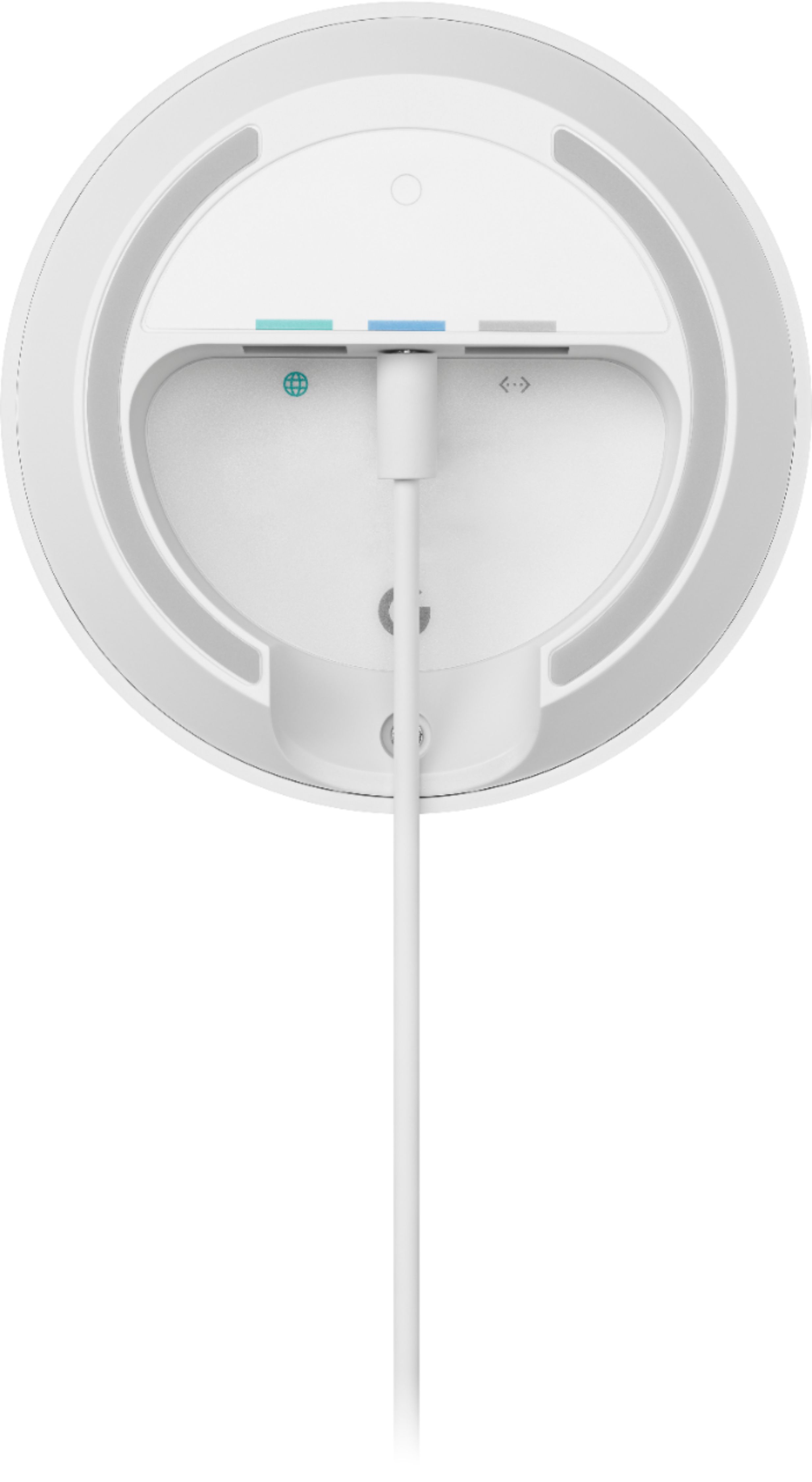
- A:Answer My Vonage VOIP phone modem is connected to my internet modem via ethernet cable, same as my mesh router node 1. Each google node, 1, 2 and 3, all have an ethernet port so I would imagine the phone modem could connect to whichever node is where you want your base phone.
Answered by Paul
Q: QuestionCan I hook this up to a lan port on an existing router in my system and hook the router up to a lan port instead of the wan port on this device?
Asked by TonyTP.
- A:Answer We suggest checking this link for more details about hardwiring Google Nest Wifi routers, Google Wifi points and other devices: https://support.google.com/googlenest/answer/7215624 You may also contact our support team for further assistance here: https://support.google.com/wifi/gethelp
Answered by Google Team

Q: QuestionMy condo is approximately 1700 sf. My current modem/router are in the living room in the back of the condo. My office is in the front and I'm having signal and speed issues on my laptop. Will one pod cover my needs or do I need multiple? Thanks!
Asked by Tracy.
- A:Answer Google Wifi replaces your traditional router. You can connect it directly to your modem using an Ethernet cable to set it up and get an internet connection from your Internet Service Provider (ISP). Since you're using a modem/router combo, we suggest disabling the Wi-Fi functionality of the combo or putting it in Bridge mode to avoid Double NAT as it may cause connectivity issues. Ideally, one Google Wifi can cover up to 1,500 sqft. But where they are placed, the layout of your house, and physical obstructions like furniture can impact the total coverage. For an estimate of how much Wi-Fi coverage you’ll get with Google Wifi and a guide to how many Wifi points you need check here: https://support.google.com/googlenest/answer/7182840
Answered by Google Team

Q: Questiondo i need to have wifi already or can i buy and it has its own signal because I adon't have wifi
Asked by aly.
- A:Answer Google Wifi is a router that broadcasts Wi-Fi to any Wi-Fi capable device. It replaces traditional router and is compatible with most Internet Service Providers (ISP). You will need to have an internet plan from your preferred ISP. Google Wifi connects directly to your modem using an Ethernet cable to set it up and get an internet connection. Take a look at this link for the setup requirements and guide on how to setup Google Wifi: https://support.google.com/wifi/answer/7183148
Answered by Google Team

Q: QuestionWill this product prevent wifi security cameras from jamming?
Asked by Andre.
- A:Answer No. Google Wifi should not affect security cameras from jamming. Google Wifi is compatible with most Wi-Fi enabled device. For any other questions or concerns, you may reach out to our support team here anytime: https://support.google.com/wifi/gethelp
Answered by Google Team

Q: QuestionI have Netgear Modem/Router combined box. Will Google Mesh Router work with this type (modem/router box) since I cannot remove an actual router box ?
Asked by Leop.
- A:Answer Google Wifi replaces your traditional router. You can connect it directly to your modem using an Ethernet cable to set it up and get an internet connection from your Internet Service Provider (ISP). Since you're using a modem/router combo, we suggest disabling the Wi-Fi functionality of the combo or putting it in Bridge mode to avoid Double NAT as it may cause connectivity issues. Take a look at this link for the setup requirements and guide on how to set up Nest Wifi: https://support.google.com/wifi/answer/9548301
Answered by Google Team

Q: QuestionWhat is the reach of this wireless router/how far can you take wireless devices from it and still have connectivity?
Asked by J.
- A:Answer Ideally, one Google Wifi can cover up to 1,500 sqft. But where they are placed, the layout of your house, and physical obstructions like furniture can impact the total coverage. For an estimate of how much Wi-Fi coverage you’ll get with Google Wifi and a guide to how many Wifi points you need check here: https://support.google.com/googlenest/answer/7182840
Answered by Google Team

Q: QuestionREF: google wifi AC1200 ... Does it need a battery Is it included Size of battery
Asked by jim.
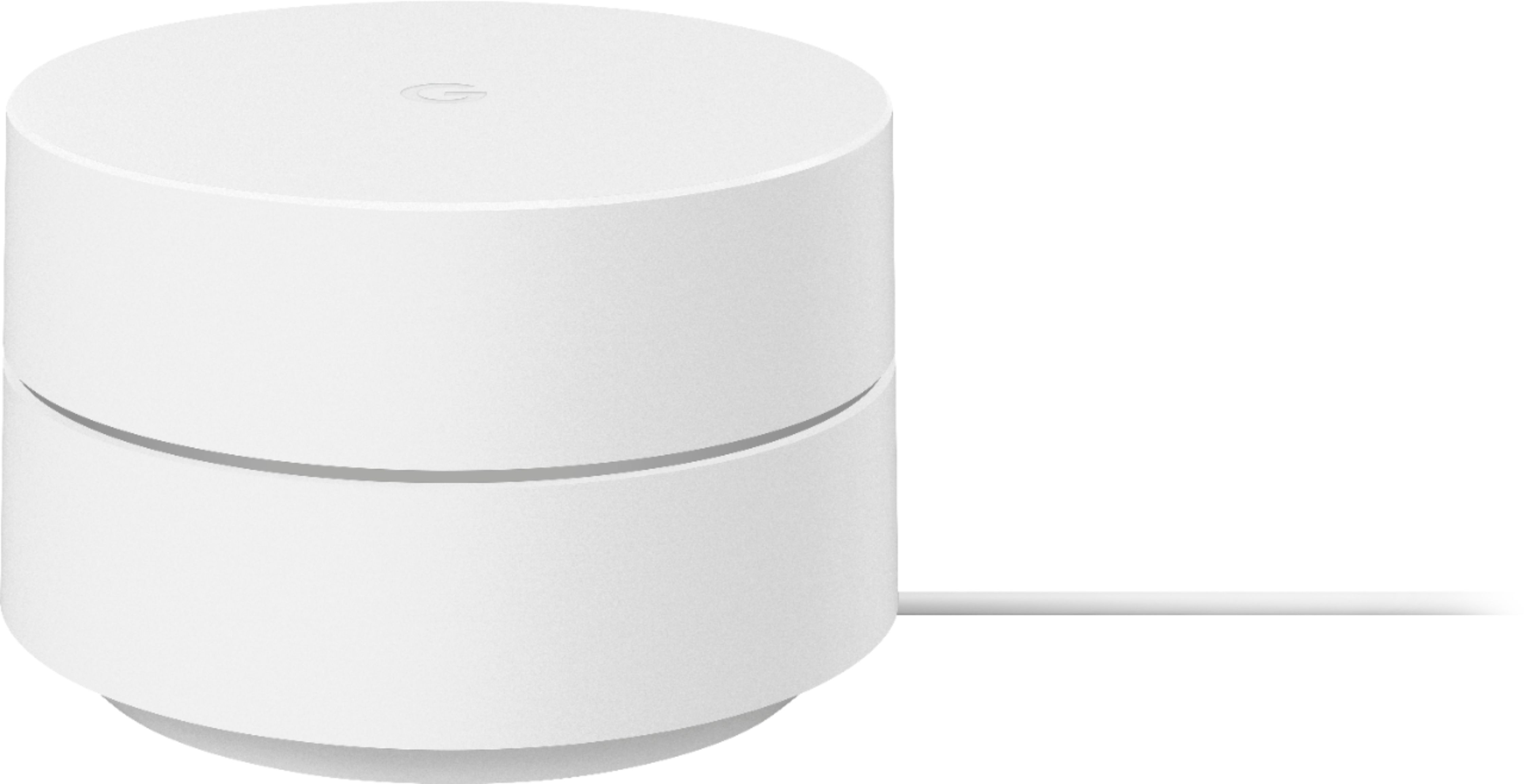
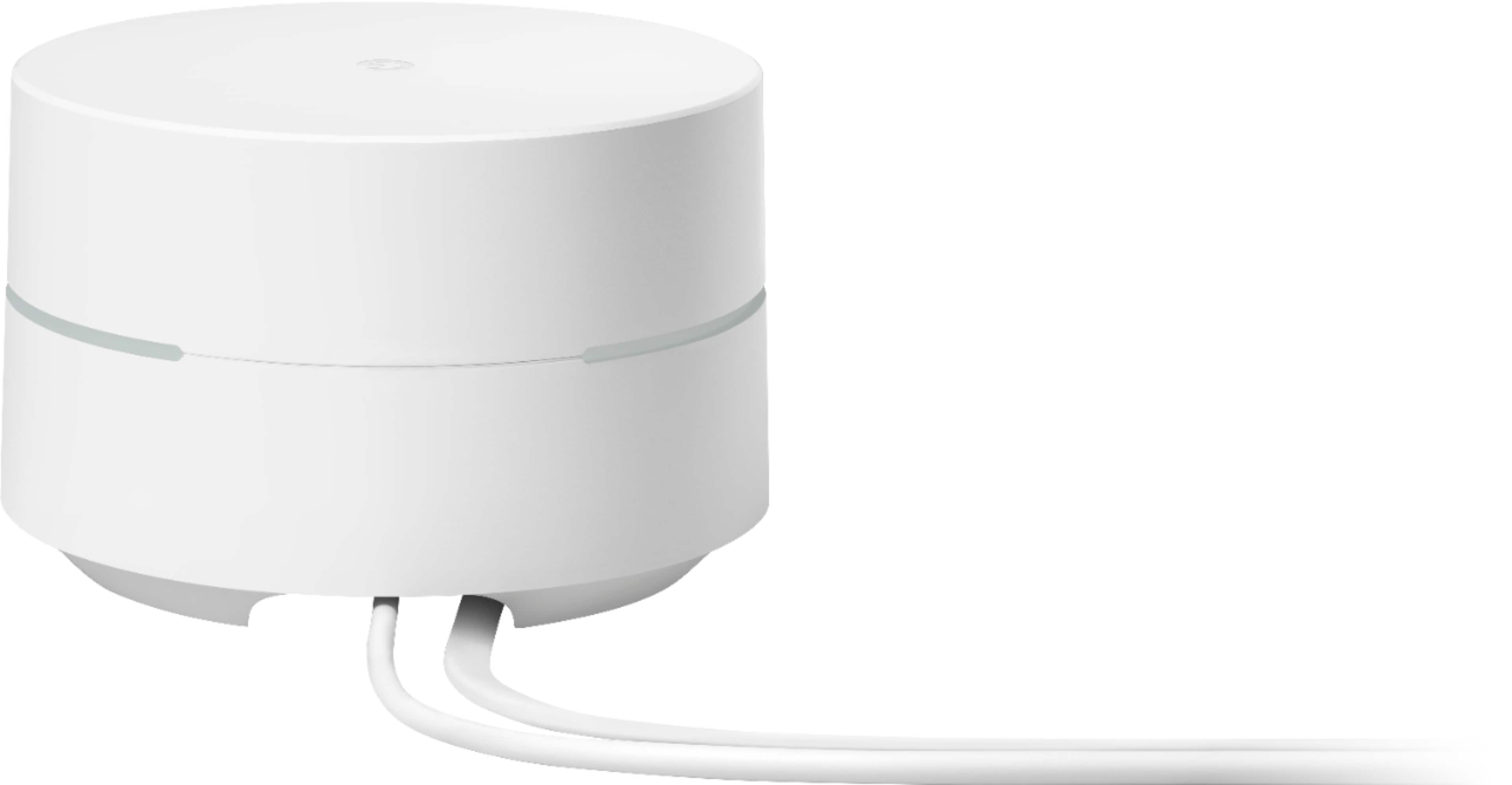
- A:Answer No batteries. Only a power cord to plug into an outlet.
Answered by ERY152
Q: QuestionWill it work with verizon fits ?
Asked by Anonymous.
- A:Answer Yes! Get the google app. Go to your router page and cut off your wifi signal from verizon and connect the google router to your verizon router via the ethernet cord in the back of the fios router. Open the app and follow the prompts. You’ll be up and running in no time.
Answered by Hghost
Q: QuestionDoes this work with Verizon fios?
Asked by Arnie.
- A:Answer Google Wifi works with most internet service provider, including Verizon Fios. You can connect it directly to your modem with the Ethernet cable to set it up and broadcast your Wi-Fi network. Take a look at this link for the setup requirements and guide on how to setup: https://support.google.com/wifi/answer/7183148
Answered by Google Team

Q: QuestionDoes this router allow devices to be assigned to a particular band (i.e., to either the 2.4 or 5 band)?
Asked by Jim.
- A:Answer No. Google Wifi network uses the same name for both the 2.4 and 5 GHz bands. Both radio bands are active simultaneously. Your devices (e.g phone, laptop, etc) that support both 2.4 GHz and 5 GHz will automatically use the band that will deliver the best performance based on different factors like signal strength, and guidance from the mesh Wi-Fi system. Take a look at this link for more info: https://support.google.com/googlenest/answer/6293481
Answered by Google Team

Q: QuestionHow to connect with Xfinity router
Asked by Mike.
- A:Answer While Google Wifi works with most internet service providers, including Xfinity, Google Wifi isn't compatible with 3rd party routers or access points. It is only compatible with Nest Wifi routers and points and Google Wifi points to create a whole Wi-Fi mesh system. Google Wifi replaces your current router and it requires to be connected to a modem to get an internet connection from your Internet Service Provider (ISP). You can connect it directly to your modem with the Ethernet cable to set it up and broadcast your Wi-Fi network. Take a look at this link for the setup requirements and guide on how to set up: https://support.google.com/googlenest/answer/7183148 If you intend to keep your Xfinity router in the Wi-Fi network, you may run into a double NAT issue where both your Xfinity router and Google Wifi router will be broadcasting their own private networks and might cause connectivity issues. We recommend putting it in Bridge mode or disable the Wi-Fi functionality of your Xfinity router to avoid double NAT and use it as a downstream switch instead. If you have any other questions or need help with the Nest Wifi, you can contact us here: https://support.google.com/wifi/gethelp
Answered by Google Team

Q: QuestionDoes it also work as a smart speaker?
Asked by SDCC.
- A:Answer No. Google Wifi is a router that broadcasts Wi-Fi to any Wi-Fi capable device. It replaces your traditional router and is compatible with most Internet Service Providers. Google Wifi connects directly to your modem using an Ethernet cable to set it up and get an internet connection. Take a look at this link for the setup requirements and guide on how to setup Google Wifi: https://support.google.com/wifi/answer/7183148
Answered by Google Team

Q: QuestionCan this be your main router? and add more of these to make it a mesh network?
Asked by Anonymous.
- A:Answer Yes. Google Wifi replaces your traditional router. It goes directly to your modem using an Ethernet cable to set it up and get an internet connection from your Internet Service Provider (ISP). Then, you can add additional Google Wifi or Nest Wifi points to create a Wi-Fi mesh system. We recommend a maximum of 6 Wifi points in a single mesh setup including the primary router.
Answered by Google Team

Q: Questionwill this Google router work with an older CenturyLink modem?
Asked by Pancho.
- A:Answer Yes. Google Wifi is compatible with most modems and internet service providers. Connect Google Wifi directly to your modem with the Ethernet cable to set it up and broadcast your Wi-Fi network. If your modem is a modem/router combo, we recommend disabling the Wi-Fi functionality of the combo or putting it in Bridge mode to avoid Double NAT as it may cause connectivity issues. You can contact our support team here if you have any other questions: https://support.google.com/wifi/gethelp
Answered by Google Team

Q: QuestionCan I add a AC1200 Google Mesh point to my existing system of two AC1304 points?
Asked by AC1304.
- A:Answer All Google Wifi (2016 and 2020 models) and Nest Wifi devices are compatible to create a mesh system. You can simply add additional Wifi points to your existing Google Wifi mesh system. We recommend a maximum of 6 Wifi points in a single mesh setup including the primary router. If you need help with your device, you can contact our support team here: https://support.google.com/wifi/gethelp
Answered by Google Team

Q: QuestionDoes Google Wifi work with FIOS?
Asked by tackloa.
- A:Answer I have Verizon FIOS, internet only. The fiber to wire convertor is in my basement and cat 5 cable ran to the Verizon router. I removed the Verizon router and plugged one of these units into it's spot and it got connection so I could set it up. I have since returned my Verizon router and everything has been fine for a couple of weeks. If you have Verizon for cable TV, this may not work since that router is a bit different.
Answered by ProfPD
Q: QuestionCan this run off your phone?
Asked by dyan.
- A:Answer You can use your phone/tablet to check and access settings of your Google Wifi using the app. Take a look at this link to learn more about Google Wifi: https://support.google.com/wifi/answer/7168315
Answered by Google Team

Q: Questioni want to have tv in remote area in my camper,, will this work and if so what do i need.? i do not need internet . just want tv
Asked by gene.
- A:Answer Google Wifi requires to be connected to a modem with an internet connection from your preferred internet service provider. Take a look at this link for the setup requirements and guide on how to setup Google Wifi: https://support.google.com/wifi/answer/7183148
Answered by Google Team

Q: QuestionDoes this router have parental controls? Specifically, can I schedule time at night when the internet will be off? Also, can I use an app to "pause" the internet for dinnertime?
Asked by Deb.
- A:Answer Absolutely! Google Wifi has a "Family Wi-Fi" feature where you can pause Wi-Fi access on demand, schedule internet time-outs, automatically block millions of adult websites, and control multiple devices with groups. Take a look at this link for more details: https://support.google.com/wifi/answer/7506043
Answered by Google Team

Top Rated
- $279.99Your price for this item is $279.99$349.99The comparable value for this item is $349.99
- $549.99Your price for this item is $549.99$699.99The comparable value for this item is $699.99
- $89.99Your price for this item is $89.99
- $429.99Your price for this item is $429.99$599.99The comparable value for this item is $599.99
- $399.99Your price for this item is $399.99
- $299.99Your price for this item is $299.99
- $419.99Your price for this item is $419.99$599.99The comparable value for this item is $599.99
- $139.99Your price for this item is $139.99
- $239.99Your price for this item is $239.99$299.99The comparable value for this item is $299.99
- $1,189.99Your price for this item is $1,189.99$1,699.99The comparable value for this item is $1,699.99
- $134.99Your price for this item is $134.99$169.99The comparable value for this item is $169.99
- $289.99Your price for this item is $289.99$349.99The comparable value for this item is $349.99
- $319.99Your price for this item is $319.99$399.99The comparable value for this item is $399.99
- $449.99Your price for this item is $449.99
- $129.99Your price for this item is $129.99$179.99The comparable value for this item is $179.99
- $299.99Your price for this item is $299.99
- $549.99Your price for this item is $549.99
- $199.99Your price for this item is $199.99
- $449.99Your price for this item is $449.99$549.99The comparable value for this item is $549.99
- $79.99Your price for this item is $79.99