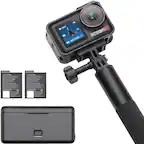
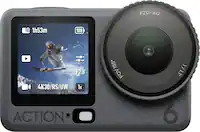
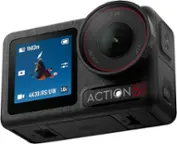
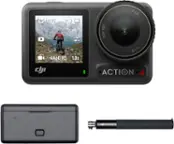
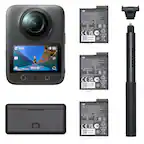
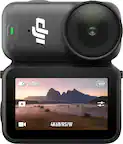
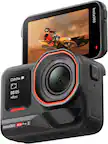
A:AnswerIts good for vlogging no doubt. But don’t use the highest video settings otherwise itll overheat and itll be a while before you can use the device again.
Personally i dont use this for vlogs but as an attachment for my drone.
I give the video & sound quality 10/10. But just be mindful of the settings so it doesn't overheat quickly.
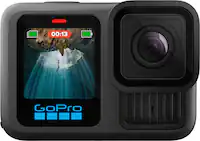
A:AnswerYes. The HERO10 Black comes with an adhesive mount you can use with your helmet, or there are a variety of other mounts from GoPro that you can use with a helmet if you're looking for a specific way to mount the GoPro.
A:AnswerNo need for special batteries. The cold temps will actually help maintain the camera’s temp. This camera can easily overheat if you use the the highest video settings.
A:AnswerYou will need to visit the GoPro website and set up an account and update the unit prior to use. After you complete that step it is good to go.
A:AnswerThis is the best action cam where you can steadily record videos or shoot photos.
I've used in the wind screen of the car in a bumpy road recording time lapse video and you won't believe that road is bumpy.
A:AnswerGiven of the "type" of SD Card that it accepts and the adaptor many users must also use because of the existence of numerous "larger" SD types of memory in standard use for other devices now, the "micro" SD card must also be purchased separately. The memory card IS NOT INCLUDED WITH THE CAMERA PURCHASE!
A:AnswerI live in Turkey and bought from US (delivered to a friend of mine who was there). The only problem is warranty is one year, where in Turkey it is 2 years which I don't care much, because none of the distributors here covers production problems (exception: Apple).
A:AnswerIf you shoot video on your GoPro that uses HEVC and want to play it on a device or upload it to a platform that doesn't support that format, you can convert videos to other formats using the free Handbrake app. We have instructions on the GoPro website for how to do that. In regards to YouTube though, I do believe YouTube now accepts uploads in the HEVC (h265) format.
A:AnswerYes you can zoom but not in all lens angle settings. As you change angle settings you will notice that the zoom adjustment button will "highlight "when zooming is available.