A:AnswerNo, it transfer from input cable to DVR then output DVR or VCR output to go thru StarTech device to your computer and it only let you record one show or movie or your home movies at a time. It won't do multiple shows and movies at the same time.
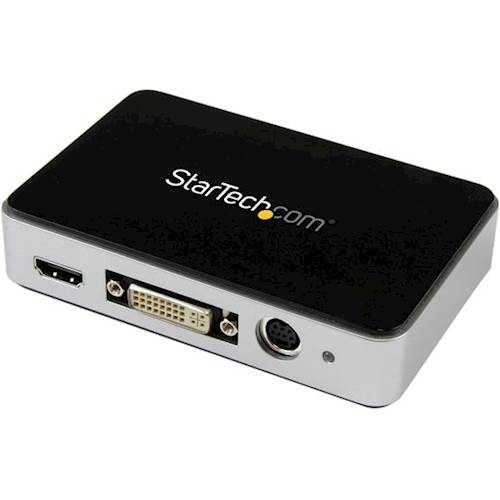
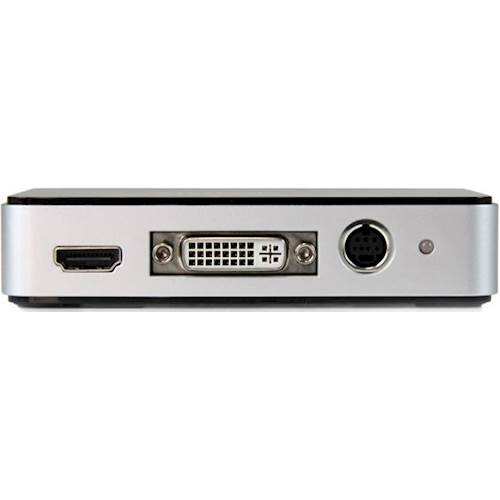
A:AnswerThe USB3HDCAP will work with HDMI, DVI, VGA, or a Component Video source. The USB3HDCAP is currently compatible with computers running Windows XP, Vista, 7, 8, 8.1, or 10. Atha, StarTech.com Support
A:AnswerUSB3HDCAP is used to record HDMI, DVI, VGA and component input. USB3HDCAP is HDCP compliant and will not record digitally encrypted content. Therefore, if the TV applications are digitally encrypted it will not record.
Atha, StarTech.com Support
A:AnswerThe answer to your question is Yes and No....
This device has the following Video Inputs, HDMI, DVI, Component Video and VGA.
Hi 8 Players had a Composite Video Output with Analog Audio, so you would have to convert the Composite Video output to a Component Video Signal or and HDMI format in order to be able to have an input to this Video Capture Device. You should look for a Composite Video with Analog Audio to USB Capture Device, it is the same type of product and it will accept the composite input.