“If I wanted to get rid of my service provider what equipment would I need ?”
Answer This Question
1-5 of 5 Answers
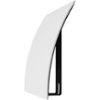
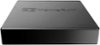
I would get hdhomerun to access local channels. We have the 4tuner because of various tv in various rooms. You will need a quality tv antenna. The best unit to get for your android tv , especially if your want to record and watch sports without choppy movement is to get Nvidia Sheild. If you don't care about recording. I use a lower cost Mibox3 in the living room. If you are really plugged into Amazon, you may want to consider an Amazon product. With the Nvidia I added an external hard drive to upload files or record. Also make sure your router and internet speed rock. The HDhomerun takes care of access to the local channels, but we have signed up with PlayStation Vue for cable shows we like to watch. I would try the free trials, which is what I did for these services-PlayStation Vue, YouTube TV, Sling, etc. I choose PlayStation Vue because it has all the stations my family liked to watch and a lot of sports. I am enjoying being a cord cutter. Make sure you consider that you have now made your tv act and look like your smart phone. You are now using apps to provide your viewing and also game playing, if your into that. I'm a girly nerd, so all this appeals to me. But others may not be into setting this up. Hope this helps.
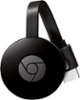
Sorry, there was a problem. Please try again later.Well depending on what you want there are a few ways to go. The simplest would be an antenna connected directly to your tv. Second would be a digital tuner like the HDHomeRun and a smart tv or a streaming device such as a Chromecast/Fire Stick/Roku/Shield. If you want dvr capabilities then you will need to either use a NVIDIA SHIELD TV Pro or a NAS and Plex. I went with HDHomeRun Connect Quattro / NVIDIA SHIELD TV / Synology 418 / Plex so I can have up to 4 live streams going, have DVR Functionality, ability to stream from anywhere and no monthly fees
I would recommend:
Sorry, there was a problem. Please try again later.This tuner is for Over the Air broadcasts. It only provides 1 of two hardware requirements. The second is the antenna. The trickier part is the software. If all you care about is viewing the streams then SiliconDust provides free apps to do that (https://www.silicondust.com/live-tv/#buy). If you want DVR capabilities then you have a few options. You can use Plex DVR (https://www.plex.tv/features/live-tv-dvr/) which requires a subscription (yearly $39.99 or you can do lifetime for $119.99). You can also use SiliconDust's DVR software (https://shop.silicondust.com/shop/product-category/software/) which also requires a subscription ($35/yr). This uses the same app as viewing live TV. You are paying extra for the Guide and DVR capabilities. The nice things about either of the two DVR options is that they have clients for almost everything so you can most likely use existing equipment. The other thing to note is that if you want to use DVR capabilities you will need to setup somewhere to store recordings so there that extra requirement. Then there are other options like MythTV (https://www.mythtv.org/wiki/Silicondust_HDHomeRun_Dual) and NextPVR (https://my.hdhomerun.com/instructions/nextpvr/) which require quite a bit more setup.
Sorry, there was a problem. Please try again later.If you’re getting rid of tv service and wish to watch live tv using the HD Homerun, you’ll need to connect this directly to an antenna and internet through Ethernet. Additionally, would need a device (phone, tablet, computer, smart tv, or streaming device) to watch on that is internet connected and has a compatible app to view your live channels. There are a few different options for software depending on which device. That’s really it. Some apps are free and some have upfront purchase cost and/or monthly service for things like programming Guide or DVR functionality.
Sorry, there was a problem. Please try again later.I use it with an outside antenna. You will also need a device to play it on your TV. I use the Nvidia Shirld and also a Mi Box. Any Android TV box would work. But not a Roku or Chromecast. A PC can also be added if you want yo record shows like a DVR.
Sorry, there was a problem. Please try again later.