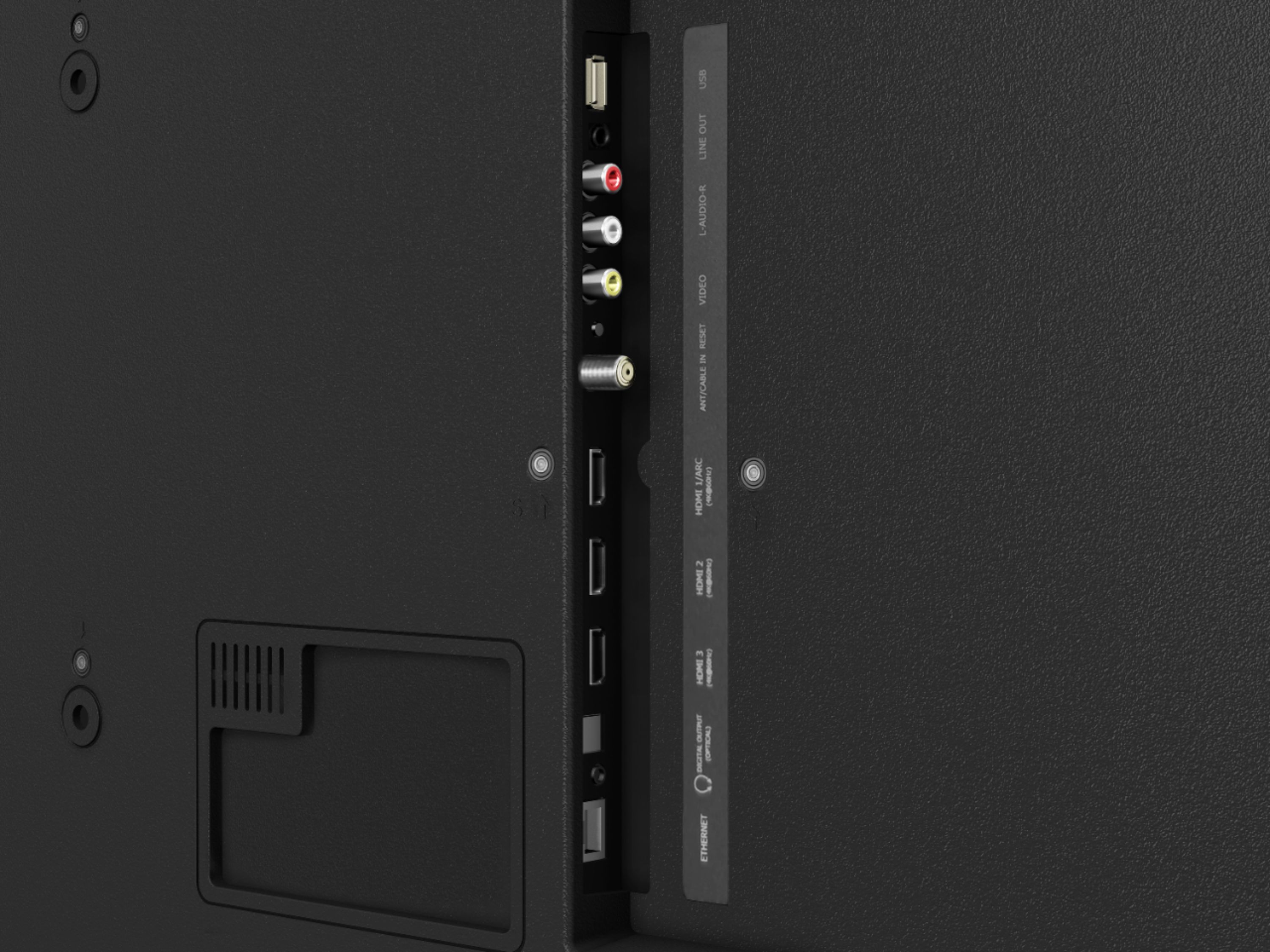
A:AnswerHello Brooke, Thank you for your interest in the 50R7E. Yes you are able to connect your computer to the unit using one of the HDMI ports on the back of the unit. If you have any further questions please give us a call at 1-888-935-8880 or email us at [email protected].
Thanks Again,
We look forward to hearing from you!
Harley with the Hisense Support Team
A:AnswerThank you for your interest in the 50R7E. You are able to connect any cable box or other device to this television using one of the HDMI ports or the AV connection. If you have any further questions please give us a call at 1-888-935-8880 or email us at [email protected].
Thanks Again,
We look forward to hearing from you!
Harley with the Hisense Support Team
A:AnswerThank you for your interest in the 50R7E. You are able to however this is dependent on the source that you have connected. If you have any further questions please give us a call at 1-888-935-8880 or email us at [email protected].
Thanks Again,
We look forward to hearing from you!
Harley with the Hisense Support Team
A:AnswerHello Loonie, Thank you for your interest in the 50R7E. The refresh rate on this television is 60 and has a motion rate of 120. If you have any further questions please give us a call at 1-888-935-8880 or email us at [email protected].
Thanks Again,
We look forward to hearing from you!
Harley with the Hisense Support Team
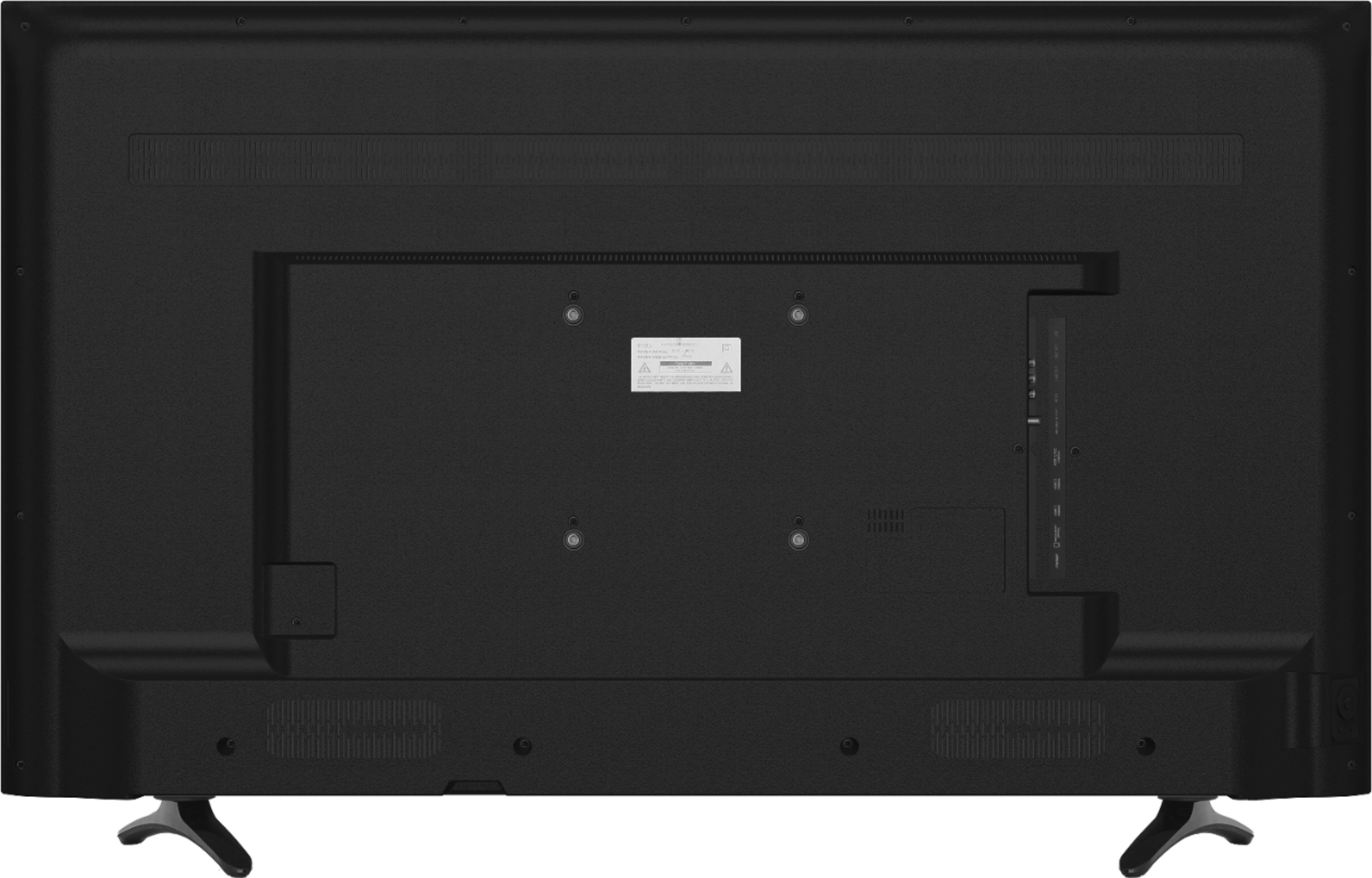
A:AnswerThank you for your interest in Hisense USA, Yes you are able to build a video wall with the unit. The 50R7E has a VESA Pattern of 200x200 and as such can be mounted with a wall mount that supports this VESA Pattern. If you have any further questions please give us a call at 1-888-935-8880 or email us at [email protected].
Thanks Again,
We look forward to hearing from you!
Harley with the Hisense Support Team
A:AnswerThank you for your interest in the Hisense 50R7E, the measurement for the stand leg spacing is 38.6" x 9.7" for the 50" series and for the 55" its 41.1"x 10.6". Thank you for your interest in Hisense USA if you have any further questions or concerns please give us a call at 1-888-935-8880 or email us at [email protected].
Thanks Again, Harley with the Hisense Support Team
A:AnswerThank you for your interest in the 50R7E. The screw size for the stand is ST4x25C. If you have any further questions please give us a call at 1-888-935-8880 or email us at [email protected].
Thanks Again,
We look forward to hearing from you!
Harley with the Hisense Support Team
A:AnswerThank you for your interest in Hisense USA. No you would not be able to use both the TV speakers and headphones at the same time as when you connect the headphones this will automatically disable the TV speakers. If you have any further questions please give us a call at 1-888-935-8880 or email us at [email protected].
Thanks Again,
We look forward to hearing from you!
Harley with the Hisense Support Team
A:AnswerSassy, Please try unplugging the TV from the wall and back in hopefully to allow the TV to start the update. If this does not resolve the issue please give us a call at 1-888-935-8880.
A:AnswerThis Television was manufactured in 2019, and offers the Roku Operating system that includes great apps such as Netflix, Disney Plus, and 1000's more in the Roku app store. Thank you for your interest in Hisense USA and If you have any other questions give us a call at 1-888-935-8880.
A:AnswerQuality of sound respectable from the TV but I did add a soundbar to boost the sound quality. Like it with the soundbar much better. Recommend adding one.
A:AnswerHello Kells!
It appears that the Cox Contour App is only available for mobile devices and via browser. Here is a quote from the support team at COX from their webpage:
https://forums.cox.com/forum_home/internet_forum/f/internet-forum/21988/on-a-roku-how-do-i-stream-cox-channels-i-pay-for
"Roku features a full line-up of cable channel content you can access using your Cox account credentials. At this time, the Contour App is not available for Roku. Cox product managers are investigating compatibility constraints in the hopes that we can bring the Contour App to third-party devices like Roku in the future."
A:AnswerHello and thank you for your interest in the Hisense 50R7! The TV is equipped with 2 speakers already, but you can connect to it to a surround sound system if you would like to.
A:AnswerHello, and thank you for your interest in the Hisense 50R7E! Yes, this TV has both HDMI, and A/V connections making most, if not all, DVD players compatible with out TV!