A:AnswerHello. Thanks for your question. There is a 30 day trial of Microsoft Office on this HP computer, which includes Word, Excel, and PowerPoint. We recommend purchasing Microsoft Office with this computer. It also comes with a 30-day trial of McAfee LiveSafe. McAfee LiveSafe provides anti-virus protection for computers to help defend against viruses and threats with offline and online protection.
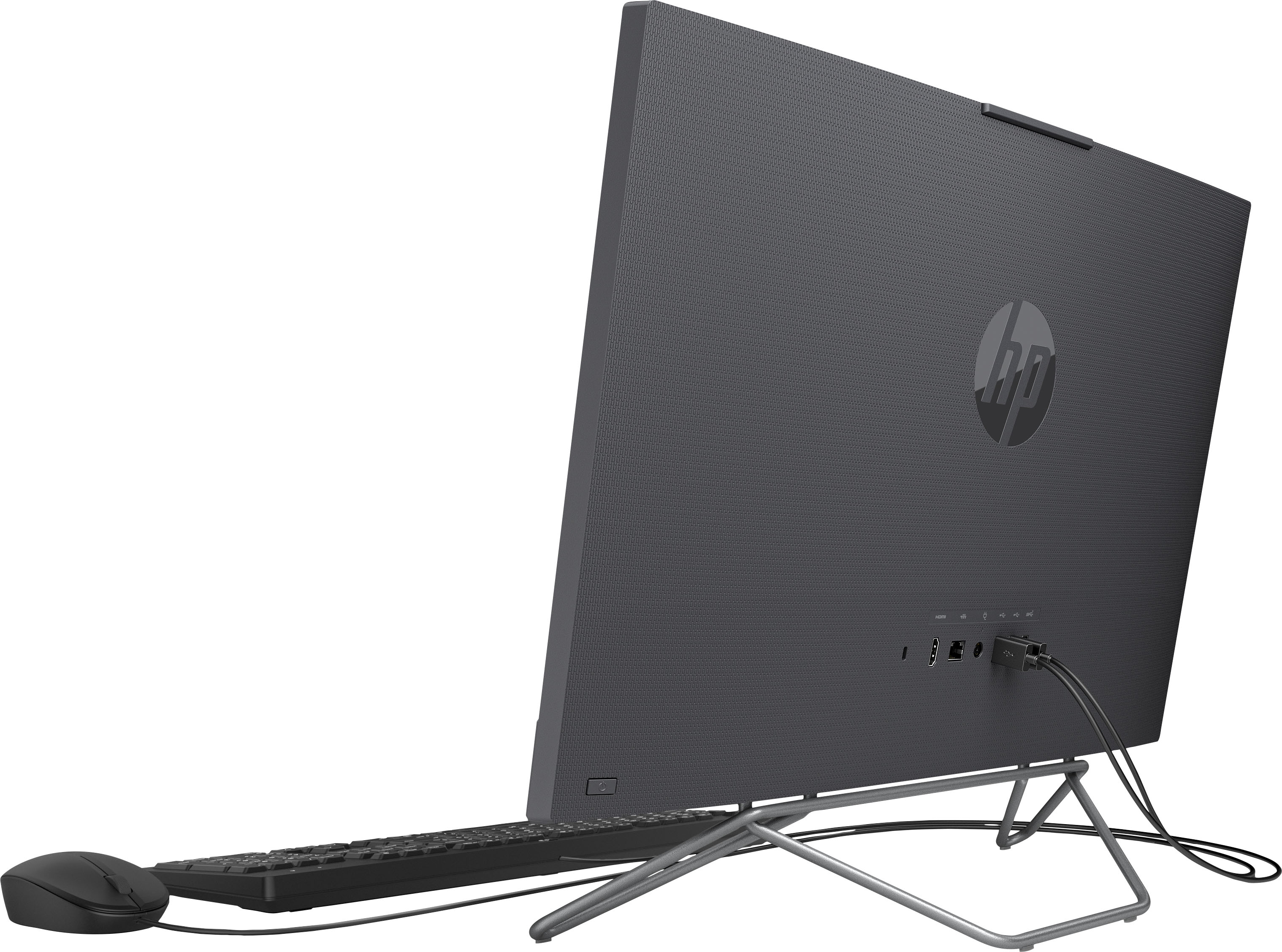
A:AnswerHello, Jeff. Thanks for your question. You can use a wireless mouse with this HP all in one computer. You just want to be sure the mouse is wireless. A wireless mouse will have a USB dongle that you would plug into the back of this computer.
A:AnswerThank you for the question. You'll be able to connect this All-in-One desktop to your internet modem using the RJ45 (Ethernet) port. The HDMI-out port would be used to connect - send OUT - audio and video to an external monitor. This model does not have an HDMI-in port - that would be used if you want to connect a DVD, Blu-Ray player, a laptop, or a gaming device that you want to display on the PC's screen.
A:AnswerHello. Thanks for your question. Here is a great article on how to transfer old stuff to the new one
Here you go: https://store.hp.com/app/tech-takes/how-to-transfer-files-from-pc-to-pc You can also reach out to the Geek Squad at Best Buy for their data transfer services.
A:AnswerThank you for the question. In the unlikely event that the HP All-in-One PC does not work, you can return or exchange your purchase within 15 days (60 days for My Best Buy Plus™ and My Best Buy Total™ members). Please review Best Buy's return policy before making your purchase.
A:AnswerIt depends on your needs really. It works great as an office computer, we can have several tabs open as well as various apps for working and run into no problems and not having a tower cleans up space, hooked to wifi and printer via wifi easily. Web surfing and video browsing no problem. However if your goal is high end gaming nothing will beat a good tower build and for us being an office cpu we have not run any games at all to test that.
A:AnswerThank you for the question. You can run Steam on this laptop, but note that it has integrated graphics. An avid user might want a gaming laptop (or gaming desktop) with a discrete graphics card.
A:AnswerThank you for the question. No. The HP 24-cb0214 can be upgraded to 16GB DDR4 RAM in total. It has two memory slots, one occupied by 8GB. You can add 8GB in the vacant slot. We recommend that the upgrade be performed by a trained technician.
A:AnswerHello, Luke. Thanks for your question. You would need a monitor with the HDMI port. You would plug the monitor with the HDMI cable to the HDMI out port on this computer.
A:AnswerYes, I would say it's a good choice for for general use. If you're doing a lot of gaming or serious math or engineering, you'll want a computer with a more powerful processor, more RAM, and probably more storage.