“What accessories do I need if I want to plug my MacBook into this and work off both screens?”
Answer This Question
1-2 of 2 Answers
It depends on how old your MacBook is and what available ports it has. I have the older MacBook Pro with the Super Drive (2012) and it can drive an external monitor as well as the laptop monitor. Most of the MacBooks have Thunderbolt 2 or 3 and USB-C ports. You simply need to buy an adapter that goes from USB-C to either VGA or HDMI. It looks like this monitor has the capability to receive either type. BestBuy has these type of adapters in-store and online.
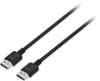
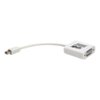
Sorry, there was a problem. Please try again later.This monitor has VGA and HDMI inputs so it depends on what output ports you have on your Macbook. If you have an HDMI port then you just need an HDMI cable. If you have a Mini-display port then you need a Mini-display port to either VGA or HDMI cable/adapter.
I would recommend:
Sorry, there was a problem. Please try again later.