“I have a wireless HP keyboard and mouse and recently the mouse stopped holding a charge with fresh batteries and the keyboard is acting strange as well. I have replaced all the batteries and they work fine for about a day then issues resurface.”
Answer This Question
1-5 of 5 Answers
It is probably the keyboard itself because I went through the same problems you are describing.
Sorry, there was a problem. Please try again later.for $20 buy a replacement
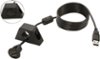
Sorry, there was a problem. Please try again later.Make sure you don't have an interference issue, I have my tower in my top tool box at work and have my monitor, keyboard and mouse on top of my main box. It would act up and I found that trying to keep a good connection through the walls of my tool boxes was the issue, so i just added an extension cable to the usb and placed it closer to the keyboard/mouse and no more issues!
I would recommend:
Sorry, there was a problem. Please try again later.Try rebooting computer, fixed mine.
Sorry, there was a problem. Please try again later.What type of batteries are you using? I found out from experience, the cheaper batteries like Rayovac, will only last a few hours. if you are using better quality batteries such as Duracel or Energizer, then it must be the keyboard and mouse itself. then i would take it back to Best Buy and exchange it. Also look at different type of batteries, i was told that regular one's will not last as long in some equipment such as AA2 which or those type. check with one of the reps as they are honest and are not working on commission. I hope this helps. Good luck
Sorry, there was a problem. Please try again later.