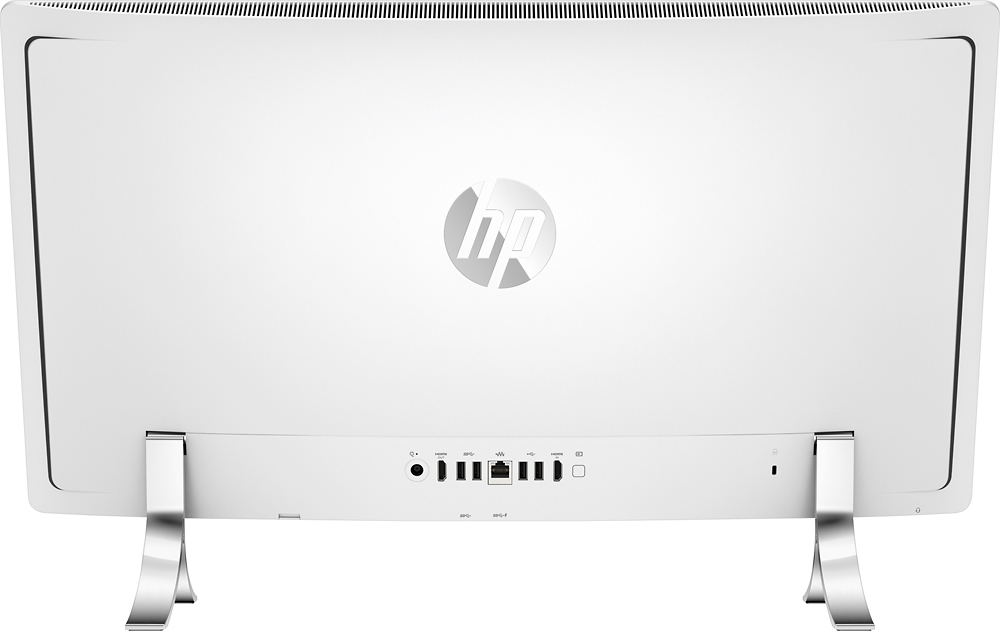
A:AnswerFacing the back of the unit, the USB ports on the left hand side say "SS USB" -these are the USB 3.0 ports and I don't know why they aren't color coded either.
A:AnswerThere is simply 2 screws on the bottom covered with a little rubber plug. Lay the computer down on its face, pop out the plugs, and loosen the 2 screws. The push forward and on the backing and lift. you will then see the 2 slots...
A:AnswerGood question. The computer has a built-in mic near the webcam. There is no set up process. If you ever video chat or use a program that requires a mic, it will automatically record. I hope this helps.
A:AnswerUnfortunately, you cannot change the GPU. It is integrated with the processor. It comes with Intel® HD Graphics 530. For more detailed specs, please visit the following link:
http://www.hp.com/sbso/hpinfo/newsroom/Holiday2015PCs/HPENVY24n014AllinOne.pdf
I hope this helps.
A:AnswerI added Samsung 950 PRO -Series 512GB PCIe NVMe - M.2 Internal SSD 2-Inch MZ-V5P512BW and it works great!... I cloned my hard drive and made the SSD my OS drive and use the hard drive for my various files. It really pops with this SSD drive!
A:AnswerYes:
http://windows.microsoft.com/en-us/windows-10/getstarted-what-is-cortana
Not sure what kind of microphone this has on it, but it at least does have a microphone port.